
SpeechBridge: Near-Realtime Speech Translation on Azure — Keyless, One-Command, and Honest About Its Latency
Two people who don't share a language, one laptop, and about half a second of delay. SpeechBridge is an open-source Azure Solution Accelerator for live interpreted conversation — with no API keys anywhere, one-command deployment, and a README that names the situations where you must not use it.
#AI4Good. I built a live interpreter: you speak, and the person across the table hears you in their own language, roughly half a second later. Then I spent as much effort documenting where it must not be used as I did making it fast.
Language is the quietest barrier there is. It decides who can ask a question in a meeting, who can follow a lesson, who gets served first at a counter. Machine interpretation cannot fix that — but a demo that puts a decent version of it in anyone’s hands, free and open, is a useful thing to be able to point at.
What it is
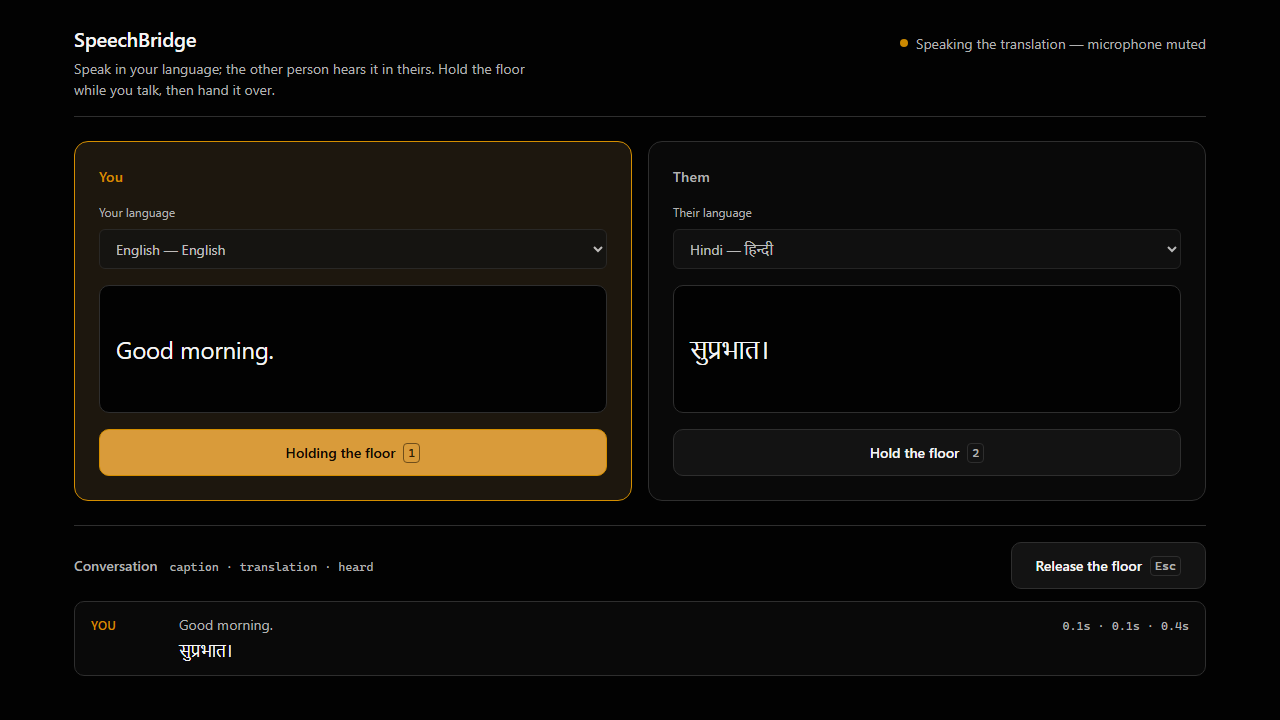
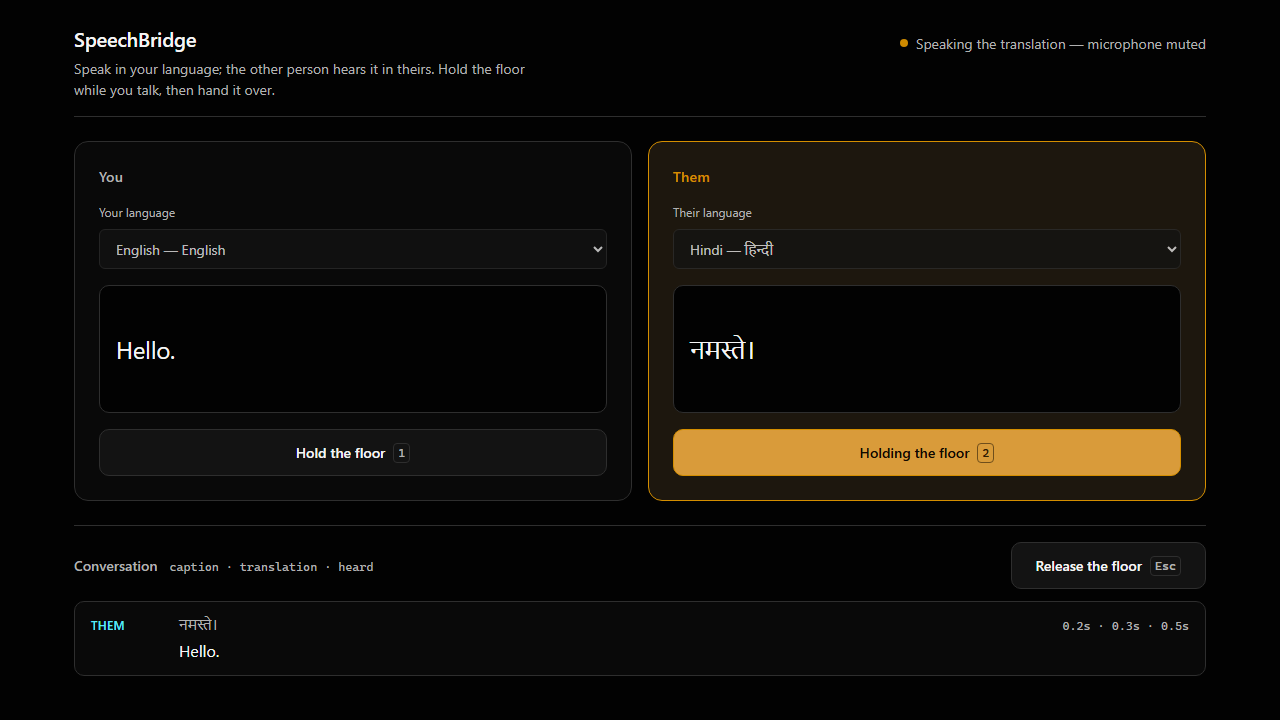
Two people who do not share a language sit at one laptop. Each speaks naturally; the other hears it in their own language, in a natural neural voice. Live captions stream in both languages while you are still talking.
- 16 languages, including English, Hindi, Kannada, Tamil, Telugu and Marathi alongside Spanish, French, German, Italian, Portuguese, Japanese, Korean, Chinese, Russian and Arabic.
- Bidirectional. Hold the floor with
1or2, talk, pressEsc. The other side hears the translation spoken aloud. - Right-to-left aware, so Arabic renders correctly rather than approximately.
- It shows you the real numbers. Every turn displays three timings: time to caption, time to settled translation, and time until the other person actually heard it.
That last one is the part I care about most. “Realtime” is the easiest word in AI to say and the hardest to mean. So the interface just tells you.
How it was built
The whole thing runs on Azure AI Speech, and the browser streams microphone audio directly to Azure over a WebSocket. There’s a small Express server, but audio never touches it — putting a backend in that path would add a hop to every audio frame and quietly destroy the latency budget. The server exists for exactly one job: minting credentials.
There are no API keys. There cannot be.
Every Azure Speech sample starts by pasting a subscription key. That was impossible here — the
tenant force-applies disableLocalAuth=true to every Cognitive Services account:
az cognitiveservices account keys list ...
→ ERROR: (BadRequest) Failed to list key. disableLocalAuth is set to be true
I created a brand-new resource to check whether it was a per-resource setting. It came back key-disabled too. So this is Azure Policy, not configuration, and the entire sample corpus is unusable.
That turned out to be a gift. The design that survives is strictly better:
- The server holds a managed identity and gets a Microsoft Entra token.
- It exchanges that for a Speech-scoped token that dies in ten minutes.
- The browser receives only that token — never the Entra one, which every Cognitive Services resource in reach would happily accept.
The project charter enforces this mechanically: browser code is forbidden from importing
@azure/identity, and the build fails if it ever does. I grepped the shipped bundle to
confirm.
Two landmines, documented so nobody else loses an afternoon
Node’s native WebSocket silently breaks the Speech SDK. Recognition died with
StatusCode: 1006 and no explanation, while text-to-speech on the same credential worked
perfectly — which sends you hunting through auth and RBAC for an hour. The cause: modern Node
exposes a global WebSocket that negotiates over HTTP/2, which the Speech endpoints reject.
delete globalThis.WebSocket fixes it instantly. Browsers are unaffected.
TranslationRecognizer has no echo cancellation. On open speakers, the app hears its own
translation, translates that, speaks it, and loops forever. My first fix — ignoring
recognition results during playback — was reviewed and found insufficient, because results are
filtered when they arrive, not when the audio was captured. Audio recorded during playback
can finalise after the cooldown and be believed. The real fix is to mute the microphone track
at the device.
Chasing the latency, and being wrong about it
Time-to-heard started at 1.2–2.4 seconds. The measurements said synthesis was 75–85% of it, so the obvious move was switching to the recognizer’s built-in fused synthesis. I benchmarked it instead of assuming:
| Strategy | Median to first audio |
|---|---|
| Chained synthesizer (cold) | 2775 ms |
| Chained + pre-opened connection | 2218 ms |
| Fused (architectural rewrite) | 2032 ms |
The middle row is the answer. Most of the cost wasn’t the extra network round trip at all — it was a cold TLS and WebSocket handshake, paid at the worst possible instant, right after the speaker stops. Opening that connection while the user is still talking, when the wait is free, recovered three quarters of the available win for a few lines of code, and no rewrite.
Time-to-heard is now 0.4–0.7 seconds.
One command to deploy
It ships as an Azure Solution Accelerator:
azd auth login && azd up
Bicep provisions the AI Services account, a managed identity with the Cognitive Services User role, a container registry, Container Apps, and monitoring — then builds the image remotely in ACR (so you don’t need Docker installed), creates the Microsoft Entra app registration, and turns on sign-in.
The bug that only a real deployment could find
That role is Cognitive Services User, and getting there cost me an hour.
I had assigned Cognitive Services Speech User — the obvious choice for a speech app, and what every instinct says is correct least-privilege. The deployed app failed every single token exchange:
HTTP 401 {"error":{"code":"PermissionDenied",
          "message":"Principal does not have access to API/Operation."}}
The role assignment existed. The client ID matched. The endpoint was right. It wasn’t propagation — I retried for forty minutes.
Listing the role’s actual permissions explains it. Every data action Cognitive Services
Speech User grants sits beneath accounts/SpeechServices/…, CustomVoice, TTSPlayer.
Not one of them authorises /sts/v1.0/issueToken, which isn’t under SpeechServices at
all. That’s the endpoint my whole keyless design depends on.
And here’s why it hid so well: locally, everything worked perfectly. Because locally I was signed in as a subscription Owner, and inherited roles quietly supplied the permission the explicitly-assigned one lacked. The managed identity had no such inheritance. It was the first principal to ever exercise that role as actually written.
A permission model verified only by a subscription Owner proves almost nothing.
That’s now the second bug on this project that survived template validation, unit tests and careful reading, and died the moment something real ran. Both had the same shape: my development environment was more privileged and more permissive than production.
I originally targeted App Service and it validated perfectly. Then I actually deployed it:
InternalSubscriptionIsOverQuotaForSku
Current Limit (Total VMs): 0
App Service isn’t rate-limited in that subscription — it’s zero, which is common in enterprise and sponsored subscriptions. Deploying for real also surfaced two bugs no amount of template validation could: the container couldn’t pull its own image, and it bound to loopback inside the container so every request timed out. Validate is not deploy.
Verified, not asserted
180 unit tests, and an end-to-end check that plays recorded speech into a real Chromium microphone and fails unless the translation comes out in the right script — in both directions. Proving one direction proves half a product. The design tokens are contrast- tested too, so a colour that fails WCAG fails the build.
The good — and the honest limits
The upside is obvious: a free, open, self-hostable interpreter lowers a real barrier, and every Indian language in the catalogue is one that machine translation demos usually skip.
But the most important file in the repository is docs/RESPONSIBLE_AI.md, and it is mostly a
list of places you should refuse to use this:
- Medical consultations, diagnoses, consent, medication instructions
- Legal proceedings, contracts, statements
- Emergency and safety-critical communication
- Immigration, asylum, or law-enforcement interviews
Those are precisely the settings where interpretation matters most — and precisely where this fails worst. Machine translation is confidently wrong in ways humans are not. The interface shows translations as flat statements with no confidence signal, so a wrong one looks exactly like a right one. It guesses gender and formality when translating into languages that mark them, and being misgendered is not a trivial error. It splits sentences on pauses and carries no context between turns.
An AI4Good project that only lists its benefits isn’t being good, it’s being marketed. If you deploy this: tell people they’re being machine-translated before they speak, say plainly that it’s a machine, and provide a human alternative for anything that matters.
Try it
- 💻 Source: github.com/naveenneog/speechbridge
- ☁️ Deploy:
azd up— keyless, authenticated, about two minutes - 🖥️ Local:
npm install && npm run dev, thenaz login. No API key required. - 📖 The decisions:
docs/adr/— including the two landmines above, and every place a review found me wrong.