<?xml version="1.0" encoding="utf-8"?><feed xmlns="http://www.w3.org/2005/Atom" ><generator uri="https://jekyllrb.com/" version="3.10.0">Jekyll</generator><link href="https://naveenneog.github.io/AI4Good/feed.xml" rel="self" type="application/atom+xml" /><link href="https://naveenneog.github.io/AI4Good/" rel="alternate" type="text/html" /><updated>2026-07-10T18:46:07+00:00</updated><id>https://naveenneog.github.io/AI4Good/feed.xml</id><title type="html">AI4Good</title><subtitle>Building AI for good, one app a day — education, health, culture &amp;amp; heritage apps, plus hands-on guides for Azure, AI, 3D, and mobile. #AI4Good</subtitle><author><name>Naveen Gopalakrishna</name></author><entry><title type="html">Made with Video Gen Studio: an Azure hosted-agents explainer, from one prompt to premiere</title><link href="https://naveenneog.github.io/AI4Good/2026/07/10/made-with-video-gen-studio/" rel="alternate" type="text/html" title="Made with Video Gen Studio: an Azure hosted-agents explainer, from one prompt to premiere" /><published>2026-07-10T15:10:00+00:00</published><updated>2026-07-10T15:10:00+00:00</updated><id>https://naveenneog.github.io/AI4Good/2026/07/10/made-with-video-gen-studio</id><content type="html" xml:base="https://naveenneog.github.io/AI4Good/2026/07/10/made-with-video-gen-studio/"><![CDATA[<blockquote>
  <p><strong>TL;DR</strong> — The film above wasn’t edited by a human. I typed <strong>one sentence</strong> — <em>“explain how hosted agents work on Azure”</em> — and <a href="/AI4Good/2026/07/10/video-gen-studio/"><strong>Video Gen Studio</strong></a> wrote it, storyboarded it, rendered every scene with <strong>Sora-2</strong>, narrated it, and finished it with captions, a music bed and brand bumpers. <strong>~11 minutes</strong>, prompt to premiere, on the live studio. The nice twist: the studio’s agents themselves ran on <strong>Azure AI Foundry’s hosted Agent Service</strong> — so this is <em>hosted agents explaining hosted agents</em>.</p>
</blockquote>

<div class="vg-stats">
  <div class="vg-stat"><div class="n">1</div><div class="l">prompt in</div></div>
  <div class="vg-stat"><div class="n">6</div><div class="l">scenes out</div></div>
  <div class="vg-stat"><div class="n">~11m</div><div class="l">prompt → film</div></div>
  <div class="vg-stat"><div class="n">0:41</div><div class="l">finished runtime</div></div>
  <div class="vg-stat"><div class="n">0%</div><div class="l">frozen frames</div></div>
</div>

<h2 id="the-one-line-i-typed">The one line I typed</h2>

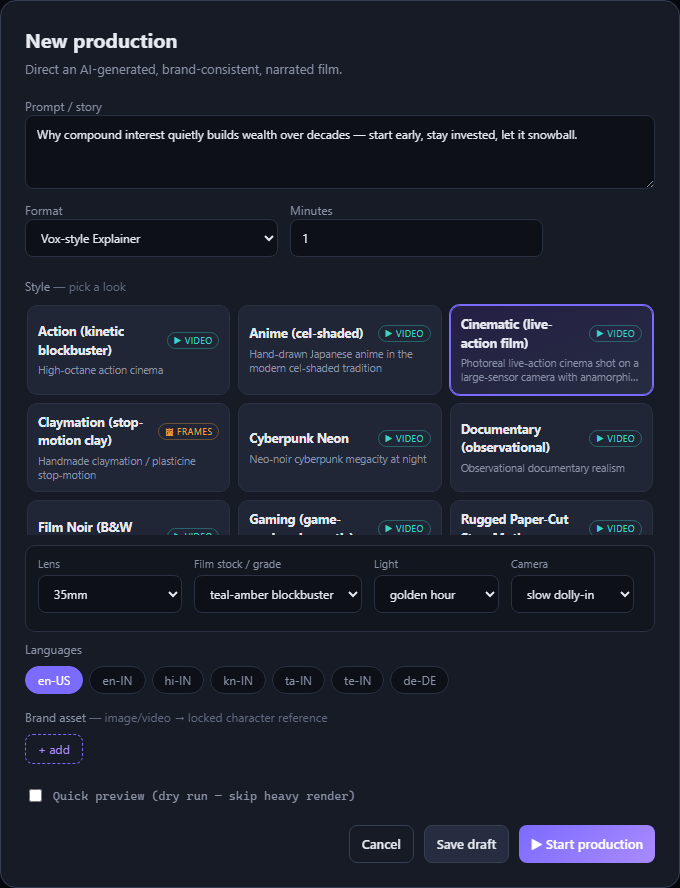
<p>No shot list, no script, no assets. Just a sentence and a style (<em>Rugged Paper-Cut Stop-Motion</em>):</p>

<blockquote>
  <p><em>“Explain how hosted agents work on Azure AI Foundry’s Agent Service: you define an agent’s instructions, tools, and model, and Azure runs it server-side — hosting, scaling, and securing it with managed identity — so teams ship reliable agentic apps without operating the orchestration themselves.”</em></p>
</blockquote>

<p>Everything below — the beats, the narration, the visuals, the voice, the cut — the agents decided.</p>

<h2 id="six-agents-one-film">Six agents, one film</h2>

<p>Video Gen Studio isn’t a single model call. It’s a <strong>crew</strong>, and each member is a Microsoft Agent Framework agent you can watch work in the telemetry panel:</p>

<ol>
  <li><strong>ScriptWriter</strong> breaks the idea into beats (<em>hook → context → explain → turn → payoff</em>) and writes a tight narration line per scene.</li>
  <li><strong>Director</strong> plans the shots and <strong>pauses for my approval</strong> — the one human gate.</li>
  <li><strong>Renderer</strong> paints each scene with <strong>Sora-2</strong>, locked to a reference frame so the look stays consistent.</li>
  <li><strong>Continuity/QA</strong> checks the rendered frames with <strong>gpt-4o vision</strong>.</li>
  <li><strong>DubbingArtist</strong> casts a voice and narrates each scene (<strong>Azure AI Speech</strong>, <code class="language-plaintext highlighter-rouge">en-US-Andrew</code>).</li>
  <li><strong>Distribution</strong> finishes with a deterministic <strong>ffmpeg</strong> pass — rolling captions, a ducked music bed, and brand intro/outro bumpers.</li>
</ol>

<figure>
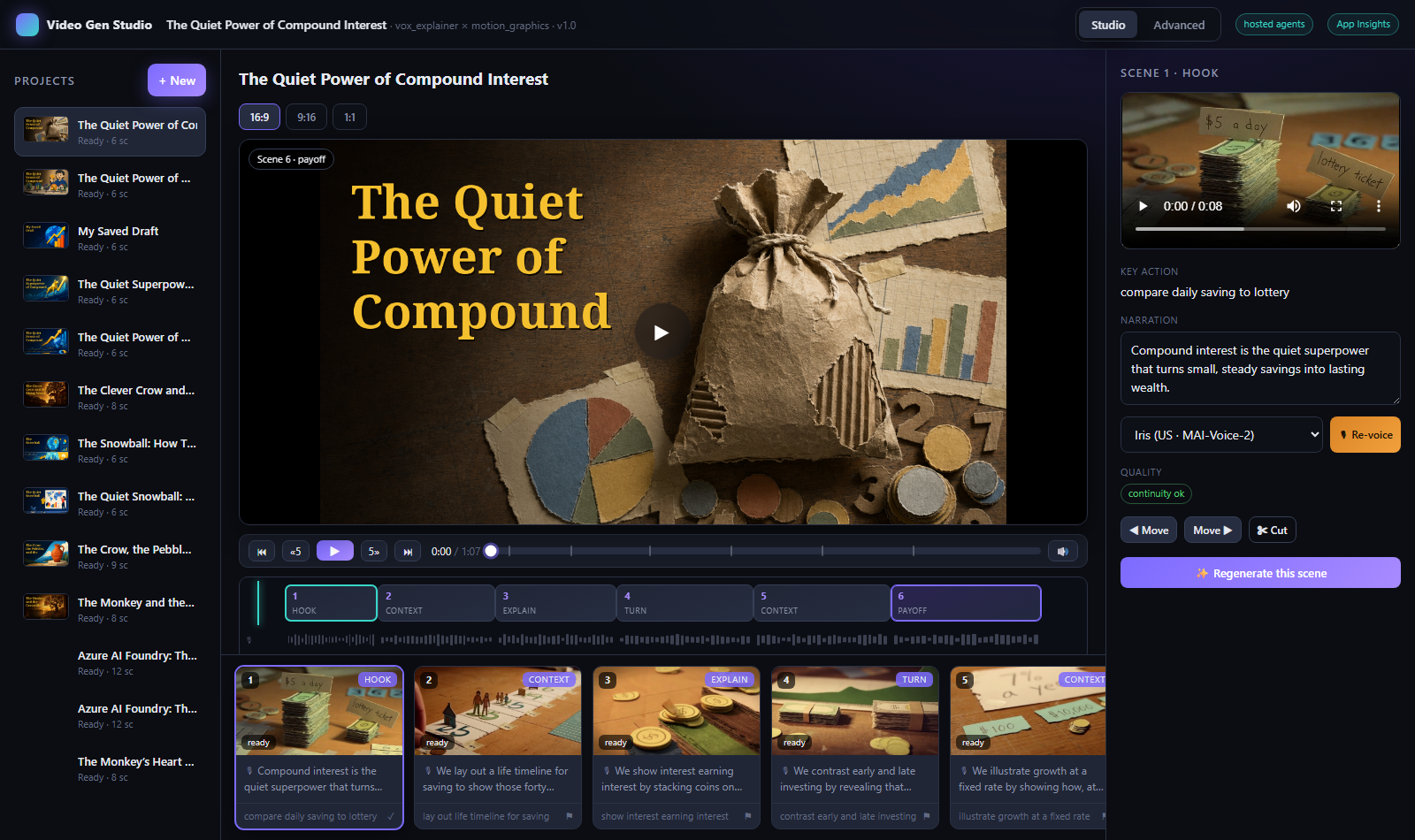
  <img src="/AI4Good/assets/img/2026-07-10-video-gen-studio/studio.png" alt="The Video Gen Studio editor — scene timeline, telemetry panel and preview" />
  <figcaption>The studio you actually watch it happen in — scenes stream in live, with a real timeline to recut.</figcaption>
</figure>

<h2 id="the-storyboard-it-wrote">The storyboard it wrote</h2>

<p>From that one sentence, ScriptWriter produced this — six beats, one crisp spoken line each (12–17 words, tuned so the voice fits the shot):</p>

<table>
  <thead>
    <tr>
      <th>#</th>
      <th>Beat</th>
      <th>Narration it wrote</th>
    </tr>
  </thead>
  <tbody>
    <tr>
      <td>1</td>
      <td>hook</td>
      <td><em>Instead of babysitting brittle servers, imagine your AI agent lives in the cloud and just works.</em></td>
    </tr>
    <tr>
      <td>2</td>
      <td>context</td>
      <td><em>Building agentic apps is hard because wiring models, tools, scaling, and security quickly turns into spaghetti.</em></td>
    </tr>
    <tr>
      <td>3</td>
      <td>explain</td>
      <td><em>With hosted agents, you define the agent’s instructions, tools, and model like dropping modules into place.</em></td>
    </tr>
    <tr>
      <td>4</td>
      <td>turn</td>
      <td><em>Then Azure hosts that agent server-side, lifting it into the cloud so infrastructure disappears from your plate.</em></td>
    </tr>
    <tr>
      <td>5</td>
      <td>context</td>
      <td><em>Azure handles scaling, monitoring, and secure resource access with managed identity, wrapping your agent in guardrails.</em></td>
    </tr>
    <tr>
      <td>6</td>
      <td>payoff</td>
      <td><em>Your team ships reliable agentic apps that just call a hosted agent, without running any orchestration yourselves.</em></td>
    </tr>
  </tbody>
</table>

<p>And then Sora-2 rendered each line as its own hand-made paper-craft shot:</p>

<figure>
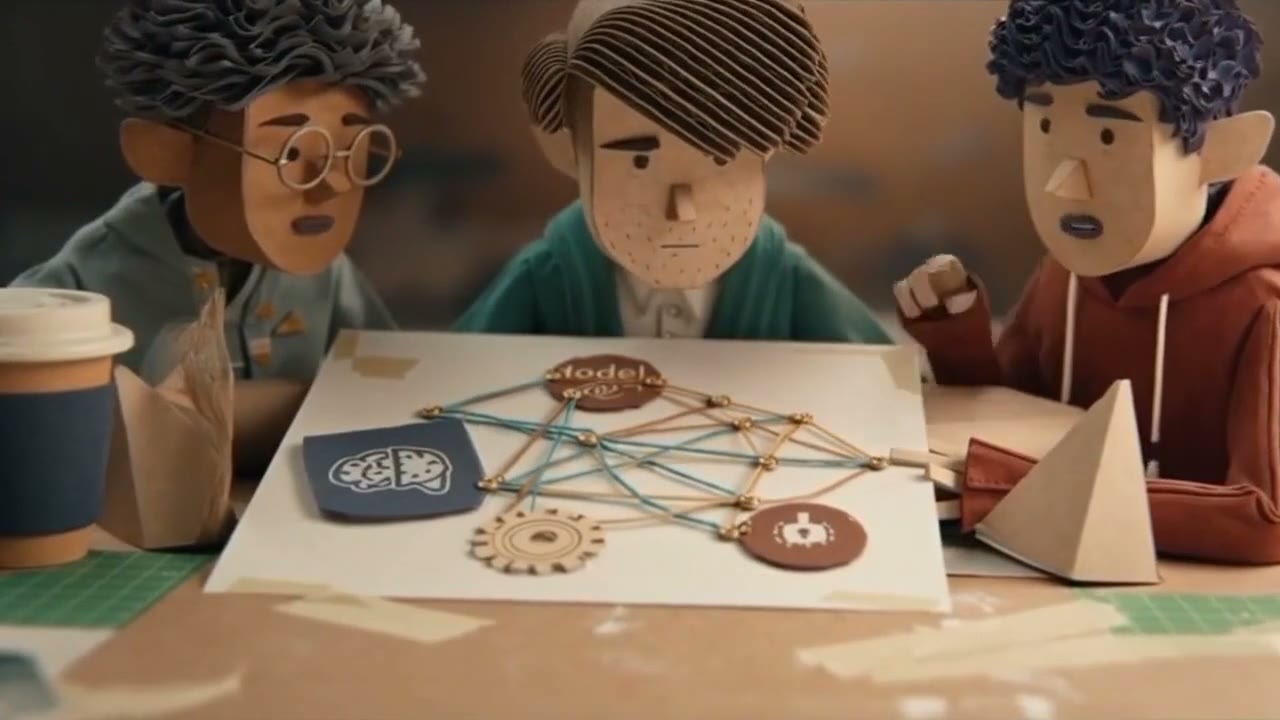
  <img src="/AI4Good/assets/img/2026-07-10-made-with-video-gen-studio/still-spaghetti.jpg" alt="Three paper-craft developers puzzling over a tangle of string connecting a model, a brain, a gear and a robot" />
  <figcaption>Scene 2 — <em>"…wiring models, tools, scaling, and security quickly turns into spaghetti."</em> The studio drew the spaghetti.</figcaption>
</figure>

<figure>
  <img src="/AI4Good/assets/img/2026-07-10-made-with-video-gen-studio/still-modules.jpg" alt="A paper-craft hand stacking labelled cardboard modules into place" />
  <figcaption>Scene 3 — <em>"…you define the agent's instructions, tools, and model like dropping modules into place."</em></figcaption>
</figure>

<h2 id="every-scene-moves--the-pacing-engineering">Every scene <em>moves</em> — the pacing engineering</h2>

<p>This is the part I’m proud of, and it’s why the film feels finished rather than generated.</p>

<p>Early cuts had a subtle disease: Sora renders a fixed-length clip, but a narration line is a <em>different</em> length. When the voice ran long, the studio froze the last frame and held it while the narrator kept talking. On an earlier six-scene film, <strong>26% of the runtime was frozen</strong> — a third of every scene was a still image with a voice-over.</p>

<p>So the render pipeline now <strong>fits the clip to the voice</strong>: it estimates each line’s spoken length, picks the shortest Sora length that covers it, and <strong>trims the scene to end exactly when the narrator does</strong>. Same six scenes, measured with <code class="language-plaintext highlighter-rouge">ffmpeg freezedetect</code>:</p>

<table>
  <thead>
    <tr>
      <th> </th>
      <th>Earlier cut</th>
      <th>This film</th>
    </tr>
  </thead>
  <tbody>
    <tr>
      <td>Runtime</td>
      <td>71.9s</td>
      <td><strong>41.0s</strong></td>
    </tr>
    <tr>
      <td>Per scene</td>
      <td>12.0s</td>
      <td><strong>6.8s</strong></td>
    </tr>
    <tr>
      <td><strong>Frozen held-frames</strong></td>
      <td>~19s (<strong>26%</strong>)</td>
      <td><strong>0.0s (0%)</strong></td>
    </tr>
  </tbody>
</table>

<p>Shorter, snappier, and the picture moves the whole way through. No held frames, no dead air.</p>

<h2 id="made-on-azure--by-agents-hosted-by-azure">Made on Azure — by agents, hosted by Azure</h2>

<p>The whole crew runs keyless on Azure with a single managed identity: <strong>Microsoft Agent Framework</strong> for the agents, <strong>Sora-2</strong> for motion, <strong>gpt-image-2</strong> for keyframes and reference locking, <strong>Azure AI Speech</strong> for the voice, <strong>gpt-4o vision</strong> for QA, and <strong>Azure Container Apps</strong> (VNet-integrated, deployed with <code class="language-plaintext highlighter-rouge">azd</code>) for the studio itself.</p>

<p>And the agents in this run executed on <strong>Azure AI Foundry’s hosted Agent Service</strong> — so the film about hosted agents was, fittingly, <em>directed by</em> hosted agents.</p>

<p>The best part: I never opened a video editor. I typed a sentence, approved a storyboard, and watched six scenes stream in. That’s the whole pitch — you direct; the crew builds.</p>

<p style="text-align:center; margin-top:2rem;">
  <a class="btn" href="/AI4Good/2026/07/10/video-gen-studio/">Read how Video Gen Studio works →</a>
</p>]]></content><author><name>Naveen Gopalakrishna</name></author><category term="ai" /><category term="video" /><category term="hosted-agents" /><category term="azure-ai-foundry" /><category term="sora-2" /><category term="agent-framework" /><category term="video-generation" /><category term="made-with-video-gen-studio" /><category term="copilot-cli" /><summary type="html"><![CDATA[A worked example: Video Gen Studio turned one sentence — 'explain how hosted agents work on Azure' — into a 41-second, narrated, brand-finished paper-craft explainer, in about 11 minutes, on the live studio. And the studio's own agents ran on Azure AI Foundry's hosted Agent Service, so it's agents explaining agents. This is the full making-of: the prompt, the six-agent pipeline, the storyboard it wrote, and the pacing engineering that keeps every scene moving.]]></summary><media:thumbnail xmlns:media="http://search.yahoo.com/mrss/" url="https://naveenneog.github.io/AI4Good/assets/img/2026-07-10-made-with-video-gen-studio/poster.jpg" /><media:content medium="image" url="https://naveenneog.github.io/AI4Good/assets/img/2026-07-10-made-with-video-gen-studio/poster.jpg" xmlns:media="http://search.yahoo.com/mrss/" /></entry><entry><title type="html">cordless: Managing Remote Terminals &amp;amp; Coding Agents From My Phone, Like Browser Tabs</title><link href="https://naveenneog.github.io/AI4Good/2026/07/10/cordless-remote-terminals-in-your-pocket/" rel="alternate" type="text/html" title="cordless: Managing Remote Terminals &amp;amp; Coding Agents From My Phone, Like Browser Tabs" /><published>2026-07-10T14:30:00+00:00</published><updated>2026-07-10T14:30:00+00:00</updated><id>https://naveenneog.github.io/AI4Good/2026/07/10/cordless-remote-terminals-in-your-pocket</id><content type="html" xml:base="https://naveenneog.github.io/AI4Good/2026/07/10/cordless-remote-terminals-in-your-pocket/"><![CDATA[<blockquote>
  <p><strong>TL;DR</strong> — <code class="language-plaintext highlighter-rouge">cordless</code> is a tiny <strong>Node daemon</strong> on your dev box that owns real terminal sessions (a shell, or <code class="language-plaintext highlighter-rouge">claude</code> / <code class="language-plaintext highlighter-rouge">codex</code>), plus a <strong>phone app</strong> that attaches to them <strong>like browser tabs</strong>. Close the app, switch networks, come back later — your sessions are still running and <strong>replay exactly where you left off</strong>. I designed it in a running conversation with <strong>GPT-5.6 Sol</strong> on Azure, built it with <strong>GitHub Copilot CLI</strong>, and verified it in a <strong>real browser <em>and</em> a real Android emulator</strong>. Live: <strong><a href="https://naveenneog.github.io/cordless/">naveenneog.github.io/cordless</a></strong>.</p>
</blockquote>

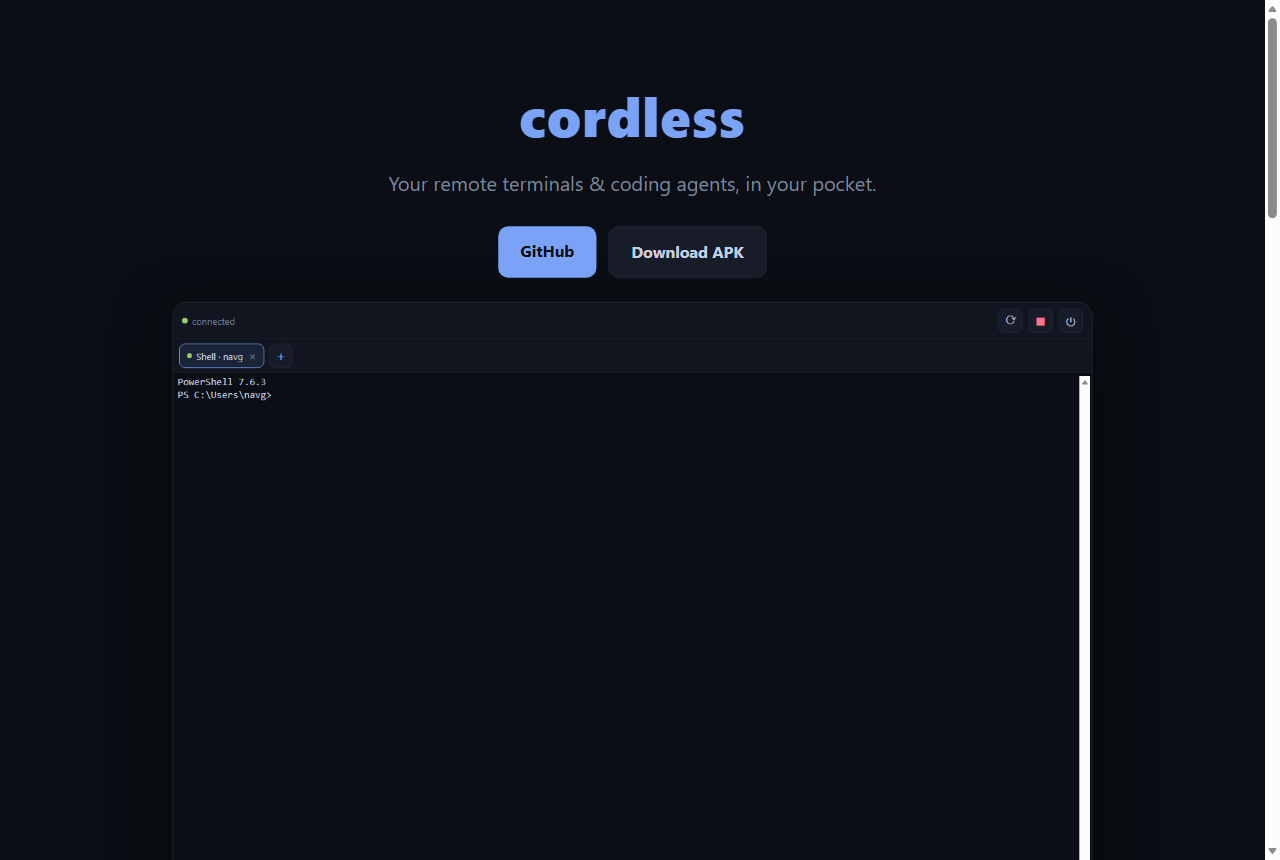
<p><a href="https://naveenneog.github.io/cordless/"><img src="/AI4Good/assets/img/2026-07-10-cordless-remote-terminals-in-your-pocket/hero.png" alt="cordless — remote terminals in your pocket" /></a></p>

<p>I keep leaving long-running coding-agent sessions on my dev box — a <code class="language-plaintext highlighter-rouge">claude</code> chewing through a refactor, a build, a shell mid-task — and then walking away from the keyboard. I wanted to <strong>check on them and steer them from my phone</strong>, the way I flip between browser tabs. Not SSH-in-a-box; something that treats each agent session as a first-class <strong>tab</strong> that keeps living when my phone sleeps. So I built <strong>cordless</strong>.</p>

<h2 id="what-it-is">What it is</h2>

<ul>
  <li><strong>Persistent sessions.</strong> The PTYs live in the daemon. Your phone disconnecting, backgrounding, or hopping from Wi‑Fi to cellular doesn’t kill anything. Reconnecting <strong>replays from your last-seen byte</strong> — or a full-screen snapshot if you were away a while.</li>
  <li><strong>Tabs for terminals.</strong> Run several Claude Code / Codex / shell sessions at once and switch instantly, with an unread dot when a background session produces output.</li>
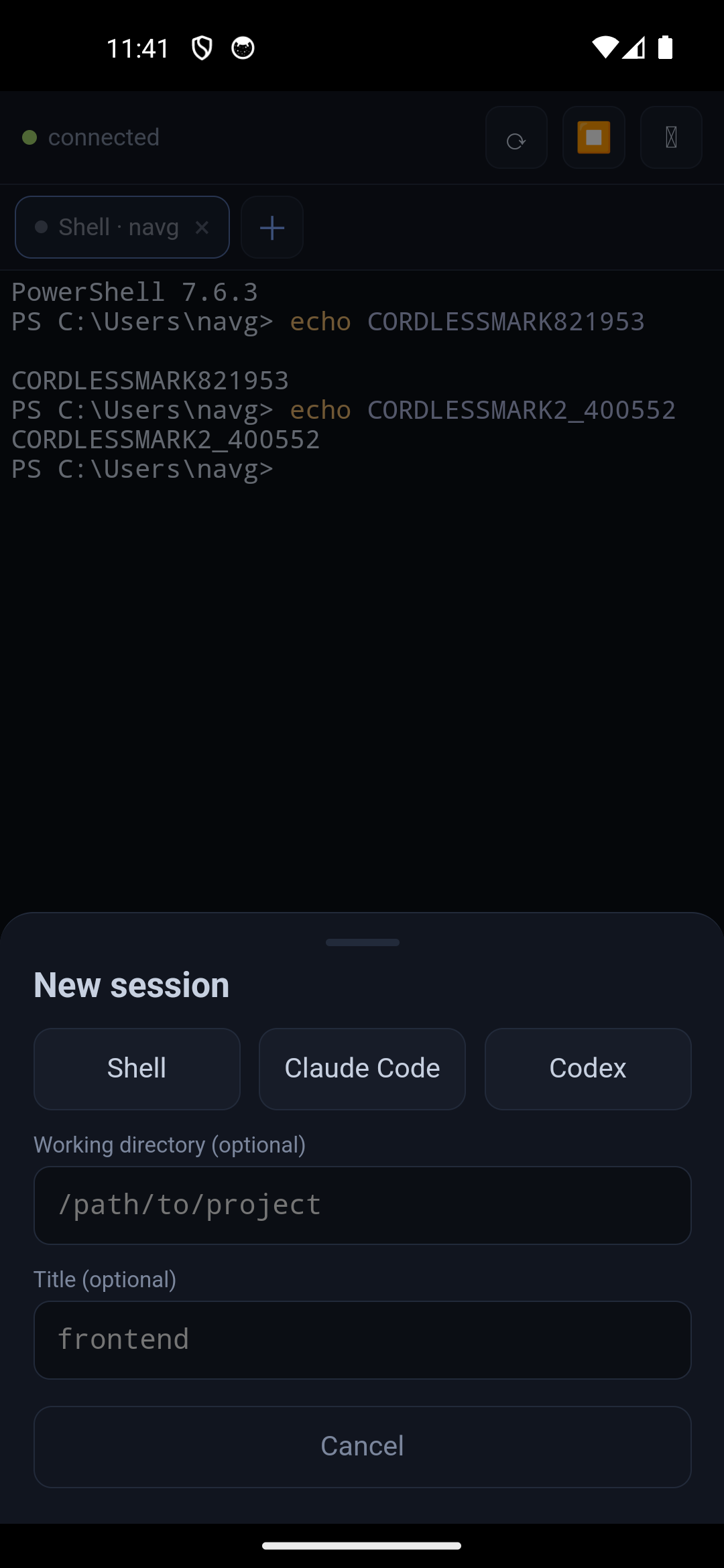
  <li><strong>Touch-first.</strong> A real terminal is unusable with thumbs without help, so there’s an on-screen <strong>key bar</strong>: Esc, Tab, Ctrl/Alt (one-shot latches), arrows, Ctrl‑C/D, pipes, and paste.</li>
  <li><strong>Reach it from anywhere.</strong> Tailscale is the recommended path; same‑Wi‑Fi LAN also works. No ports exposed to the internet.</li>
  <li><strong>Web <em>or</em> native.</strong> Install the PWA straight from your phone browser, or grab the Android APK.</li>
</ul>

<p align="center">
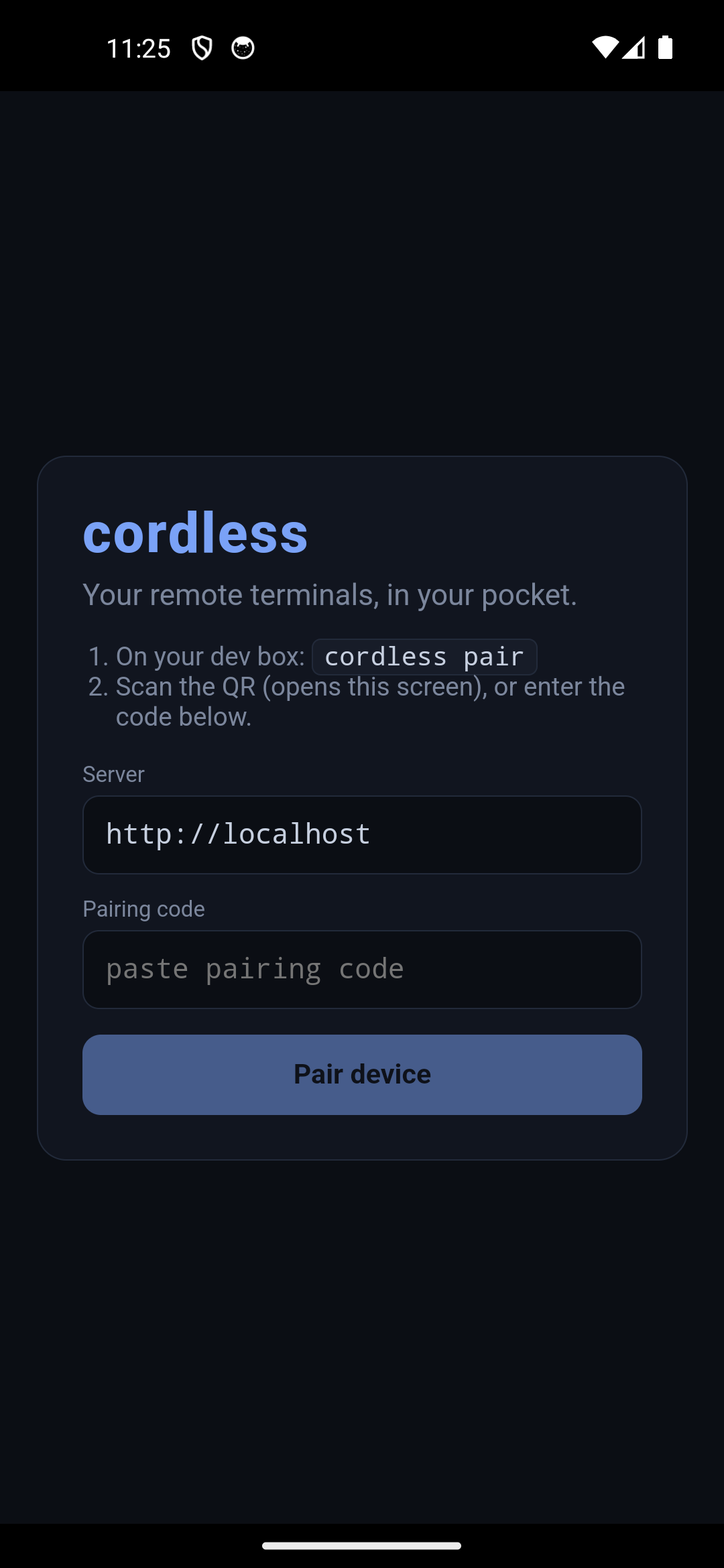
  <img src="/AI4Good/assets/img/2026-07-10-cordless-remote-terminals-in-your-pocket/pairing.png" width="31%" alt="pairing screen" />
  <img src="/AI4Good/assets/img/2026-07-10-cordless-remote-terminals-in-your-pocket/terminal.png" width="31%" alt="connected terminal" />
  <img src="/AI4Good/assets/img/2026-07-10-cordless-remote-terminals-in-your-pocket/keybar.png" width="31%" alt="touch key bar" />
</p>

<h2 id="how-it-was-built">How it was built</h2>

<h3 id="designed-in-tandem-with-gpt56-sol">Designed in tandem with GPT‑5.6 Sol</h3>

<p>The interesting part of this build is that I didn’t architect it alone. I kept a <strong>stateful conversation</strong> with <strong>GPT‑5.6 Sol</strong> (deployed on my Azure AI Foundry) open the entire time — not one-off prompts, but a running transcript so it stayed consistent with every prior decision. Sol produced the initial architecture, and then, crucially, <strong>reviewed my actual code</strong>. That review earned its keep.</p>

<h3 id="the-agent-node-pty-not-tmux">The agent: node-pty, not tmux</h3>

<p>Each session is a real pseudo-terminal spawned with <strong><code class="language-plaintext highlighter-rouge">node-pty</code></strong> (ConPTY on Windows — which, pleasingly, built on Node 26 first try; a Unix PTY on macOS/Linux). I deliberately <strong>did not</strong> use tmux: the daemon is <em>already</em> the multiplexer, and tmux adds nested-terminal state, sizing quirks, and a Windows install problem. Every session is a PTY <strong>plus</strong> a headless <a href="https://www.npmjs.com/package/@xterm/headless"><code class="language-plaintext highlighter-rouge">@xterm/headless</code></a> mirror (for snapshots) <strong>plus</strong> an 8 MiB <strong>replay ring</strong>.</p>

<p>The subtle bug Sol caught here: <code class="language-plaintext highlighter-rouge">@xterm/headless</code>’s <code class="language-plaintext highlighter-rouge">write()</code> is asynchronous, and <code class="language-plaintext highlighter-rouge">reset()</code> is <strong>not</strong> ordered behind queued writes. So I route every terminal write and every snapshot through <strong>one per-session op queue</strong>, and assign a batch’s sequence number <strong>inside the write callback</strong> — which keeps the replay ring, the sequence counter, and <code class="language-plaintext highlighter-rouge">serialize()</code> perfectly consistent. Output is coalesced into ~16 ms / 32 KiB batches, one sequence number per batch.</p>

<div class="language-js highlighter-rouge"><div class="highlight"><pre class="highlight"><code><span class="c1">// one op queue per session; seq assigned only after the bytes are parsed</span>
<span class="k">this</span><span class="p">.</span><span class="nx">_queueOp</span><span class="p">(()</span> <span class="o">=&gt;</span> <span class="k">new</span> <span class="nb">Promise</span><span class="p">((</span><span class="nx">resolve</span><span class="p">)</span> <span class="o">=&gt;</span> <span class="p">{</span>
  <span class="k">this</span><span class="p">.</span><span class="nx">term</span><span class="p">.</span><span class="nx">write</span><span class="p">(</span><span class="nx">batch</span><span class="p">,</span> <span class="p">()</span> <span class="o">=&gt;</span> <span class="p">{</span>
    <span class="kd">const</span> <span class="nx">seq</span> <span class="o">=</span> <span class="k">this</span><span class="p">.</span><span class="nx">_nextSeq</span><span class="o">++</span><span class="p">;</span>
    <span class="k">this</span><span class="p">.</span><span class="nx">_pushRing</span><span class="p">(</span><span class="nx">seq</span><span class="p">,</span> <span class="nx">batch</span><span class="p">);</span>   <span class="c1">// ring, counter and headless mirror advance together</span>
    <span class="k">this</span><span class="p">.</span><span class="nx">_broadcast</span><span class="p">(</span><span class="nx">seq</span><span class="p">,</span> <span class="nx">batch</span><span class="p">);</span>
    <span class="nx">resolve</span><span class="p">();</span>
  <span class="p">});</span>
<span class="p">}));</span>
</code></pre></div></div>

<p>That consistency is what makes <strong>reconnect-with-replay</strong> honest: attach with your last <code class="language-plaintext highlighter-rouge">seq</code>, and the server either replays the ring from there or, if it’s rolled past, serializes the headless terminal into a single reset snapshot. tmux-style survival, without tmux.</p>

<h3 id="the-client-and-the-12-bugs-the-review-caught">The client, and the 12 bugs the review caught</h3>

<p>The app is Vite + React + <strong><a href="https://xtermjs.org/">xterm.js</a></strong>, served by the daemon itself so the PWA is same-origin. I wrote the connection layer, thought it was solid… and handed the whole file to Sol for review. It came back with <strong>twelve real issues</strong> — not style nits, actual races:</p>

<ul>
  <li>stale-epoch writes <strong>duplicating output</strong> after a reconnect,</li>
  <li>the duplicate-frame check gating on the wrong counter (applied vs received seq),</li>
  <li><strong>duplicate-attach</strong> and detach-during-attach races,</li>
  <li>an ack timer that <strong>leaked across reconnects</strong> and cleared a fresh ack,</li>
  <li>Ctrl/Alt latches that could get <strong>stuck</strong>,</li>
  <li>“close tab” silently <strong>undone</strong> by the next session-list poll.</li>
</ul>

<p>The fix pattern throughout: give every socket a <strong>connection epoch</strong> that every handler, timer, and promise verifies; serialize each tab’s writes through an <strong>apply-chain</strong>; and use <strong>generation counters</strong> for attach/detach and resize. Boring, correct, and exactly the kind of thing a fresh reviewer spots that the author’s brain has already glossed over.</p>

<h3 id="security-baked-in-from-the-start">Security, baked in from the start</h3>

<p>Because a paired device gets <strong>shell access to my machine</strong>, security couldn’t be an afterthought:</p>

<ul>
  <li><strong>Per-device tokens</strong>, only their SHA‑256 hashes stored on the box; revoke any device by id.</li>
  <li><strong>Single-use, rate-limited QR pairing</strong> — and the pairing secret rides in the URL <strong>fragment</strong>, so it’s never sent to (or logged by) the server.</li>
  <li>An <strong>Origin allowlist</strong> on the WebSocket and pairing endpoints (blocks malicious web pages / DNS-rebinding), a strict <strong>CSP</strong> (<code class="language-plaintext highlighter-rouge">script-src 'self'</code>, no inline JS), and <code class="language-plaintext highlighter-rouge">no-store</code> on every credential-bearing response.</li>
  <li>The daemon <strong>warns if you run it as root/Administrator</strong> and binds with a clear least-privilege note.</li>
</ul>

<p>There’s a small automated suite that asserts all of this (cross-origin pairing → 403, cross-origin WebSocket → rejected, headers present) so it can’t quietly regress.</p>

<h3 id="the-bug-only-a-real-emulator-could-find">The bug only a real emulator could find</h3>

<p>Here’s my favorite part. Everything worked perfectly as a <strong>PWA</strong> — because the browser served the app and the agent from the <strong>same origin</strong>. Then I packaged the Android APK with <strong>Capacitor</strong> and installed it on an emulator. Pairing failed instantly: <strong>“Failed to fetch.”</strong></p>

<p>The cause was genuinely educational. Inside a Capacitor WebView the app’s origin is <code class="language-plaintext highlighter-rouge">http://localhost</code>, so talking to the agent is <strong>cross-origin</strong> — which triggers a <strong>CORS preflight</strong> my server had never needed to handle, because the same-origin PWA never sent one. The fix was to add CORS <strong>scoped to the existing Origin allowlist</strong> (echo <code class="language-plaintext highlighter-rouge">Access-Control-Allow-Origin</code> for allowed origins, answer the <code class="language-plaintext highlighter-rouge">OPTIONS</code> preflight, and — Sol’s catch — answer the <strong>Private Network Access</strong> preflight that Chromium sends when reaching a LAN/Tailscale address). A bug that would have broken <strong>every</strong> native-app user, invisible until I drove the real APK.</p>

<p>After the fix, the emulator paired, connected over WebSocket, attached a session, rendered PowerShell output, and <strong>replayed full session history on reconnect</strong> — the whole loop, natively.</p>

<h3 id="shipping-it">Shipping it</h3>

<p>The Android APK is built by <strong>GitHub Actions on every <code class="language-plaintext highlighter-rouge">v*</code> tag</strong> (debug-signed, <code class="language-plaintext highlighter-rouge">androidScheme: http</code> + cleartext so <code class="language-plaintext highlighter-rouge">ws://</code> to a Tailscale IP works) and attached straight to the release. The landing page is GitHub Pages. Networking is <strong>Tailscale-first</strong>: WireGuard encrypts the hop, you get a stable <code class="language-plaintext highlighter-rouge">*.ts.net</code> name, and port 7443 never touches the public internet.</p>

<h2 id="the-good">The good</h2>

<p>Sessions that <strong>outlive the client</strong> turn a phone from a read-only status screen into a real remote control for long-running agents. Check a <code class="language-plaintext highlighter-rouge">claude</code> refactor from the sofa, unstick a build on the train, tap Ctrl‑C on a runaway process — then walk back to your desk and the exact same sessions are there in the browser. And because the whole thing is token-gated, Tailscale-scoped, and never exposed publicly, it stays <em>yours</em>.</p>

<p>The meta-lesson: <strong>pairing a builder (me, via Copilot CLI) with a dedicated reviewer (GPT‑5.6 Sol) in a persistent conversation</strong> produced noticeably better engineering than either alone — the 12-bug review and the CORS catch are things I’d have shipped without. And testing on a <strong>real emulator, not just a browser</strong> is what turned “looks done” into “actually works.”</p>

<h2 id="try-it">Try it</h2>

<ul>
  <li>▶️ <strong>Live / install the PWA:</strong> <a href="https://naveenneog.github.io/cordless/">naveenneog.github.io/cordless</a></li>
  <li>📦 <strong>Android APK:</strong> <a href="https://github.com/naveenneog/cordless/releases/latest">github.com/naveenneog/cordless/releases/latest</a></li>
  <li>💻 <strong>Source:</strong> <a href="https://github.com/naveenneog/cordless">github.com/naveenneog/cordless</a></li>
</ul>

<p><em>Part of the <a href="/AI4Good/2026/07/10/ai4good-an-app-a-day/">#AI4Good</a> series. Built one day at a time. — <a href="https://github.com/naveenneog">@naveenneog</a></em></p>]]></content><author><name>Naveen Gopalakrishna</name></author><category term="ai4good" /><category term="showcase" /><category term="ai4good" /><category term="terminal" /><category term="nodejs" /><category term="capacitor" /><category term="xterm" /><category term="tailscale" /><category term="copilot-cli" /><category term="gpt-5-6-sol" /><summary type="html"><![CDATA[I built cordless — a phone app that manages many remote PTY / Claude Code / Codex sessions like browser tabs, with sessions that survive disconnects and replay on reconnect. Here's the honest build story: designing it in tandem with GPT-5.6 Sol, the 12 real bugs the review caught, security baked in, and the CORS bug that only a real Android emulator could surface.]]></summary><media:thumbnail xmlns:media="http://search.yahoo.com/mrss/" url="https://naveenneog.github.io/AI4Good/assets/img/2026-07-10-cordless-remote-terminals-in-your-pocket/hero.png" /><media:content medium="image" url="https://naveenneog.github.io/AI4Good/assets/img/2026-07-10-cordless-remote-terminals-in-your-pocket/hero.png" xmlns:media="http://search.yahoo.com/mrss/" /></entry><entry><title type="html">Video Gen Studio: an agentic film studio that turns one prompt into a finished, branded video</title><link href="https://naveenneog.github.io/AI4Good/2026/07/10/video-gen-studio/" rel="alternate" type="text/html" title="Video Gen Studio: an agentic film studio that turns one prompt into a finished, branded video" /><published>2026-07-10T11:00:00+00:00</published><updated>2026-07-10T11:00:00+00:00</updated><id>https://naveenneog.github.io/AI4Good/2026/07/10/video-gen-studio</id><content type="html" xml:base="https://naveenneog.github.io/AI4Good/2026/07/10/video-gen-studio/"><![CDATA[<blockquote>
  <p><strong>TL;DR</strong> — Type one sentence. A crew of AI agents scripts it, storyboards it, and <strong>waits for your approval</strong> — then <strong>Sora-2</strong> renders every scene, <strong>Azure AI Speech</strong> narrates it, and a deterministic <strong>ffmpeg</strong> finishing pass burns in rolling captions, ducks a music bed under the voice, and tops-and-tails it with brand bumpers. Choose from <strong>nine cinematic styles</strong> — or upload any clip and it <strong>mints a brand-new style</strong> from the look. Everything lands in a <strong>real editing timeline</strong>. Built on Azure, driven end-to-end by GitHub Copilot CLI in autopilot.</p>
</blockquote>

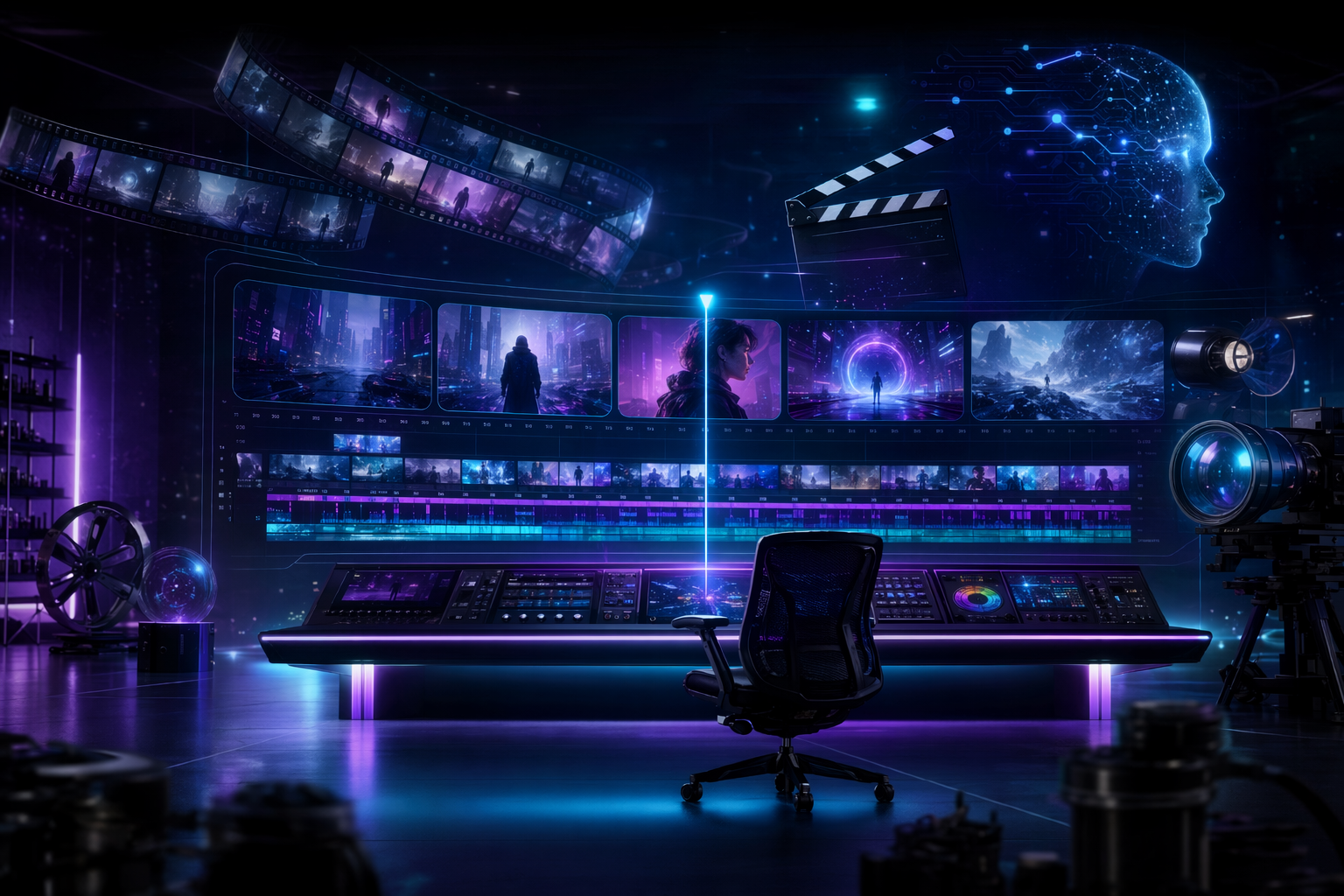
<p><img src="/AI4Good/assets/img/2026-07-10-video-gen-studio/hero.png" alt="A neon film-editing control room — the Video Gen Studio launch key art" /></p>

<div class="vg-stats">
  <div class="vg-stat"><div class="n">1</div><div class="l">prompt in</div></div>
  <div class="vg-stat"><div class="n">7</div><div class="l">AI agents</div></div>
  <div class="vg-stat"><div class="n">9+</div><div class="l">visual styles</div></div>
  <div class="vg-stat"><div class="n">0</div><div class="l">editors needed</div></div>
  <div class="vg-stat"><div class="n">~$2</div><div class="l">per 30s film*</div></div>
</div>

<h2 id="prompt-in-premiere-out">Prompt in, premiere out</h2>

<p>Making a short explainer or story film is a <em>pipeline</em> problem, not a single-model problem. You need a script, a consistent visual style, scenes that actually match the narration, a voice, captions, music, and a bit of brand polish so it doesn’t look like a tech demo. Today you either hire that out or stitch together six tools by hand.</p>

<p><strong>Video Gen Studio</strong> collapses the whole pipeline into one screen. You give it a sentence and a look. A team of agents turns it into a finished, narrated, brand-consistent film — and hands you a real timeline to recut it.</p>

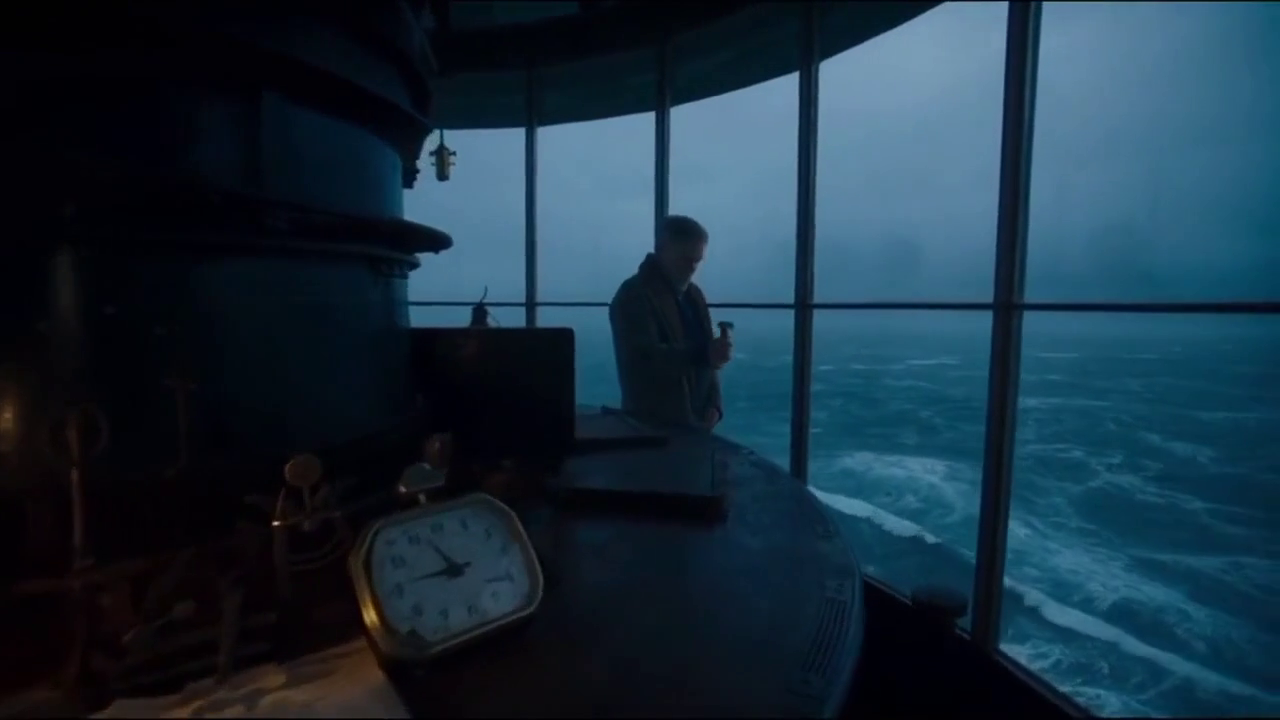
<p>Here’s a single frame, rendered by Sora-2 in the <strong>Cinematic</strong> style from the prompt <em>“a lone lighthouse keeper watches a storm roll in at dusk”</em> — no stock footage, no camera, one line of text:</p>

<figure>
  <img src="/AI4Good/assets/img/2026-07-10-video-gen-studio/cinematic-still.png" alt="A photoreal cinematic frame of a lighthouse keeper watching a storm at blue hour, rendered by Sora-2" />
  <figcaption>Cinematic style · blue-hour grade · anamorphic framing — from a one-line prompt.</figcaption>
</figure>

<h2 id="meet-the-crew-an-agentic-film-studio">Meet the crew: an agentic film studio</h2>

<p>The studio runs on the <strong>Microsoft Agent Framework</strong>. Each stage is a real agent with a job, and there’s a <strong>human gate</strong> in the middle — you approve the plan before a single expensive frame is rendered.</p>

<div class="vg-pipe">
  <span class="step">✍️ ScriptWriter</span><span class="arrow">→</span>
  <span class="step gate">🎬 Director · your approval</span><span class="arrow">→</span>
  <span class="step">🧬 Character-Consistency</span><span class="arrow">→</span>
  <span class="step">🎥 Renderer · Sora-2</span><span class="arrow">→</span>
  <span class="step">🔎 Continuity / QA</span><span class="arrow">→</span>
  <span class="step">🎙️ DubbingArtist</span><span class="arrow">→</span>
  <span class="step">📦 Distribution</span>
</div>

<ul>
  <li><strong>ScriptWriter</strong> breaks your prompt into a beat-by-beat storyboard with per-scene narration.</li>
  <li><strong>Director</strong> reviews it for coherence and picture-voice lock, then pauses for <em>you</em>. Approve, or send it back.</li>
  <li><strong>Character-Consistency</strong> locks a reference so a subject looks the same across scenes.</li>
  <li><strong>Renderer</strong> calls <strong>Sora-2</strong> to render each scene (2 concurrent, so it’s honest about time).</li>
  <li><strong>Continuity / QA</strong> looks at the <em>actual rendered frames</em> with gpt-4o vision and flags drift.</li>
  <li><strong>DubbingArtist</strong> casts a voice and narrates every scene with <strong>Azure AI Speech</strong> neural voices.</li>
  <li><strong>Distribution</strong> stitches, thumbnails, and hands off to finishing.</li>
</ul>

<p>Scenes stream into the UI <strong>the moment each one finishes</strong> — you watch the film assemble itself.</p>

<h2 id="the-studio-you-actually-edit-in">The studio you actually edit in</h2>

<p>This isn’t a “generate and pray” box. The output lands in a real editor: a proper transport (play / pause / scrub with time), a <strong>scene timeline with a playhead</strong>, a voice/waveform lane, and per-scene recut — reorder, cut, trim, re-voice (including Microsoft’s newest <strong>MAI-Voice-2</strong> neural voices), or regenerate a single scene from an edited prompt while keeping the rest.</p>

<figure>
  <img src="/AI4Good/assets/img/2026-07-10-video-gen-studio/studio.png" alt="The Video Gen Studio editor: video viewer with transport, scene timeline with playhead, voice lane, and scene inspector" />
  <figcaption>The recut studio — modeled on a real NLE. Play/pause/scrub, scene segments, and a per-scene inspector.</figcaption>
</figure>

<h2 id="nine-looks--or-bring-your-own">Nine looks — or bring your own</h2>

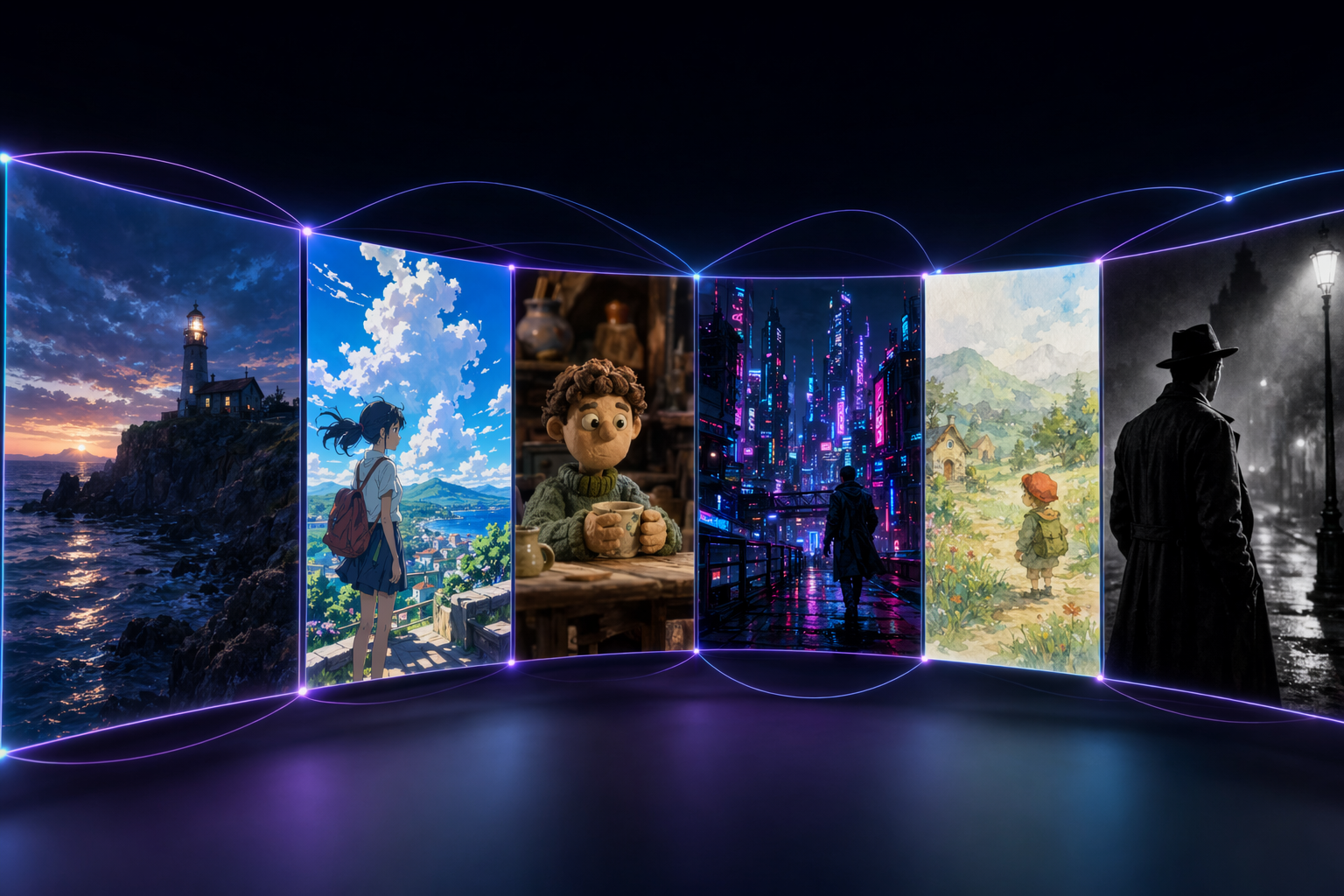
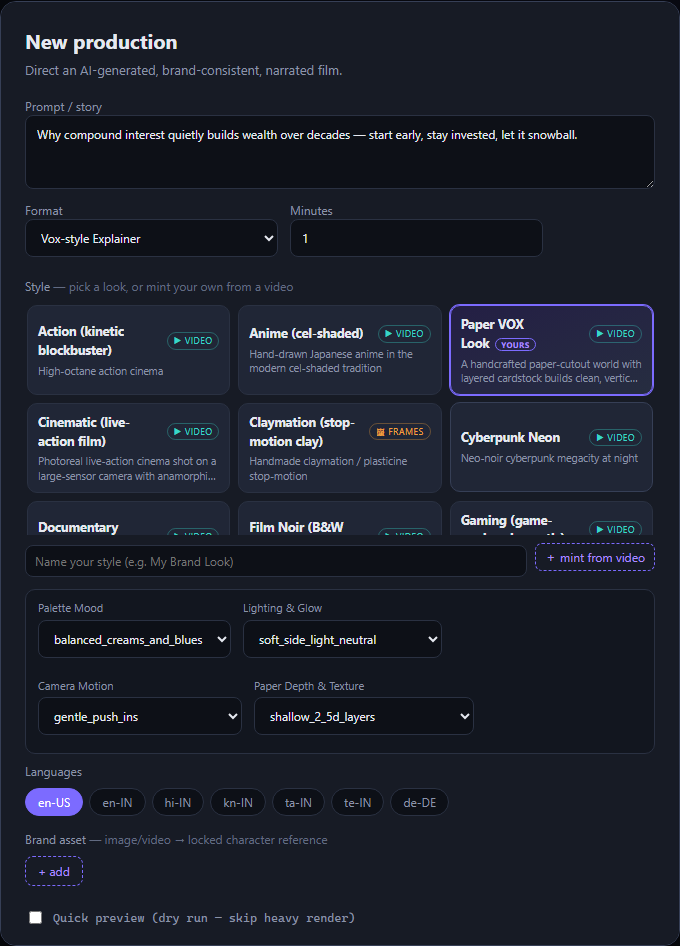
<p>Style is a drop-in profile, so the <em>same</em> story can be a photoreal film, a cel-shaded anime, a claymation short, a neon cyberpunk piece, a watercolour storybook, or a black-and-white noir. Nine curated styles ship in the box, each with a few <strong>creative controls</strong> (lens, film stock, light, camera move…) that get injected straight into the render prompt.</p>

<figure>
  <img src="/AI4Good/assets/img/2026-07-10-video-gen-studio/styles.png" alt="A spectrum of visual styles: cinematic, anime, claymation, cyberpunk, watercolour storybook, and film noir" />
  <figcaption>One story, many looks — cinematic · anime · claymation · cyberpunk · watercolour · noir.</figcaption>
</figure>

<figure>
  <img src="/AI4Good/assets/img/2026-07-10-video-gen-studio/style-gallery.png" alt="The style gallery in the create modal, with adapter badges and per-style creative controls" />
  <figcaption>Pick a look from the gallery — each shows whether it renders as video (Sora) or frames (gpt-image-2), plus its own controls.</figcaption>
</figure>

<h3 id="bring-your-own-style">Bring Your Own Style</h3>

<p>Have a look you love? <strong>Upload any short video</strong> and the studio mints a brand-new style from it. A Video Analyser samples frames, gpt-4o vision extracts a transferable <em>StyleDescriptor</em> (palette, lighting, texture, motion — never the people or logos in the clip), a Style Researcher writes the master look prompt and its controls, and it’s compiled into a durable, reusable style tagged <strong>“yours.”</strong> It captures the <em>look</em>, not the copyrighted content — and flags any IP it spots.</p>

<figure>
  <img src="/AI4Good/assets/img/2026-07-10-video-gen-studio/byos.png" alt="A custom style minted from an uploaded video, shown in the gallery with auto-generated controls" />
  <figcaption>Bring Your Own Style — a look minted from an uploaded clip in ~30 seconds, with auto-generated controls.</figcaption>
</figure>

<h2 id="finish-like-a-brand-not-a-demo">Finish like a brand, not a demo</h2>

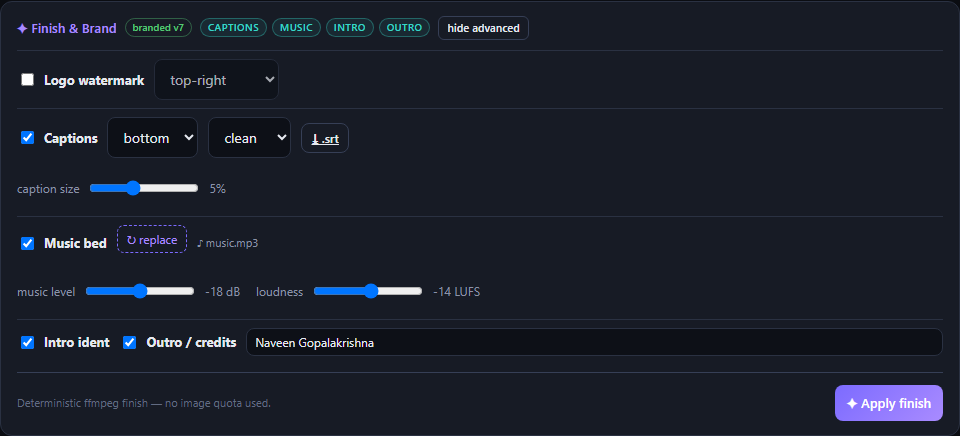
<p>The finishing pass is <strong>pure, deterministic ffmpeg</strong> — no image quota, seconds not minutes — so branding is free and repeatable:</p>

<div class="vg-grid">
  <div class="vg-card"><span class="ic">💬</span><h4>Rolling captions</h4><p>Two-line cues timed to each scene, burned in, plus downloadable <code>.srt</code>/<code>.vtt</code>.</p></div>
  <div class="vg-card"><span class="ic">🎵</span><h4>Music bed</h4><p>Upload a track; it's side-chain <strong>ducked</strong> under the narration and normalized to −14 LUFS.</p></div>
  <div class="vg-card"><span class="ic">✦</span><h4>Brand bumpers</h4><p>Auto-generated intro ident + outro/credits card (with a director credit), crossfaded on.</p></div>
  <div class="vg-card"><span class="ic">🖼️</span><h4>Logo watermark</h4><p>Your logo, any corner, with opacity and optional white key-out.</p></div>
  <div class="vg-card"><span class="ic">📐</span><h4>Aspect exports</h4><p>Subject-safe 9:16 and 1:1 reframes for Shorts / Reels / TikTok.</p></div>
  <div class="vg-card"><span class="ic">💾</span><h4>Drafts</h4><p>Save a setup, come back, and generate later — nothing is thrown away.</p></div>
</div>

<figure>
  <img src="/AI4Good/assets/img/2026-07-10-video-gen-studio/finish.png" alt="The Finish and Brand panel with watermark, captions, music bed and intro/outro toggles" />
  <figcaption>Finish &amp; Brand — straightforward defaults, fine-grained controls behind "advanced."</figcaption>
</figure>

<h2 id="it-respects-trademarks">It respects trademarks</h2>

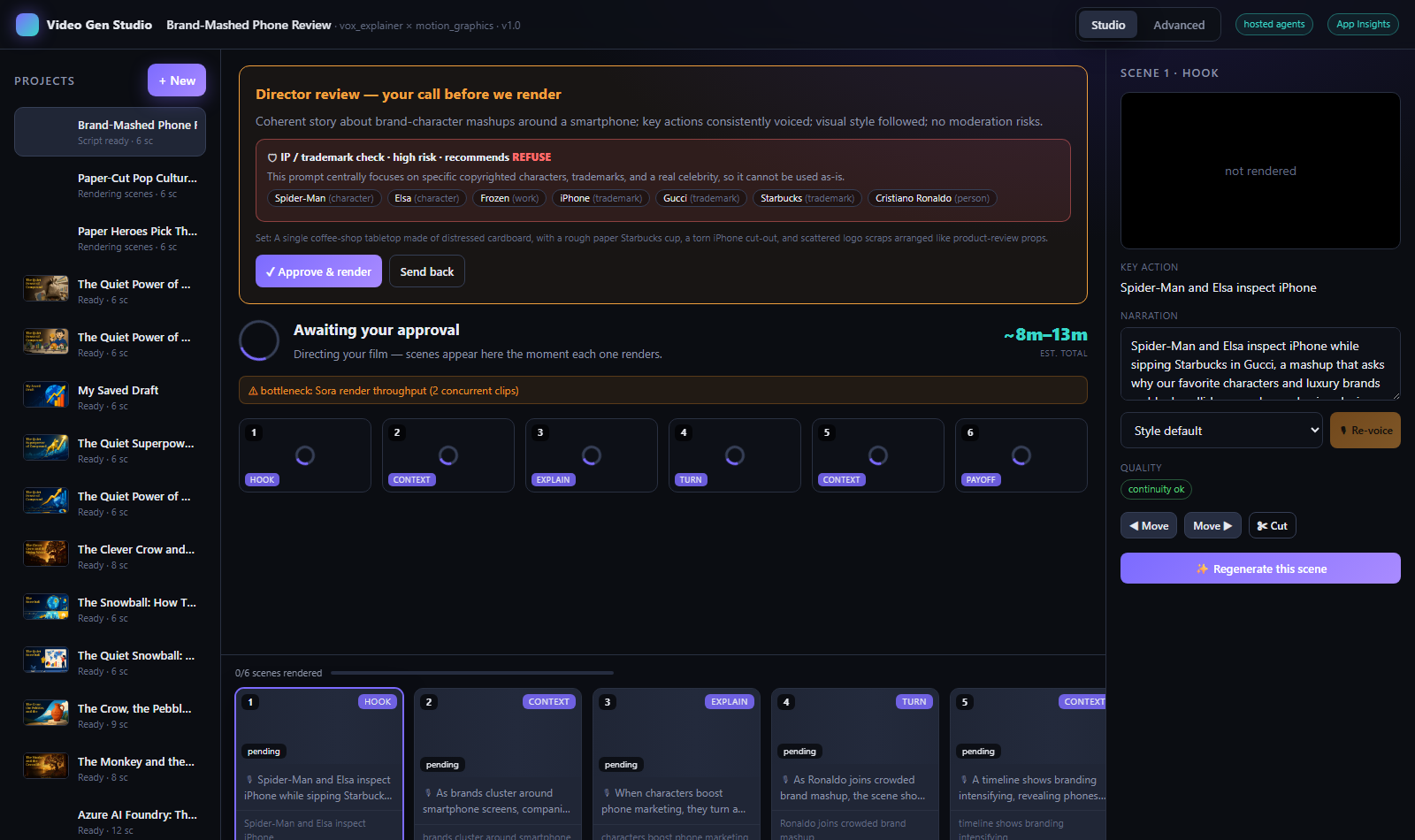
<p>Because “make a video with <em>&lt;famous character&gt;</em>” is a real temptation, an <strong>IP / trademark guard</strong> agent screens every prompt and storyboard before rendering. It surfaces the risk right at the human gate — with the specific items it found, a recommendation (<em>allow / abstract / refuse</em>), and a ready-made generic rewrite — and leaves the final call to you.</p>

<figure>
  <img src="/AI4Good/assets/img/2026-07-10-video-gen-studio/ip-guard.png" alt="The IP/trademark guard flagging protected characters and brands at the director gate" />
  <figcaption>The IP guard at the gate — it flags protected characters, brands and public figures and suggests a safe rewrite.</figcaption>
</figure>

<h2 id="know-the-cost-before-you-hit-go">Know the cost before you hit “go”</h2>

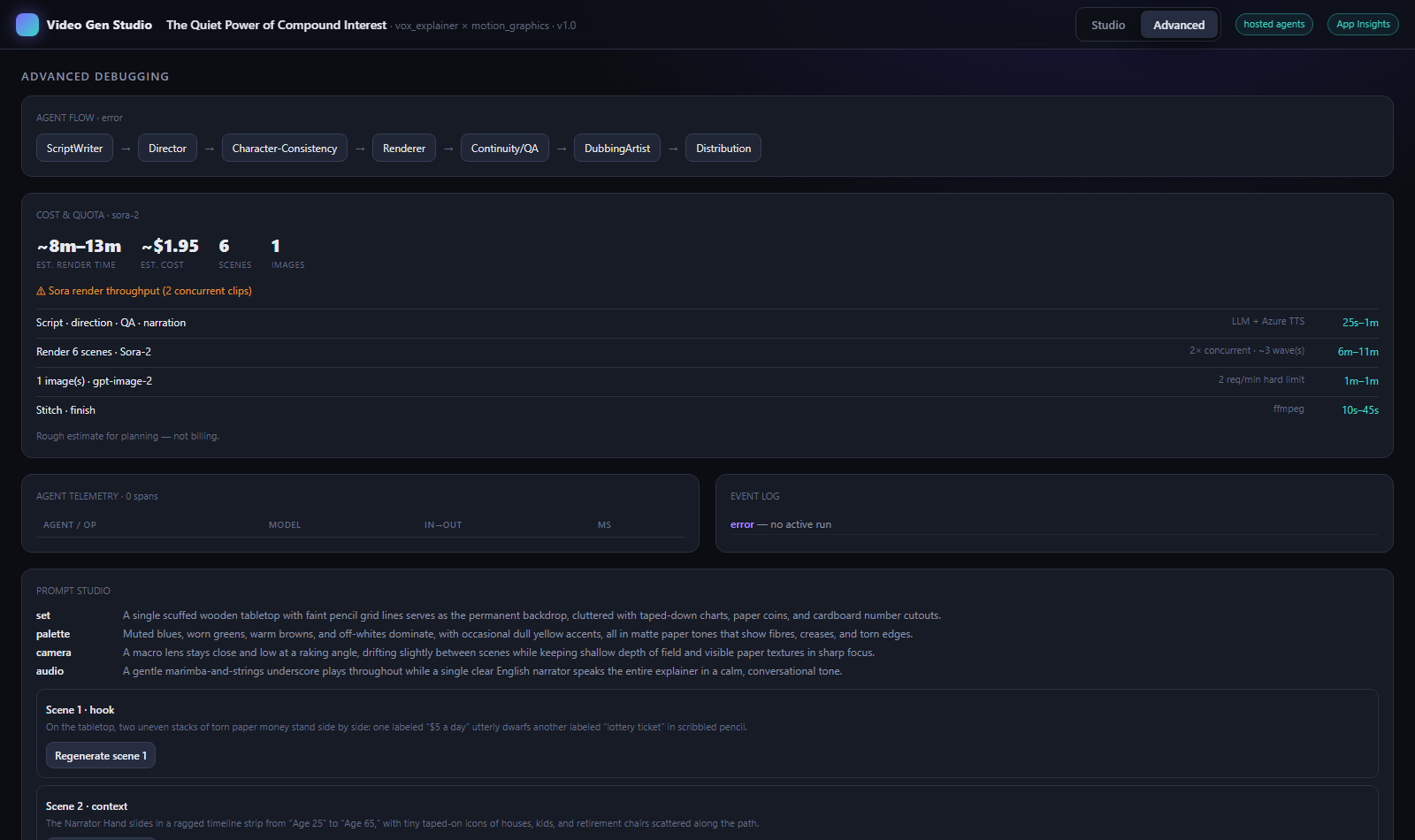
<p>Generative video isn’t free, and the real bottleneck (Sora throughput, gpt-image-2’s 2-images-per-minute limit) is invisible until it bites. So the studio shows an honest <strong>ETA band and rough cost</strong> up front, with the bottleneck named — right in the render screen and in the Advanced tab.</p>

<figure>
  <img src="/AI4Good/assets/img/2026-07-10-video-gen-studio/quota.png" alt="The cost and quota card showing an ETA band, rough cost, and the render bottleneck" />
  <figcaption>Cost &amp; Quota — a rough estimate for planning, with the actual bottleneck called out.</figcaption>
</figure>

<h2 id="the-honest-build-journey">The honest build journey</h2>

<p>This whole thing was built on Azure, with <strong>GitHub Copilot CLI in autopilot</strong> driving the code, deploys, and tests. The interesting part isn’t that it worked — it’s the three bugs that only surfaced because of <em>how</em> it was tested:</p>

<ul>
  <li><strong>The studio was silently blank — and every API test passed.</strong> A React hooks-order slip (a <code class="language-plaintext highlighter-rouge">useState</code> after an early <code class="language-plaintext highlighter-rouge">return</code>) crashed the UI on opening any project. TypeScript builds and API checks were all green; it only showed up when a headless <strong>Playwright</strong> pass screenshotted the deployed app. Lesson: for UI, a real screenshot is worth a thousand green checks.</li>
  <li><strong>Sora refused to render a person.</strong> Photoreal styles were using a generated character sheet as an image reference, and Sora’s moderation blocks reference images containing identifiable people (<code class="language-plaintext highlighter-rouge">people-in-user-uploads</code>). The fix: fall back to text-to-video for human/photoreal looks.</li>
  <li><strong>Captions “hung” for minutes on a fresh deploy.</strong> Not a hang — the first <code class="language-plaintext highlighter-rouge">libass</code> subtitle burn was cold-scanning the container’s giant Noto font set. Baking <code class="language-plaintext highlighter-rouge">fc-cache</code> into the image at build time cut a &gt;3-minute first render to ~30 seconds.</li>
</ul>

<p>None of these show up in a happy-path demo. All three were caught by testing the <em>deployed</em> thing the way a user would.</p>

<h2 id="under-the-hood">Under the hood</h2>

<div class="vg-grid">
  <div class="vg-card"><span class="ic">🧠</span><h4>Agents</h4><p>Microsoft Agent Framework orchestrates ScriptWriter, Director, QA, Dubbing &amp; Distribution with a human gate.</p></div>
  <div class="vg-card"><span class="ic">🎥</span><h4>Sora-2</h4><p>Text-to-video scene rendering, 2 concurrent, with per-scene streaming into the UI.</p></div>
  <div class="vg-card"><span class="ic">🎨</span><h4>gpt-image-2</h4><p>Style keyframes, thumbnails, and the art on this very page.</p></div>
  <div class="vg-card"><span class="ic">🗣️</span><h4>Azure AI Speech</h4><p>Neural narration, including the newest MAI-Voice-2 voices, ducked under music.</p></div>
  <div class="vg-card"><span class="ic">👁️</span><h4>gpt-4o vision</h4><p>Continuity QA on real frames, and the Bring-Your-Own-Style analyser.</p></div>
  <div class="vg-card"><span class="ic">☁️</span><h4>Azure Container Apps</h4><p>VNet-integrated, keyless (Managed Identity) to Cosmos + Blob, deployed with <code>azd</code>.</p></div>
</div>

<p>Finishing (captions, music ducking, bumpers, watermark, aspect reframes) is all deterministic <strong>ffmpeg</strong> — which keeps branding free of any model quota and perfectly repeatable.</p>

<h2 id="why-this-is-ai4good">Why this is AI4Good</h2>

<p>A film crew, a voice-over artist, a colourist, an editor, and a motion-graphics designer used to be the price of entry for a good explainer or story film. That priced out most teachers, tiny non-profits, heritage projects, and solo creators.</p>

<p>Video Gen Studio puts that whole crew behind <strong>one prompt</strong> — with the guardrails (a human approval gate, IP screening, honest cost estimates) that make it safe to hand to anyone. The same engine that renders a lighthouse at blue hour can render a folk tale for a classroom, a health explainer in a local language, or a heritage story in a shadow-puppet style. That’s the point: <em>good stories, told well, should not require a studio budget.</em></p>

<div class="vg-ctarow">
  <a class="btn btn-primary" href="/AI4Good/">← More AI4Good builds</a>
</div>

<hr />

<p style="color:var(--muted);font-size:13px">
<em>*Rough estimate for a ~30-second, 6-scene film — a planning aid, not billing. Trailer footage is real Sora-2 output from the studio; on-page art is gpt-image-2. Built and documented with GitHub Copilot CLI in autopilot. #AI4Good</em>
</p>]]></content><author><name>Naveen Gopalakrishna</name></author><category term="ai" /><category term="video" /><category term="sora-2" /><category term="gpt-image-2" /><category term="azure-ai" /><category term="agent-framework" /><category term="video-generation" /><category term="byos" /><category term="copilot-cli" /><category term="ffmpeg" /><summary type="html"><![CDATA[Video Gen Studio turns one prompt into a narrated, brand-consistent, fully editable film — directed by a team of AI agents on Azure. Sora-2 renders the scenes, gpt-image-2 makes the art, Azure AI Speech voices it, and a deterministic ffmpeg finishing pass adds rolling captions, a ducked music bed, and brand intro/outro bumpers. Plus nine cinematic styles, Bring-Your-Own-Style from any video, an IP/trademark guard, and a real timeline you actually edit in. Here's the build — including the bugs.]]></summary><media:thumbnail xmlns:media="http://search.yahoo.com/mrss/" url="https://naveenneog.github.io/AI4Good/assets/img/2026-07-10-video-gen-studio/og.png" /><media:content medium="image" url="https://naveenneog.github.io/AI4Good/assets/img/2026-07-10-video-gen-studio/og.png" xmlns:media="http://search.yahoo.com/mrss/" /></entry><entry><title type="html">AI4Good: I Shipped an AI-for-Good App Every Few Days — Here’s the Build Story</title><link href="https://naveenneog.github.io/AI4Good/2026/07/10/ai4good-an-app-a-day/" rel="alternate" type="text/html" title="AI4Good: I Shipped an AI-for-Good App Every Few Days — Here’s the Build Story" /><published>2026-07-10T06:30:00+00:00</published><updated>2026-07-10T06:30:00+00:00</updated><id>https://naveenneog.github.io/AI4Good/2026/07/10/ai4good-an-app-a-day</id><content type="html" xml:base="https://naveenneog.github.io/AI4Good/2026/07/10/ai4good-an-app-a-day/"><![CDATA[<p><img src="/AI4Good/assets/img/2026-07-10-ai4good-app-a-day/hero.png" alt="AI4Good — eight apps, eighteen days, AI for good" /></p>
<blockquote>
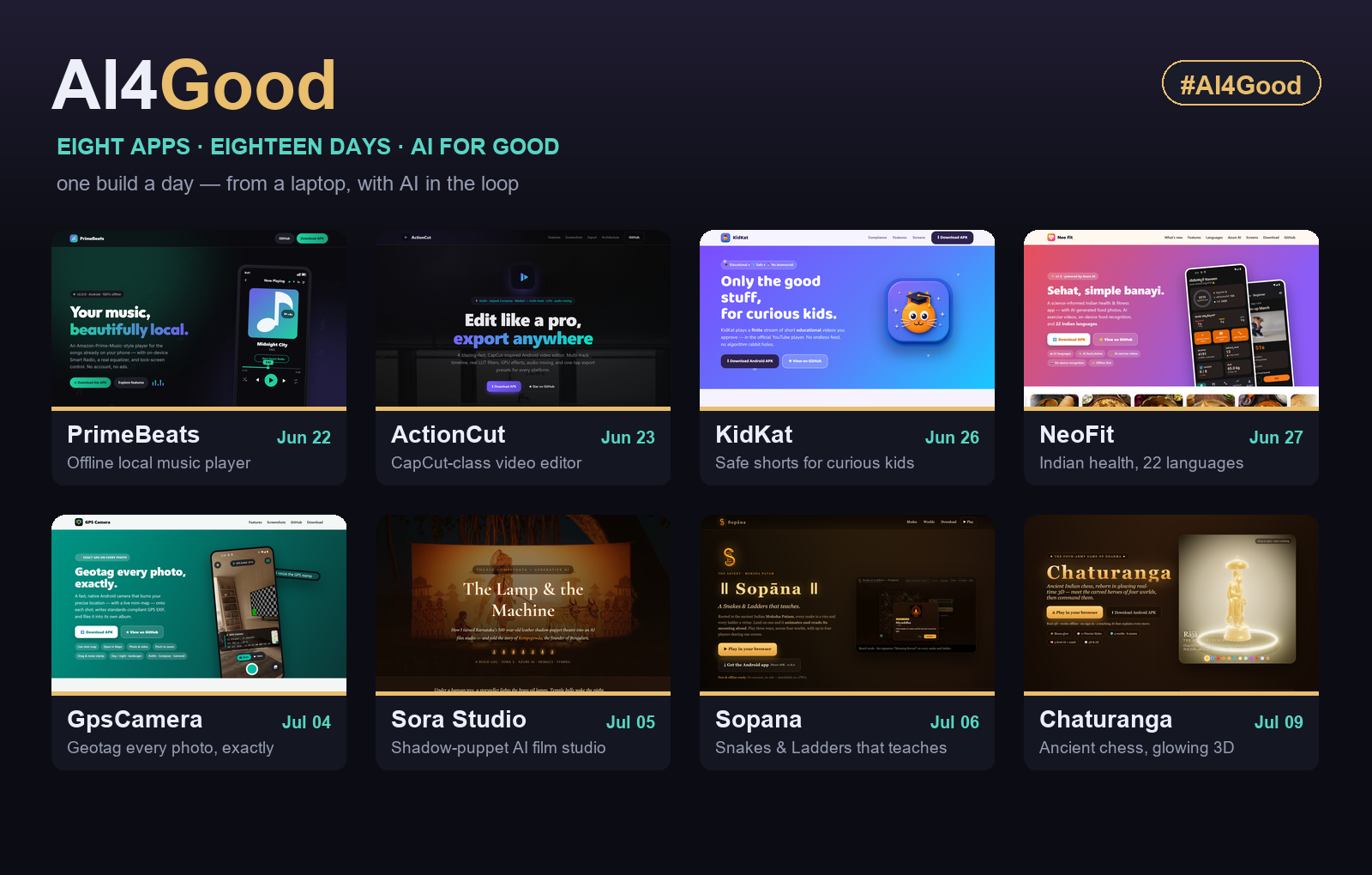
  <p><strong>#AI4Good</strong> started as a dare to myself: <em>can I use AI to build and ship something genuinely useful — for kids, for health, for our culture — one build at a time?</em> Eighteen days later there were <strong>eight live apps</strong>, each free, each on GitHub Pages. This is the story of how they came to be, in the order they were born — and <strong>each one now has its own deep-dive post</strong> (linked by date in the recap table below).</p>
</blockquote>

<p>I’m <strong><a href="/AI4Good/about/">Naveen Gopalakrishna</a></strong> — an AI Global Black Belt at Microsoft by day, a compulsive builder by night. The tooling that made this pace possible was <strong>GitHub Copilot CLI in autopilot mode</strong> (the agent researches, writes code, runs builds, and renders assets autonomously) sitting on top of <strong>Azure AI</strong> — <code class="language-plaintext highlighter-rouge">gpt-image-2</code> for art, Azure Speech for narration, and open models from Hugging Face for the heavy lifting. But tools are just tools. The thread that ties these eight together is a question I kept asking: <strong>who does this help?</strong></p>

<p>Let’s walk the timeline.</p>

<hr />

<h2 id="jun-22--primebeats-your-music-beautifully-local">Jun 22 — PrimeBeats: your music, beautifully local</h2>

<p><img src="/AI4Good/assets/img/2026-07-10-ai4good-app-a-day/shot-primebeats.png" alt="PrimeBeats landing page — your music, beautifully local" /></p>

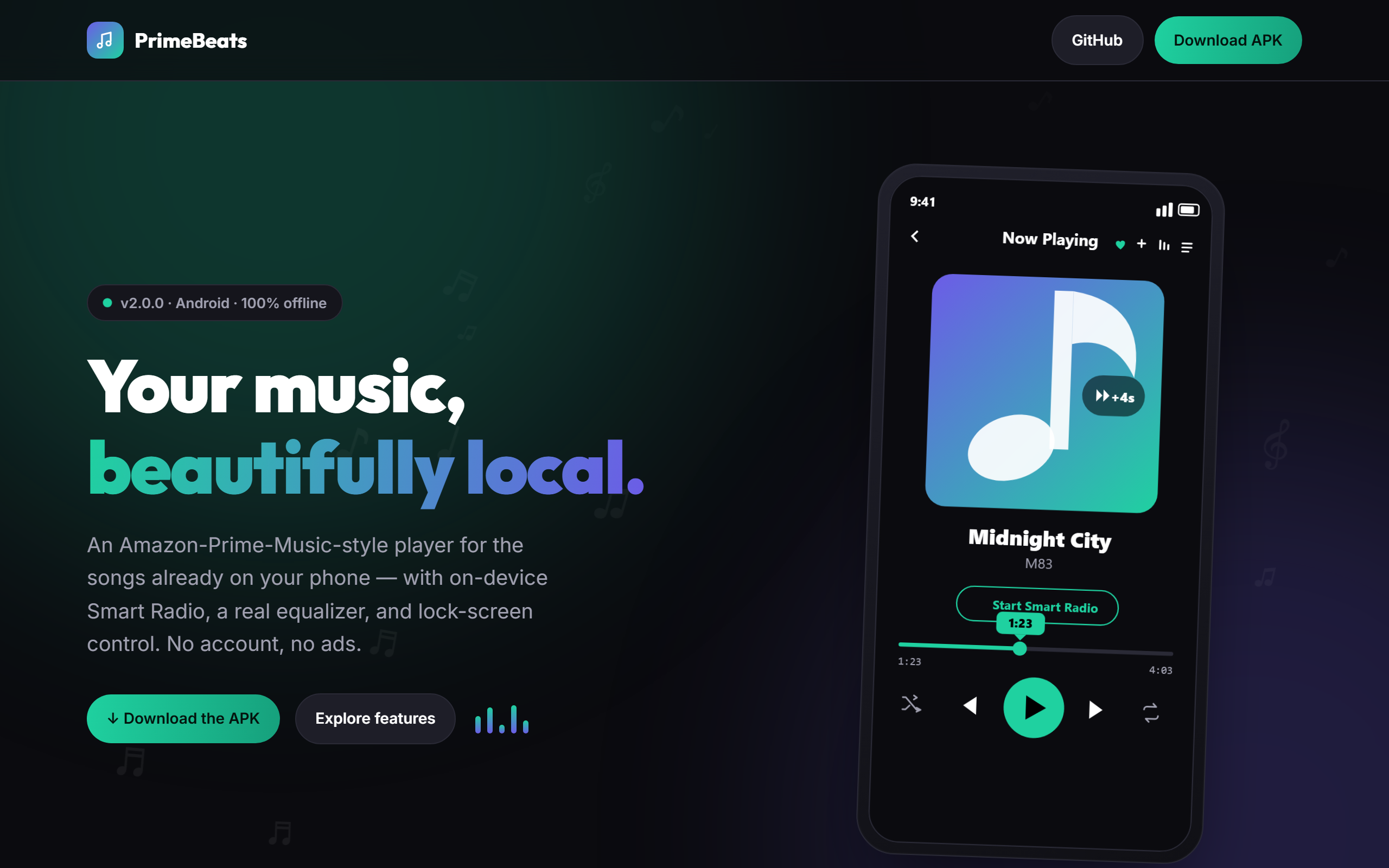
<p>Where it started. <a href="https://naveenneog.github.io/PrimeBeats/"><strong>PrimeBeats</strong></a> is an Amazon-Prime-Music-style player for the songs already on your phone — <strong>background playback</strong>, <strong>lock-screen controls</strong>, playlists, an on-device <strong>Smart Radio</strong>, and a real <strong>equalizer</strong>. No account, no ads, <strong>100% offline</strong>. Built with React Native + Expo. → <a href="/AI4Good/2026/06/22/primebeats-offline-local-music-player/">read the full story</a></p>

<p><strong>The good:</strong> ownership and privacy — your music, zero data, zero tracking, zero cost.</p>

<hr />

<h2 id="jun-23--actioncut-put-a-pro-video-studio-in-everyones-pocket">Jun 23 — ActionCut: put a pro video studio in everyone’s pocket</h2>

<p><img src="/AI4Good/assets/img/2026-07-10-ai4good-app-a-day/shot-actioncut.png" alt="ActionCut landing page" /></p>

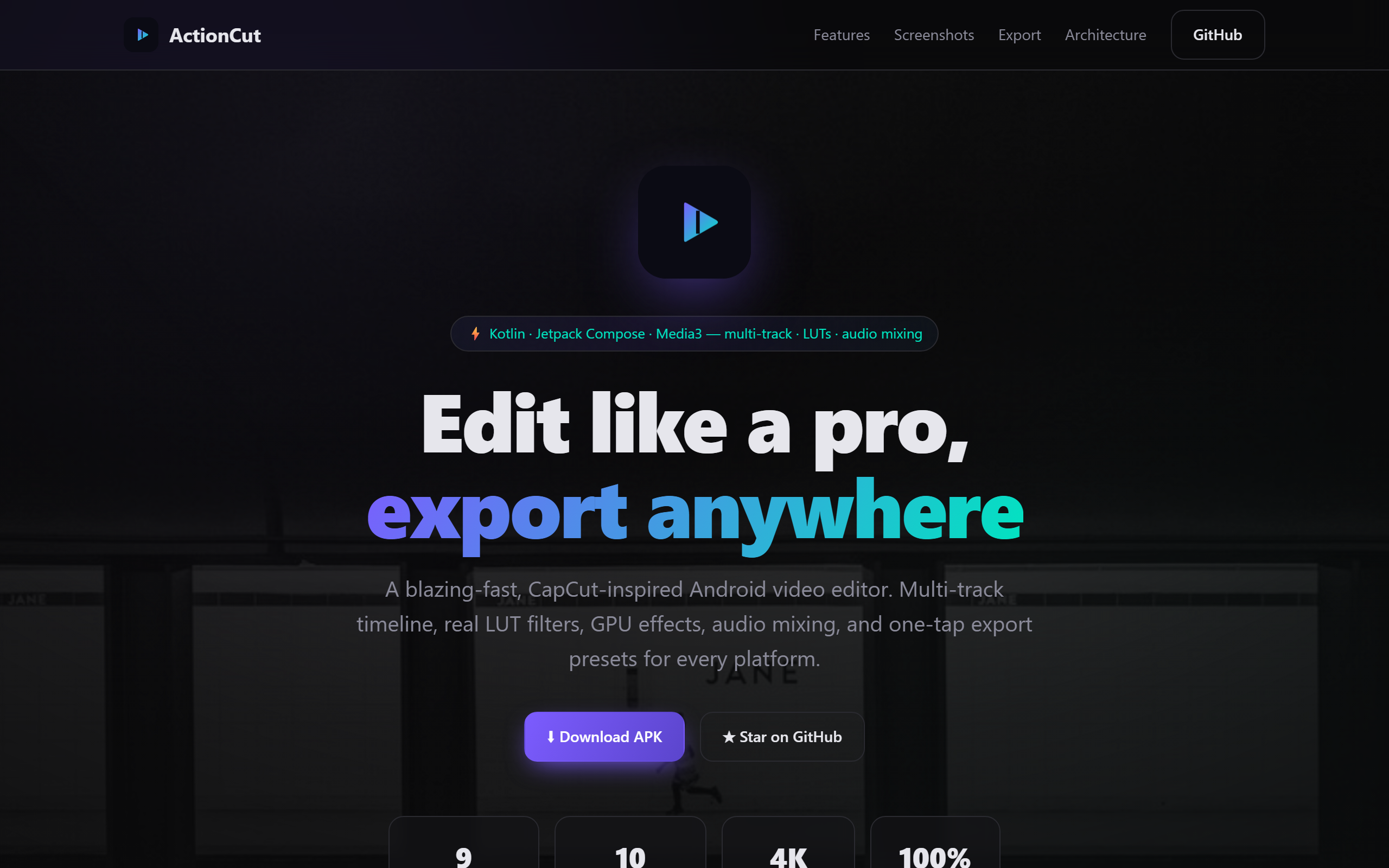
<p>The next build set the tone: take something normally locked behind subscriptions and make it <strong>free and open</strong>. <a href="https://naveenneog.github.io/ActionCut/"><strong>ActionCut</strong></a> is a CapCut-class Android video editor — a real <strong>multi-track timeline</strong>, <strong>LUT color filters</strong>, GPU effects, audio mixing, and one-tap <strong>export presets</strong> for every platform. Built in <strong>Kotlin + Jetpack Compose + Media3</strong>.</p>

<p><strong>The good:</strong> creators on entry-level Android phones get studio-grade editing without a paywall or a watermark. Storytelling shouldn’t require a subscription.</p>

<hr />

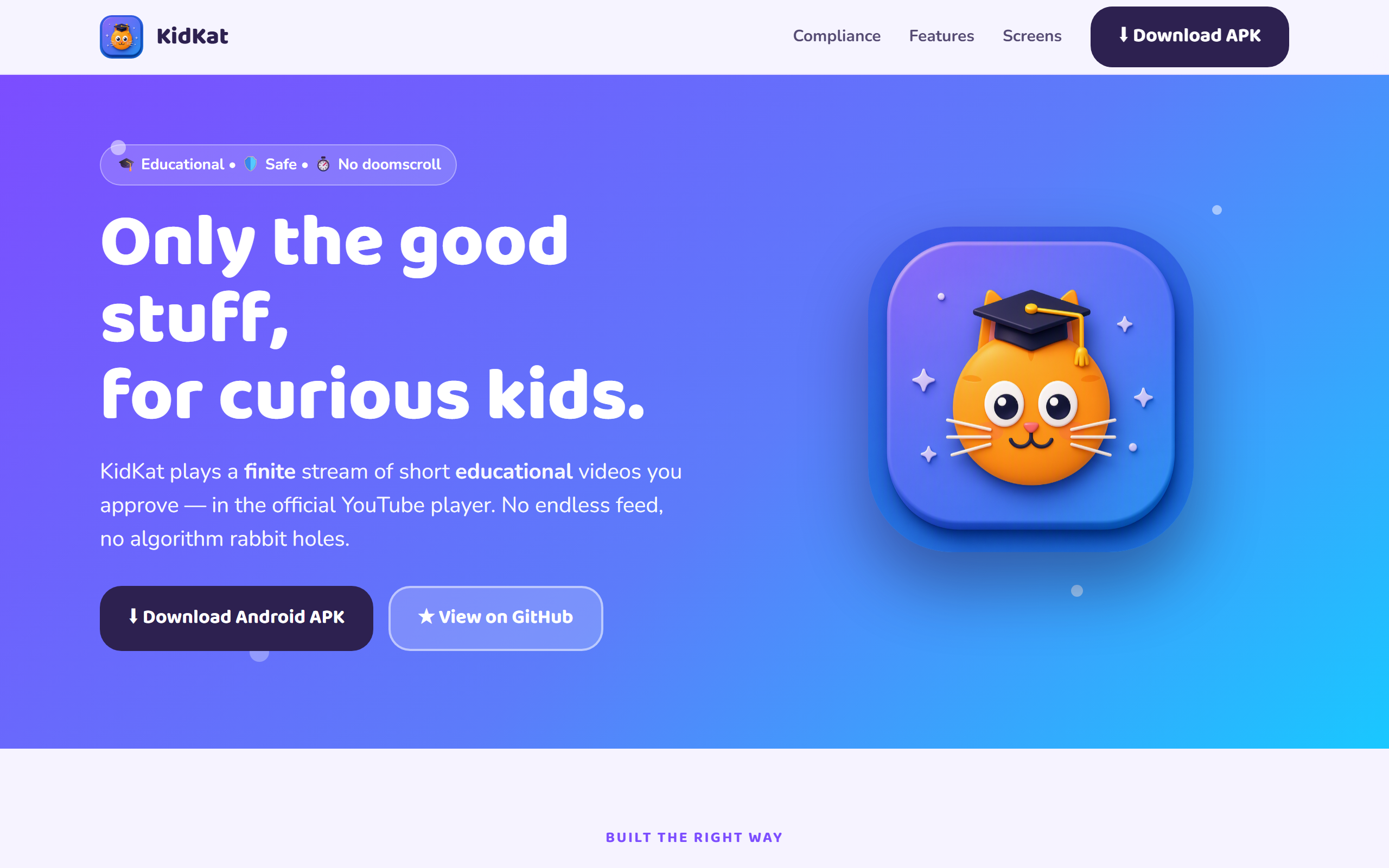
<h2 id="jun-26--kidkat-only-the-good-stuff-for-curious-kids">Jun 26 — KidKat: only the good stuff, for curious kids</h2>

<p><img src="/AI4Good/assets/img/2026-07-10-ai4good-app-a-day/shot-kidkat.png" alt="KidKat landing page" /></p>

<p>This is the app that named the whole campaign. <a href="https://naveenneog.github.io/KidKat/"><strong>KidKat</strong></a> plays a <strong>finite, parent-approved stream</strong> of short educational videos — inside the official YouTube player, using the official Data API, fully <strong>ToS-compliant</strong>. No infinite feed. No algorithmic rabbit holes. No doomscroll. A parent allowlist decides what’s on the menu. Built with <strong>Flutter</strong> for Android and iOS. → <a href="/AI4Good/2026/06/26/kidkat-safe-videos-for-kids/">read the full story</a></p>

<p><strong>The good:</strong> it turns the most anxiety-inducing part of modern parenting — handing a child a screen — into something calm and intentional. <strong>AI for good starts with protecting the youngest users.</strong></p>

<hr />

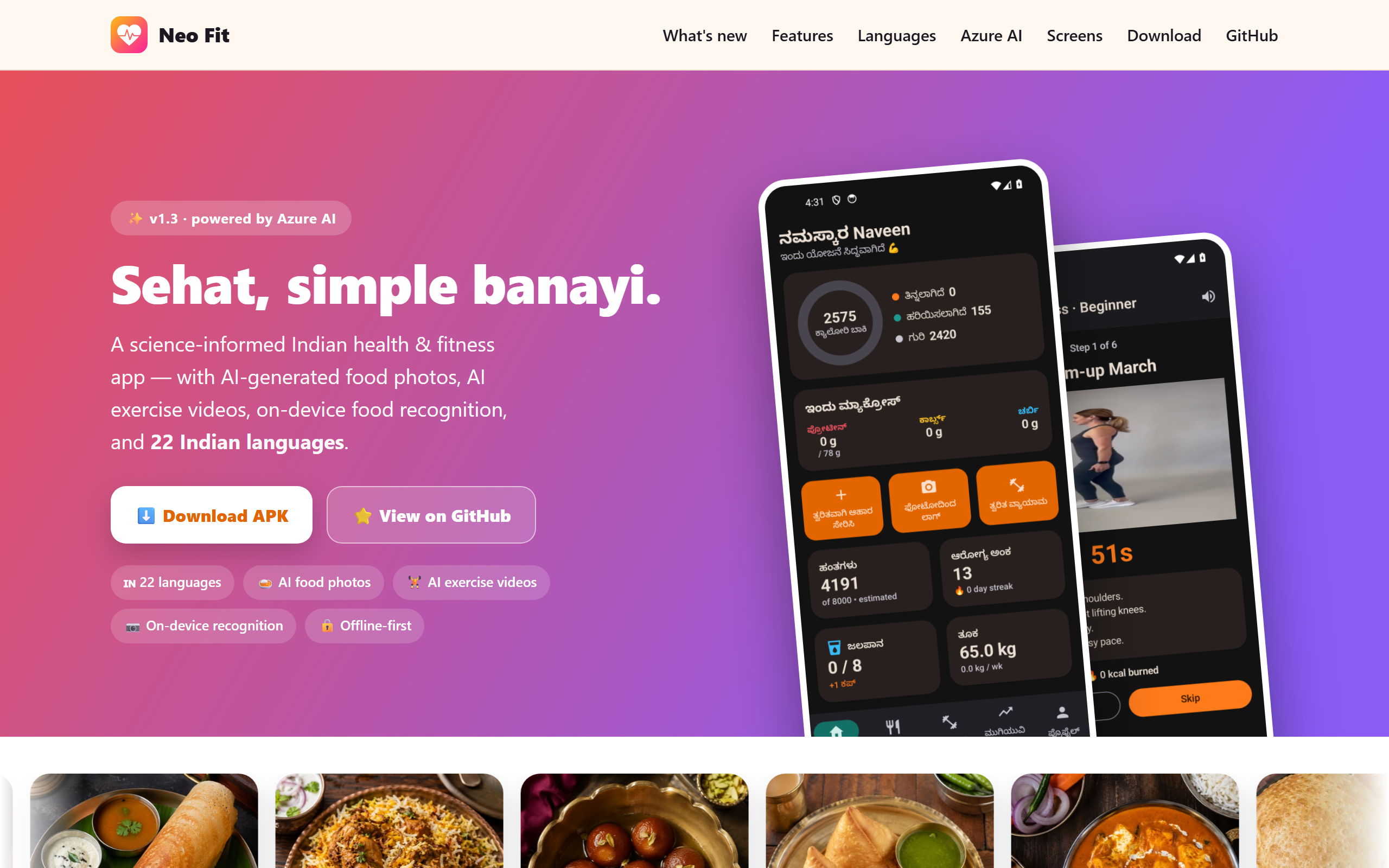
<h2 id="jun-27--neofit-health-that-speaks-your-language">Jun 27 — NeoFit: health that speaks your language</h2>

<p><img src="/AI4Good/assets/img/2026-07-10-ai4good-app-a-day/shot-neofit.png" alt="NeoFit landing page — Sehat, simple banayi" /></p>

<p><em>“Sehat, simple banayi.”</em> <a href="https://naveenneog.github.io/NeoFit/"><strong>NeoFit</strong></a> is a science-informed <strong>Indian</strong> health and fitness app in <strong>22 Indian languages</strong> — calorie tracking that actually knows <em>dosa, biryani, and gulab jamun</em>, <strong>on-device food recognition</strong>, AI-generated food photos, AI exercise videos, and Health Connect sync. Offline-first, <strong>powered by Azure AI</strong>, Kotlin/Compose. → <a href="/AI4Good/2026/06/27/neofit-indian-health-22-languages/">read the full story</a></p>

<p><strong>The good:</strong> most fitness apps assume you eat like the West and read English fluently. NeoFit meets 1.4 billion people where they are — in their language, with their food. <strong>Inclusion is a health outcome.</strong></p>

<hr />

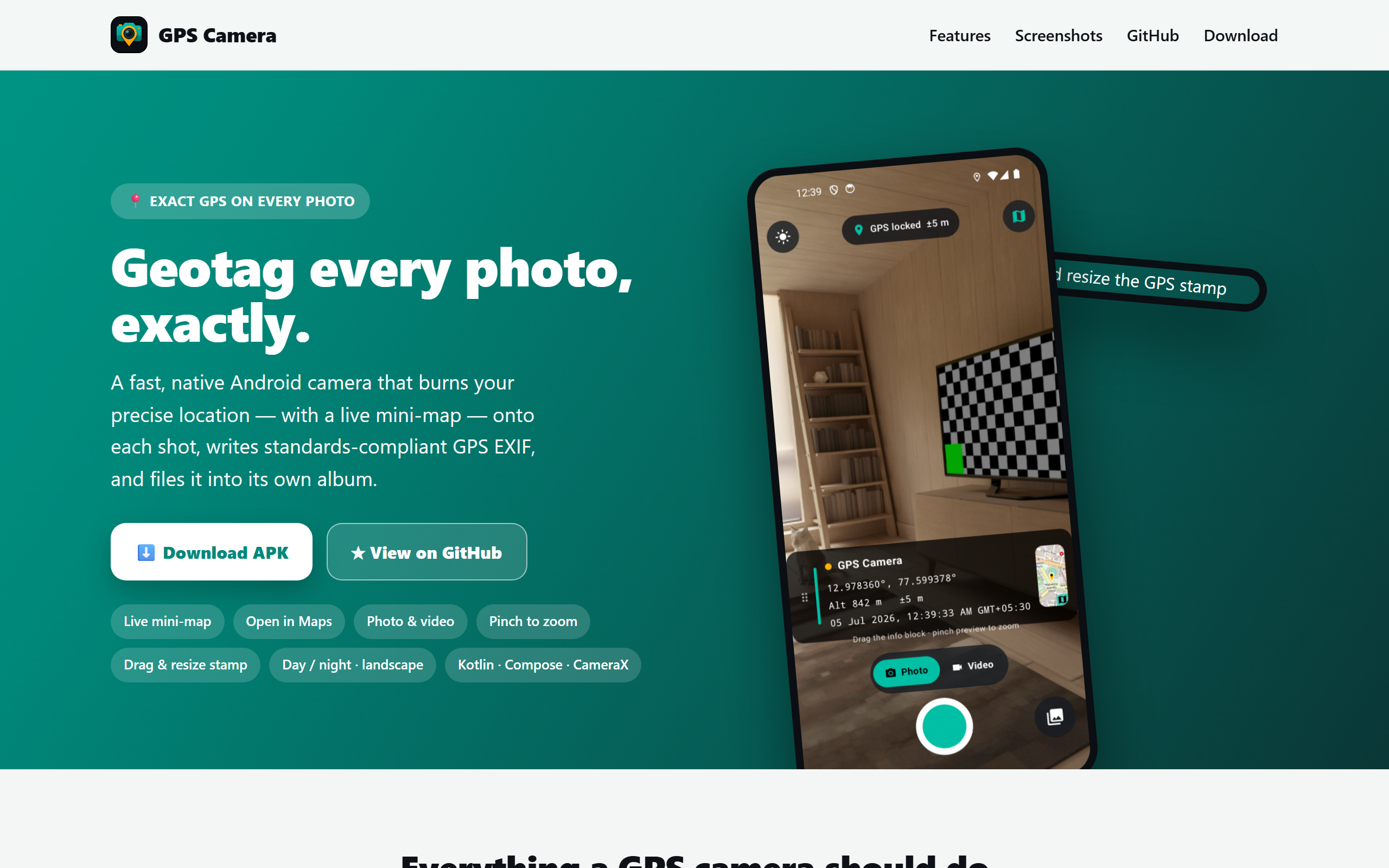
<h2 id="jul-04--gpscamera-proof-you-can-trust">Jul 04 — GpsCamera: proof you can trust</h2>

<p><img src="/AI4Good/assets/img/2026-07-10-ai4good-app-a-day/shot-gpscamera.png" alt="GpsCamera landing page — geotag every photo, exactly" /></p>

<p><a href="https://naveenneog.github.io/GpsCamera/"><strong>GpsCamera</strong></a> is a fast, native Android camera that <strong>burns your exact location and a live mini-map onto every photo</strong>, writes standards-compliant <strong>GPS EXIF</strong>, and files each shot into its own album. Kotlin, Compose, CameraX. → <a href="/AI4Good/2026/07/04/gpscamera-geotag-every-photo/">read the full story</a></p>

<p><strong>The good:</strong> field engineers, insurance surveyors, community reporters, and site inspectors need <strong>verifiable, tamper-evident documentation</strong>. A trustworthy timestamped-and-geotagged photo is a small tool that quietly protects people.</p>

<hr />

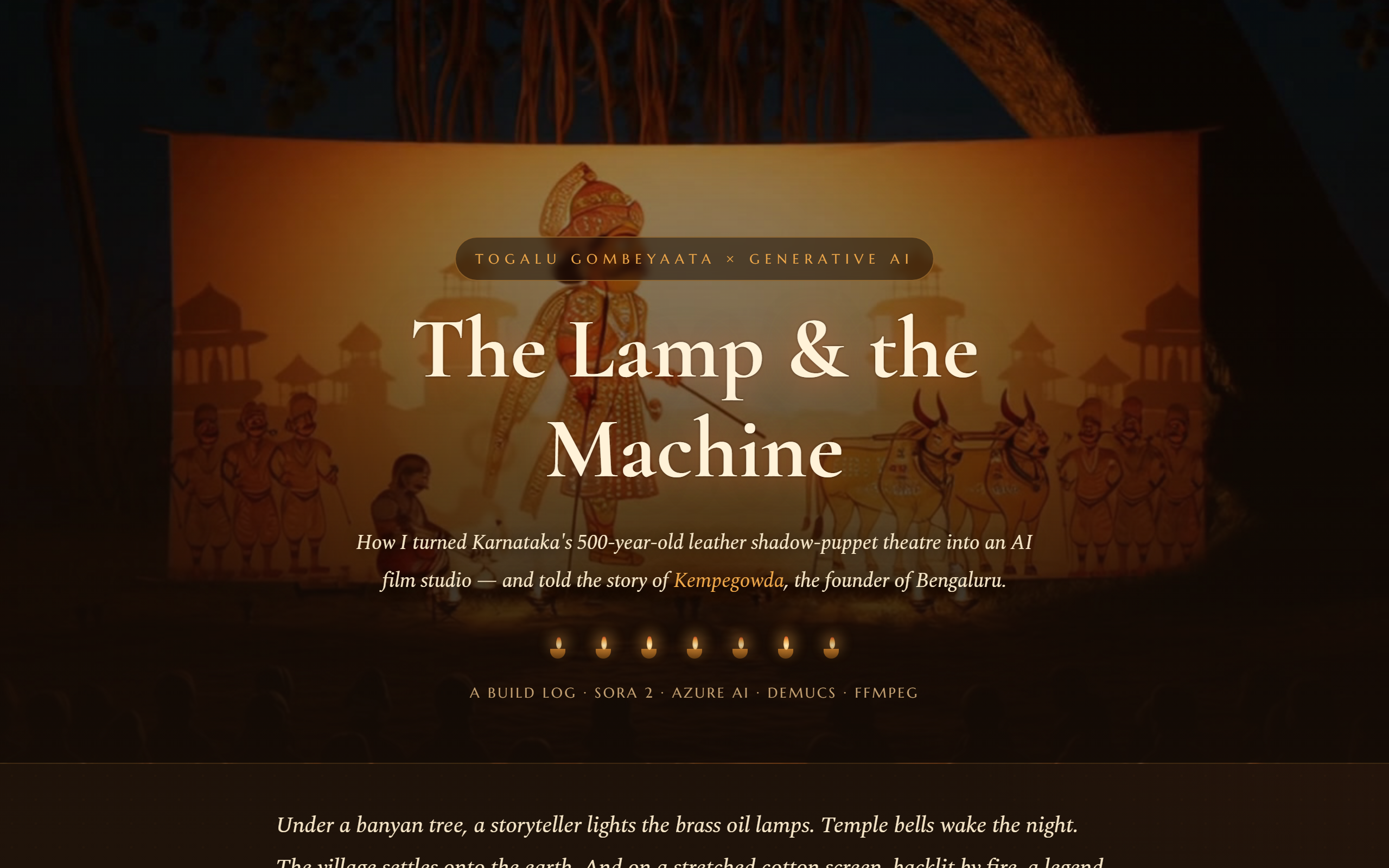
<h2 id="jul-05--the-lamp--the-machine-shadow-puppet-theatre-as-an-ai-film-studio">Jul 05 — The Lamp &amp; the Machine: shadow-puppet theatre as an AI film studio</h2>

<p><img src="/AI4Good/assets/img/2026-07-10-ai4good-app-a-day/shot-sora.png" alt="The Lamp &amp; the Machine — Togalu Gombeyaata meets generative AI" /></p>

<p><a href="https://naveenneog.github.io/Sora-Azure-MultiPart-Video-Editing/"><strong>The Lamp &amp; the Machine</strong></a> turns Karnataka’s 500-year-old leather shadow-puppet theatre, <strong>Togalu Gombeyaata</strong>, into an AI film studio — cinematic scenes from <strong>Sora 2</strong>, narration from <strong>Azure AI</strong>, finished with Demucs + FFmpeg, retelling the story of <strong>Kempegowda</strong>, the founder of Bengaluru. → <a href="/AI4Good/2026/07/05/lamp-and-the-machine-shadow-puppet-ai-studio/">read the full story</a></p>

<p><strong>The good:</strong> generative AI as a <strong>preservation tool</strong> — putting a fading folk art in front of a new generation.</p>

<hr />

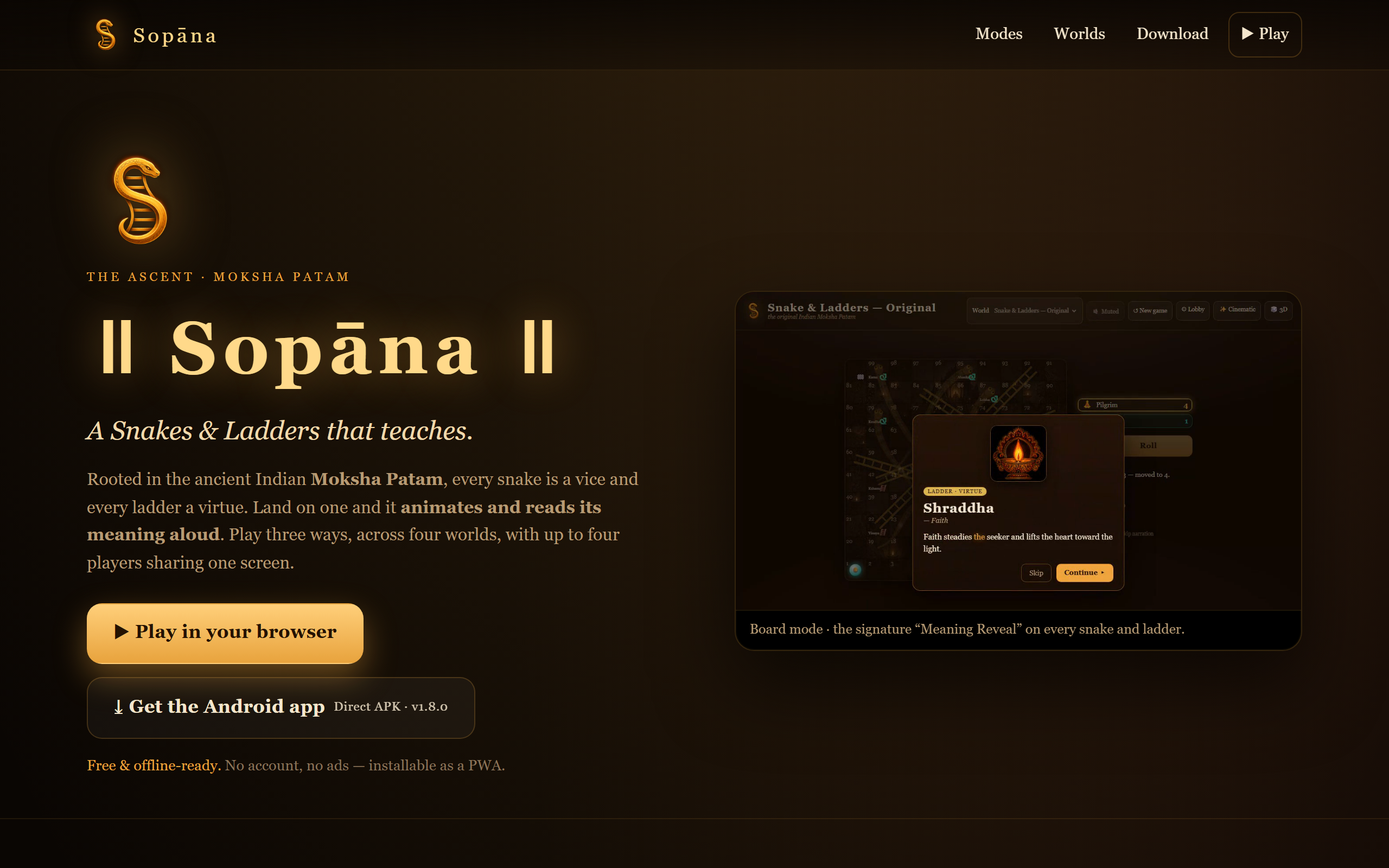
<h2 id="jul-06--sopāna-a-snakes--ladders-that-teaches">Jul 06 — Sopāna: a Snakes &amp; Ladders that teaches</h2>

<p><img src="/AI4Good/assets/img/2026-07-10-ai4good-app-a-day/shot-sopana.png" alt="Sopana landing page — Moksha Patam" /></p>

<p><a href="https://naveenneog.github.io/Sopana/"><strong>Sopāna</strong></a> reclaims the game the West calls <em>Snakes &amp; Ladders</em> and restores its origin — the ancient Indian <strong>Moksha Patam</strong>, where <strong>every snake is a vice and every ladder a virtue</strong>. Land on one and the game <strong>animates and reads its meaning aloud</strong>. Play three ways (a 2D board, a 2.5D cinematic mode, and a 3D camera), across four worlds, with up to four players on one screen. A web PWA plus an Android APK. → <a href="/AI4Good/2026/07/06/sopana-snakes-and-ladders-that-teaches/">read the full story</a></p>

<p><strong>The good:</strong> it turns a children’s game back into what it was designed to be — a gentle lesson in ethics and consequence, wrapped in cultural heritage. <strong>AI narration and art make an 800-year-old teaching tool feel alive again.</strong></p>

<hr />

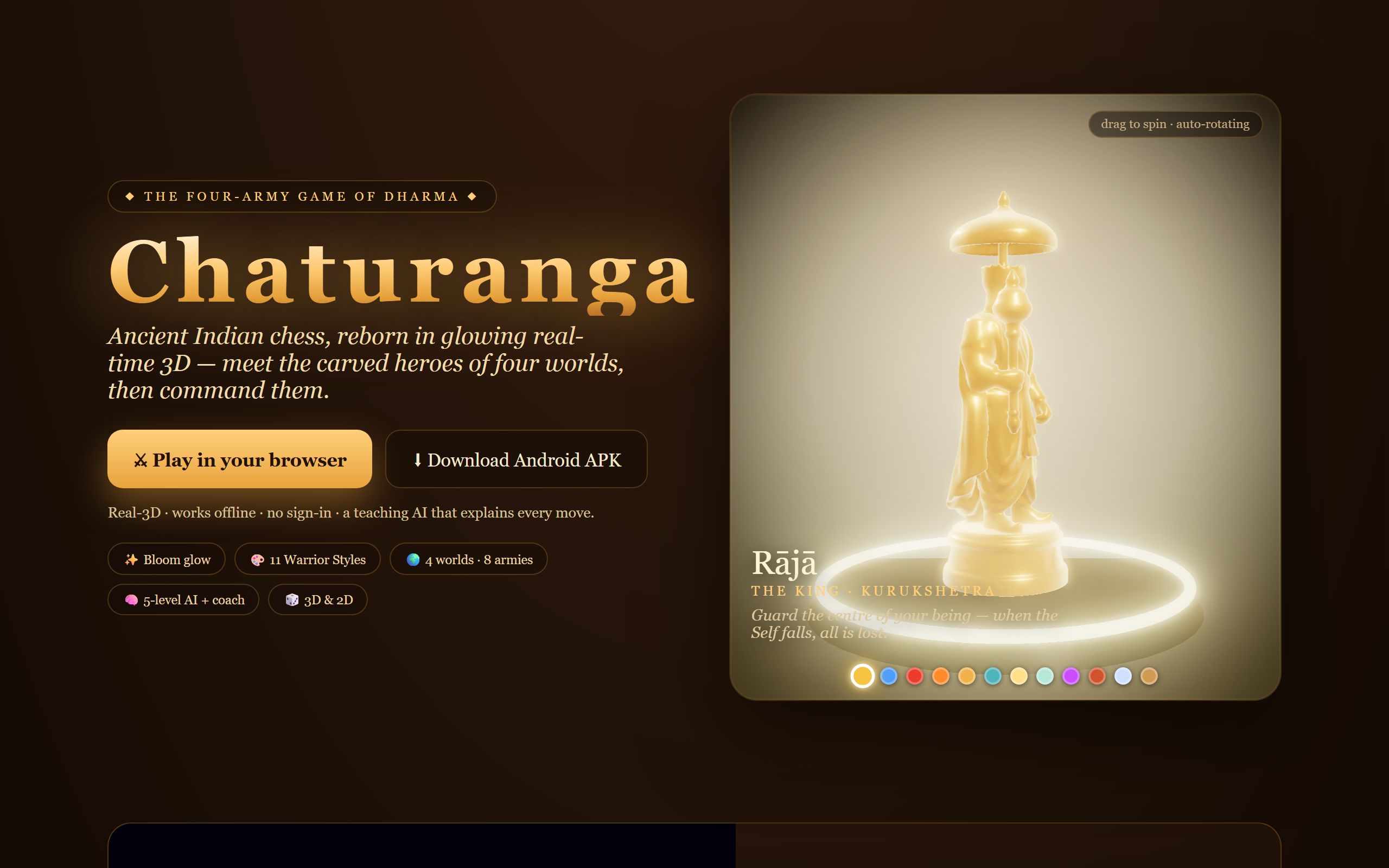
<h2 id="jul-09--chaturanga-ancient-chess-reborn-in-glowing-3d">Jul 09 — Chaturanga: ancient chess, reborn in glowing 3D</h2>

<p><img src="/AI4Good/assets/img/2026-07-10-ai4good-app-a-day/shot-chaturanga.png" alt="Chaturanga landing page — the four-army game of dharma" /></p>

<p><a href="https://naveenneog.github.io/Chaturanga/"><strong>Chaturanga</strong></a> is the ancient Indian “game of the four divisions,” played with modern chess rules but <strong>authentic piece identities</strong> — Raja, Mantri, Gaja, Ashva, Ratha, Padati — carved in <strong>real-time glowing 3D</strong>. It ships with a <strong>teaching AI</strong> (five levels), a <strong>coach</strong> that reviews your blunders, an <strong>openings trainer</strong>, a rotating piece inspector, and a <em>Warrior’s Eye</em> camera. Four worlds, each teaching a moral lesson. → <a href="/AI4Good/2026/07/09/chaturanga-ancient-chess-in-3d/">read the full story</a></p>

<p>The pieces themselves are an AI-for-good story: I generated each one from a single concept image using a <strong>free Hugging Face Space</strong> and headless Blender — <a href="/AI4Good/2026/07/10/image-to-3d-huggingface-blender-copilot/">the full image-to-3D pipeline is its own post here</a>.</p>

<p><strong>The good:</strong> a free, offline, no-sign-in chess tutor that also carries culture — learning and heritage in one board.</p>

<hr />

<h2 id="what-ai4good-actually-means">What #AI4Good actually means</h2>

<p>Look at all eight together and a pattern appears — not “AI apps,” but <strong>apps that use AI to do something good</strong>:</p>

<table>
  <thead>
    <tr>
      <th>Day</th>
      <th>App</th>
      <th>Who it serves</th>
      <th>The good</th>
    </tr>
  </thead>
  <tbody>
    <tr>
      <td><a href="/AI4Good/2026/06/22/primebeats-offline-local-music-player/">Jun 22</a></td>
      <td><a href="https://naveenneog.github.io/PrimeBeats/">PrimeBeats</a></td>
      <td>Listeners</td>
      <td>Own your music — offline, ad-free</td>
    </tr>
    <tr>
      <td><a href="/AI4Good/2026/06/23/actioncut-free-pro-video-editor/">Jun 23</a></td>
      <td><a href="https://naveenneog.github.io/ActionCut/">ActionCut</a></td>
      <td>Creators</td>
      <td>Studio-grade editing, free</td>
    </tr>
    <tr>
      <td><a href="/AI4Good/2026/06/26/kidkat-safe-videos-for-kids/">Jun 26</a></td>
      <td><a href="https://naveenneog.github.io/KidKat/">KidKat</a></td>
      <td>Kids &amp; parents</td>
      <td>Safe, finite, educational screen time</td>
    </tr>
    <tr>
      <td><a href="/AI4Good/2026/06/27/neofit-indian-health-22-languages/">Jun 27</a></td>
      <td><a href="https://naveenneog.github.io/NeoFit/">NeoFit</a></td>
      <td>1.4B Indians</td>
      <td>Health in 22 languages</td>
    </tr>
    <tr>
      <td><a href="/AI4Good/2026/07/04/gpscamera-geotag-every-photo/">Jul 04</a></td>
      <td><a href="https://naveenneog.github.io/GpsCamera/">GpsCamera</a></td>
      <td>Field workers</td>
      <td>Verifiable documentation</td>
    </tr>
    <tr>
      <td><a href="/AI4Good/2026/07/05/lamp-and-the-machine-shadow-puppet-ai-studio/">Jul 05</a></td>
      <td><a href="https://naveenneog.github.io/Sora-Azure-MultiPart-Video-Editing/">The Lamp &amp; the Machine</a></td>
      <td>Culture</td>
      <td>Preserving a folk art with AI</td>
    </tr>
    <tr>
      <td><a href="/AI4Good/2026/07/06/sopana-snakes-and-ladders-that-teaches/">Jul 06</a></td>
      <td><a href="https://naveenneog.github.io/Sopana/">Sopāna</a></td>
      <td>Families</td>
      <td>Values + heritage, playfully</td>
    </tr>
    <tr>
      <td><a href="/AI4Good/2026/07/09/chaturanga-ancient-chess-in-3d/">Jul 09</a></td>
      <td><a href="https://naveenneog.github.io/Chaturanga/">Chaturanga</a></td>
      <td>Learners</td>
      <td>Free chess tutor + culture</td>
    </tr>
  </tbody>
</table>

<p><strong>The method:</strong> one build at a time, from a single laptop, with <strong>Copilot CLI autopilot</strong> doing the heavy lifting and <strong>Azure AI</strong> + <strong>Hugging Face</strong> models supplying the intelligence. <strong>The mission:</strong> put that capability toward education, health, culture, and trust — and give it away.</p>

<p>This is just the beginning of the campaign. Next up the runway: <strong>Indian Tales</strong>, a multilingual Togalu Gombe (shadow-puppet) storytelling app to keep a fading folk art alive.</p>

<p>If you build things, I’d gently challenge you to the same dare: <strong>pick the “who does this help?” first, then let AI help you ship it.</strong> That’s <strong>#AI4Good</strong>.</p>

<p><em>Follow the journey — <a href="https://github.com/naveenneog">GitHub</a> · <a href="https://www.linkedin.com/in/naveen-gopalakrishna-99863040/">LinkedIn</a>. Built one day at a time.</em></p>]]></content><author><name>Naveen Gopalakrishna</name></author><category term="ai4good" /><category term="showcase" /><category term="ai4good" /><category term="ai" /><category term="azure" /><category term="android" /><category term="opensource" /><category term="gpt-image" /><category term="huggingface" /><category term="indie-dev" /><summary type="html"><![CDATA[Eight apps in eighteen days — a local music player, a video editor, a kids' education app, an Indian-language health app, a GPS camera, an AI shadow-puppet film studio, and two heritage games — each built from a laptop with AI in the loop and shipped free. This is the #AI4Good build story, chapter by chapter.]]></summary><media:thumbnail xmlns:media="http://search.yahoo.com/mrss/" url="https://naveenneog.github.io/AI4Good/assets/img/2026-07-10-ai4good-app-a-day/hero.png" /><media:content medium="image" url="https://naveenneog.github.io/AI4Good/assets/img/2026-07-10-ai4good-app-a-day/hero.png" xmlns:media="http://search.yahoo.com/mrss/" /></entry><entry><title type="html">Carving a Glowing 3D Army from Single Images: Hugging Face + Blender, driven by Copilot CLI Autopilot</title><link href="https://naveenneog.github.io/AI4Good/2026/07/10/image-to-3d-huggingface-blender-copilot/" rel="alternate" type="text/html" title="Carving a Glowing 3D Army from Single Images: Hugging Face + Blender, driven by Copilot CLI Autopilot" /><published>2026-07-10T04:30:00+00:00</published><updated>2026-07-10T04:30:00+00:00</updated><id>https://naveenneog.github.io/AI4Good/2026/07/10/image-to-3d-huggingface-blender-copilot</id><content type="html" xml:base="https://naveenneog.github.io/AI4Good/2026/07/10/image-to-3d-huggingface-blender-copilot/"><![CDATA[<blockquote>
  <p><strong>TL;DR</strong> — One <code class="language-plaintext highlighter-rouge">gpt-image-2</code> concept image per piece → a <strong>free Hugging Face Space</strong> (<code class="language-plaintext highlighter-rouge">tencent/Hunyuan3D-2</code>) turns it into a raw 3D mesh → <strong>headless Blender</strong> projects the concept back on as texture → a web-ready <strong>GLB</strong> that glows in Three.js. No local GPU. All of it — the research, the dozens of scripts, the Hugging Face calls, the Blender runs, and <em>this very blog post and its auto-publish to DEV</em> — was orchestrated by <strong>GitHub Copilot CLI in autopilot mode</strong>.</p>
</blockquote>

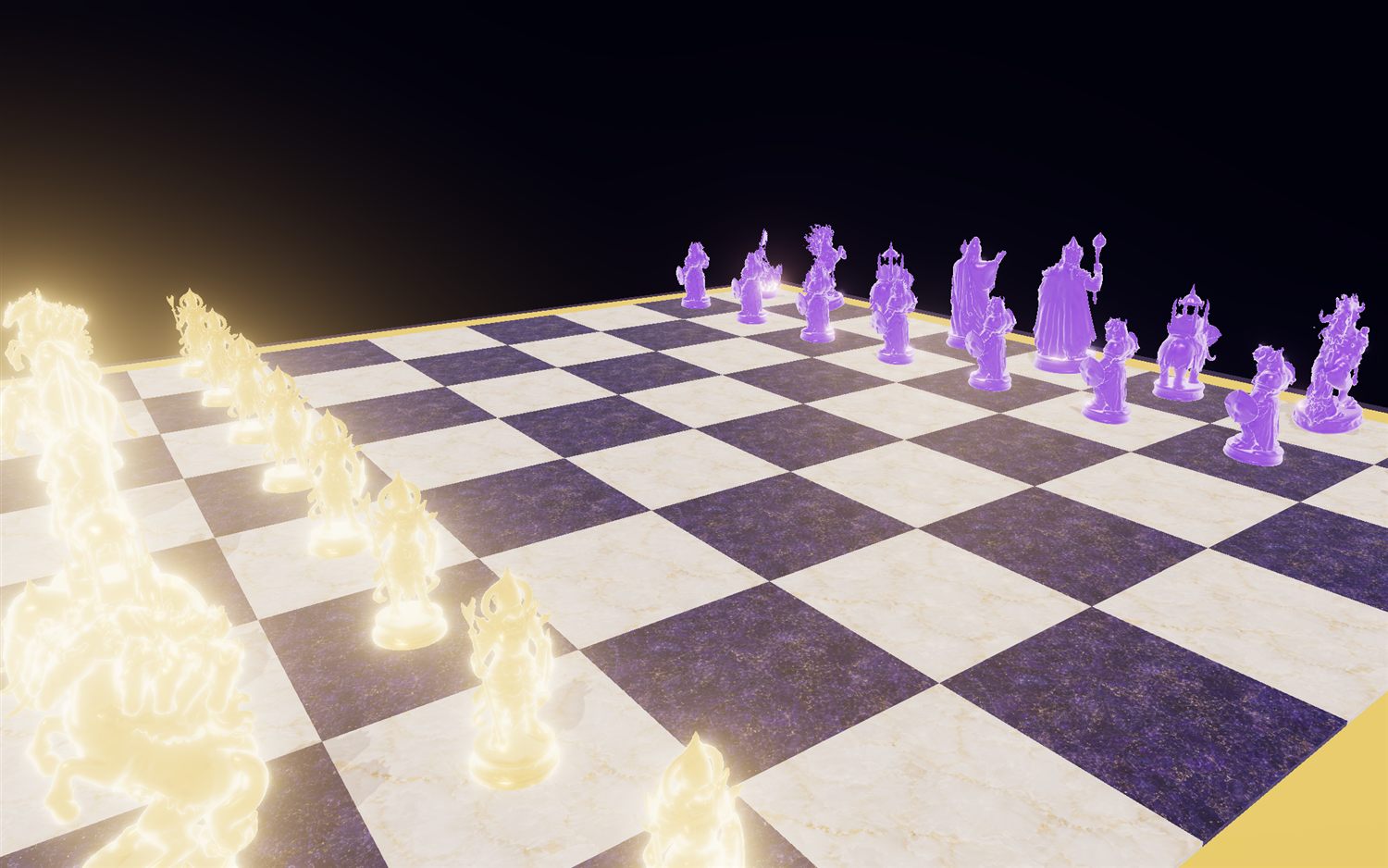
<p><img src="/AI4Good/assets/img/2026-07-10-image-to-3d/hero.jpg" alt="Glowing gold-vs-purple Chaturanga board" /></p>

<p>I’ve been building <strong><a href="https://naveenneog.github.io/Chaturanga">Chaturanga</a></strong> — the ancient Indian “game of the four divisions,” played with modern chess moves but authentic piece identities (<em>Raja, Mantri, Gaja, Ashva, Ratha, Padati</em>), where every world teaches a moral lesson. The board above is the payoff. The hard part was the <strong>pieces</strong>: I wanted carved-ivory war figures with real silhouettes, in four themed armies, that spin in a WebGL inspector — and I wanted them for <strong>free, on a laptop with no GPU</strong>, in a <strong>fully scriptable, reproducible</strong> way.</p>

<p>This is the story of how that pipeline came together, including the parts that didn’t work.</p>

<hr />

<h2 id="the-pipeline-at-a-glance">The pipeline at a glance</h2>

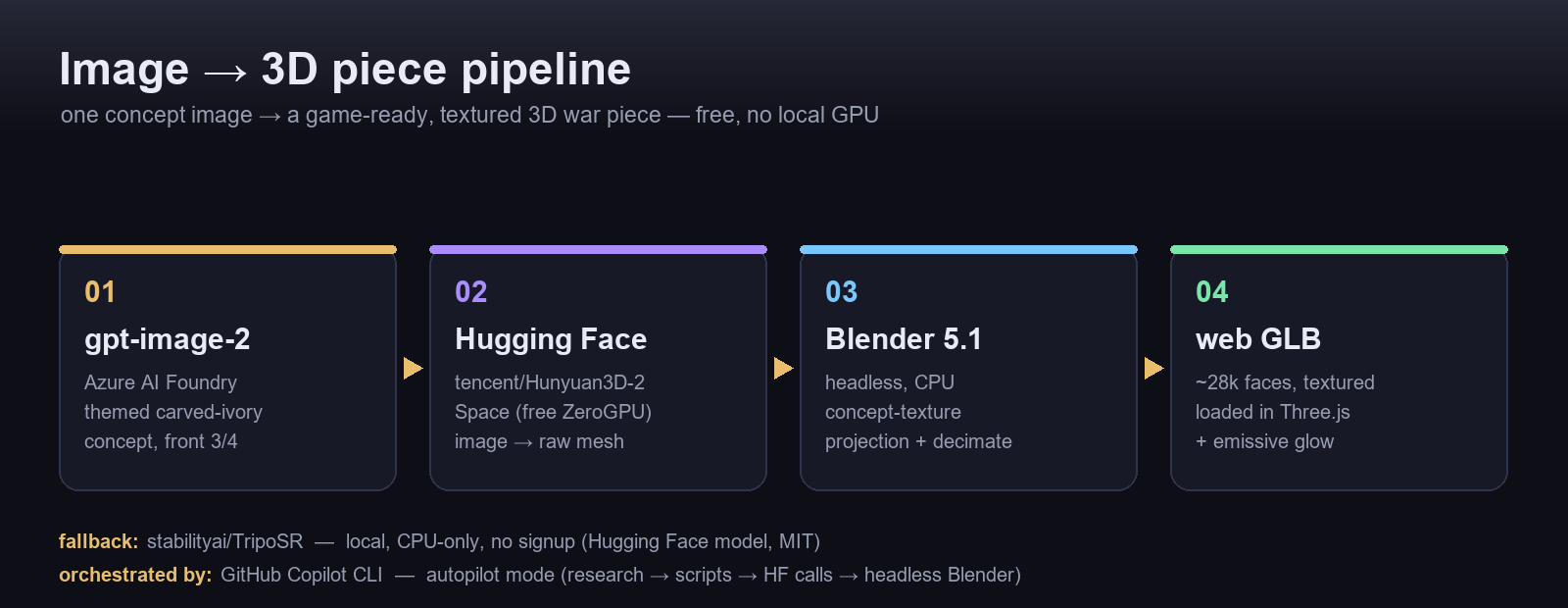
<p><img src="/AI4Good/assets/img/2026-07-10-image-to-3d/pipeline.png" alt="Image-to-3D pipeline: gpt-image-2 to Hugging Face to Blender to GLB" /></p>

<p>Four stages, each free and headless:</p>

<ol>
  <li><strong>Concept</strong> — Azure <code class="language-plaintext highlighter-rouge">gpt-image-2</code> renders a themed, carved-ivory concept per piece (front 3/4, white background).</li>
  <li><strong>Image → 3D</strong> — the concept goes to a <strong>Hugging Face Space</strong> that runs image-to-3D on donated GPU and hands back a mesh.</li>
  <li><strong>Texture</strong> — <strong>Blender 5.1</strong>, headless on CPU, projects the concept image onto the mesh as its surface.</li>
  <li><strong>Ship</strong> — export a decimated, textured <strong>GLB</strong> and load it in Three.js with a little emissive glow.</li>
</ol>

<hr />

<h2 id="step-1--concept-art-with-gpt-image-2">Step 1 — Concept art with gpt-image-2</h2>

<p>Each piece starts as a prompt describing a museum figurine. The key is a <strong>clean, front-facing 3/4 view on a plain background</strong> — that is exactly what image-to-3D models want.</p>

<div class="language-python highlighter-rouge"><div class="highlight"><pre class="highlight"><code><span class="n">pieces</span> <span class="o">=</span> <span class="p">{</span>
  <span class="s">"raja"</span><span class="p">:</span>   <span class="s">"A carved ivory Indian chess piece: a standing king with crown, parasol and mace, Chaturanga style, white background, front 3/4 view, studio lighting"</span><span class="p">,</span>
  <span class="s">"ashva"</span><span class="p">:</span>  <span class="s">"A carved ivory Indian chess piece: Hanuman mid-leap raising a mace, ornate, Chaturanga style, white background, front 3/4 view"</span><span class="p">,</span>
  <span class="s">"gaja"</span><span class="p">:</span>   <span class="s">"A carved ivory Indian chess piece: a war elephant with a howdah canopy, Chaturanga style, white background, front 3/4 view"</span><span class="p">,</span>
  <span class="c1"># ... mantri, ratha, padati
</span><span class="p">}</span>
<span class="c1"># -&gt; Azure AI Foundry: POST /openai/deployments/gpt-image-2/images/generations
</span></code></pre></div></div>

<h2 id="step-2--image--3d-on-a-free-hugging-face-space">Step 2 — Image → 3D, on a free Hugging Face Space</h2>

<p>This is the heart of it. Instead of buying GPU time, I call the public <strong><a href="https://huggingface.co/spaces/tencent/Hunyuan3D-2"><code class="language-plaintext highlighter-rouge">tencent/Hunyuan3D-2</code></a></strong> Space through its Gradio API. The Space runs the heavy diffusion-to-mesh step on <strong>free ZeroGPU</strong>, and I just pull back a <code class="language-plaintext highlighter-rouge">.glb</code>:</p>

<div class="language-python highlighter-rouge"><div class="highlight"><pre class="highlight"><code><span class="kn">from</span> <span class="nn">gradio_client</span> <span class="kn">import</span> <span class="n">Client</span><span class="p">,</span> <span class="n">handle_file</span>

<span class="n">client</span> <span class="o">=</span> <span class="n">Client</span><span class="p">(</span><span class="s">"tencent/Hunyuan3D-2"</span><span class="p">,</span> <span class="n">hf_token</span><span class="o">=</span><span class="n">HF_TOKEN</span><span class="p">)</span>   <span class="c1"># token optional; helps with rate limits
</span><span class="n">result</span> <span class="o">=</span> <span class="n">client</span><span class="p">.</span><span class="n">predict</span><span class="p">(</span>
    <span class="n">image</span><span class="o">=</span><span class="n">handle_file</span><span class="p">(</span><span class="s">"refs/raja.jpg"</span><span class="p">),</span>
    <span class="n">steps</span><span class="o">=</span><span class="mi">30</span><span class="p">,</span> <span class="n">guidance_scale</span><span class="o">=</span><span class="mf">5.0</span><span class="p">,</span> <span class="n">seed</span><span class="o">=</span><span class="mi">1234</span><span class="p">,</span>
    <span class="n">octree_resolution</span><span class="o">=</span><span class="mi">256</span><span class="p">,</span> <span class="n">check_box_rembg</span><span class="o">=</span><span class="bp">True</span><span class="p">,</span>
    <span class="n">num_chunks</span><span class="o">=</span><span class="mi">8000</span><span class="p">,</span> <span class="n">randomize_seed</span><span class="o">=</span><span class="bp">False</span><span class="p">,</span>
    <span class="n">api_name</span><span class="o">=</span><span class="s">"/shape_generation"</span><span class="p">,</span>     <span class="c1"># geometry only — fast; texture is done later in Blender
</span><span class="p">)</span>
<span class="c1"># result -&gt; a raw .glb mesh, generated on someone else's GPU, for free
</span></code></pre></div></div>

<p>I batch all six pieces over <strong>one reused client connection</strong>, with retries for transient ZeroGPU queue errors. Geometry-only (<code class="language-plaintext highlighter-rouge">/shape_generation</code>) is the fast path; I deliberately skip the Space’s texture step because I get sharper, on-brand results projecting my own concept image in Blender (Step 3).</p>

<p><strong>No-signup fallback:</strong> for a path that needs <em>zero</em> accounts, I keep <strong><a href="https://huggingface.co/stabilityai/TripoSR"><code class="language-plaintext highlighter-rouge">stabilityai/TripoSR</code></a></strong> (MIT) running <strong>locally on CPU</strong>. It’s the only open image-to-3D model I found that’s genuinely CPU-feasible on Windows — a few minutes per piece, softer surface, no PBR, but a reliable offline safety net.</p>

<div class="language-bash highlighter-rouge"><div class="highlight"><pre class="highlight"><code>python tooling/triposr_run.py refs/raja.jpg <span class="nt">--out</span> out/ <span class="nt">--resolution</span> 256
<span class="c"># TripoSR on CPU: marching cubes via PyMCubes (no native build), exports a vertex-coloured GLB</span>
</code></pre></div></div>

<h3 id="bonus-discovering-spaces-from-inside-the-terminal">Bonus: discovering Spaces from inside the terminal</h3>

<p>Copilot CLI now has the <strong>Hugging Face MCP server</strong> wired in, so I can search the Hub without leaving my shell. Asking it for image-to-3D Spaces returns exactly the shortlist this project lives on:</p>

<table>
  <thead>
    <tr>
      <th>Space</th>
      <th>What it does</th>
      <th>⭐</th>
    </tr>
  </thead>
  <tbody>
    <tr>
      <td><code class="language-plaintext highlighter-rouge">microsoft/TRELLIS.2</code></td>
      <td>High-fidelity 3D from images</td>
      <td>1.7k</td>
    </tr>
    <tr>
      <td><code class="language-plaintext highlighter-rouge">tencent/Hunyuan3D-2</code></td>
      <td>Text- &amp; image-to-3D (<strong>what I use</strong>)</td>
      <td>3.3k</td>
    </tr>
    <tr>
      <td><code class="language-plaintext highlighter-rouge">TencentARC/InstantMesh</code></td>
      <td>Image → 3D in ~10s</td>
      <td>1.6k</td>
    </tr>
  </tbody>
</table>

<p>That turns “which model should I use?” into a two-second query instead of an afternoon of tab-hopping.</p>

<hr />

<h2 id="from-flat-concept-to-spinning-figure">From flat concept to spinning figure</h2>

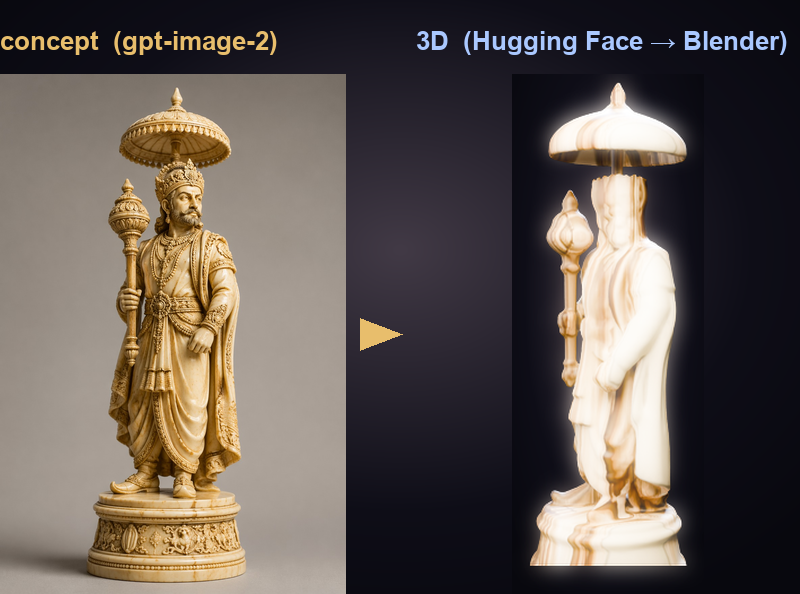
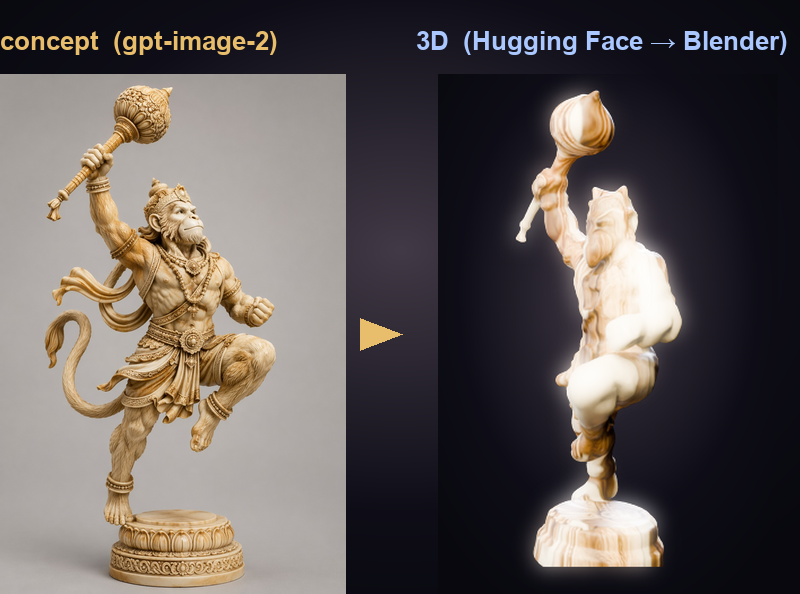
<p>Here’s the whole point in one frame — the <code class="language-plaintext highlighter-rouge">gpt-image-2</code> concept on the left, the Hugging Face + Blender result on the right:</p>

<p><img src="/AI4Good/assets/img/2026-07-10-image-to-3d/concept-vs-3d-raja.png" alt="Raja: concept vs 3D" />
<img src="/AI4Good/assets/img/2026-07-10-image-to-3d/concept-vs-3d-ashva.png" alt="Ashva: concept vs 3D" /></p>

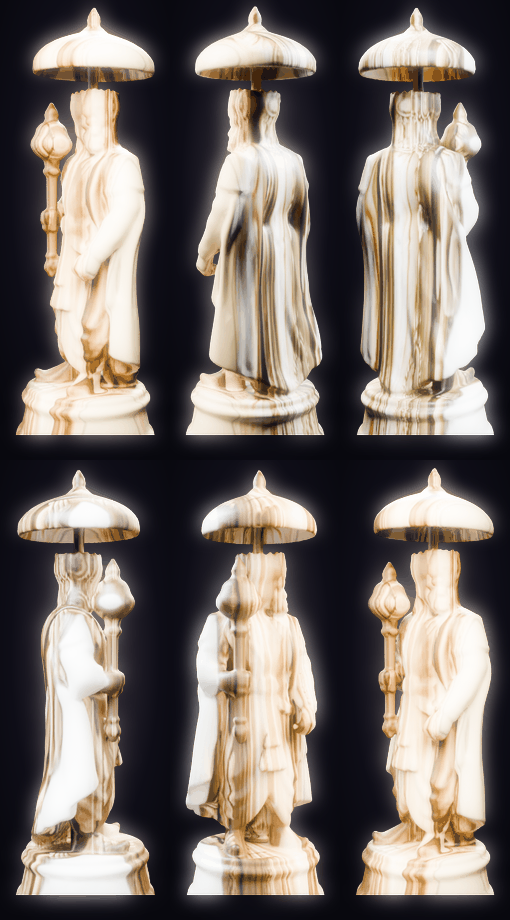
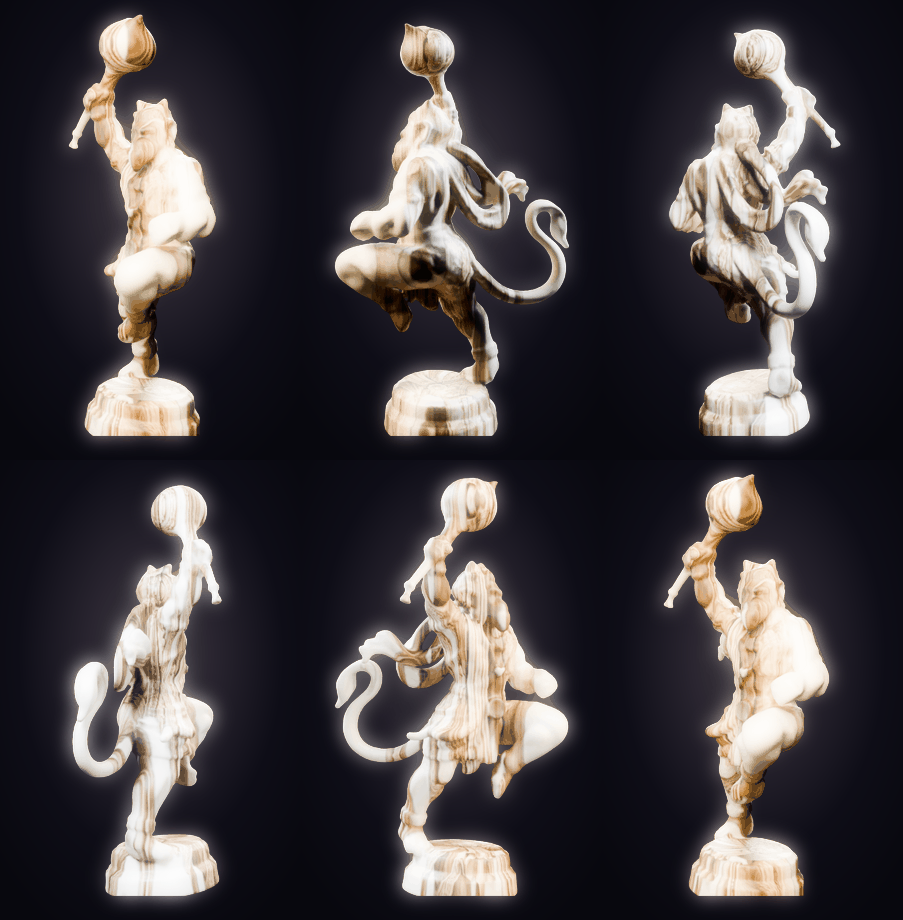
<p>And because a chess piece has to survive being spun around in a 3D inspector, here they are on the turntable:</p>

<p align="center">
  <img src="/AI4Good/assets/img/2026-07-10-image-to-3d/turntable-raja.gif" width="30%" alt="Raja turntable" />
  <img src="/AI4Good/assets/img/2026-07-10-image-to-3d/turntable-ashva.gif" width="30%" alt="Ashva turntable" />
  <img src="/AI4Good/assets/img/2026-07-10-image-to-3d/turntable-gaja.gif" width="30%" alt="Gaja turntable" />
</p>

<hr />

<h2 id="step-3--where-blender-earns-its-keep-and-where-it-fights-back">Step 3 — Where Blender earns its keep (and where it fights back)</h2>

<p>The Hugging Face mesh has a <strong>correct silhouette but a soft, under-detailed surface</strong>. All the crisp carving detail lives in the original concept image. So Blender’s job is <strong>concept-texture projection</strong>: orient the raw mesh, frame an orthographic camera on its “front,” and set each vertex’s UV to that camera’s projection — so the concept image <em>becomes</em> the surface, razor-sharp from the front.</p>

<div class="language-bash highlighter-rouge"><div class="highlight"><pre class="highlight"><code>blender <span class="nt">-b</span> <span class="nt">--python</span> tooling/blender/texture_project.py <span class="nt">--</span> <span class="se">\</span>
    raw/raja_hunyuan.glb refs/raja.jpg web/raja.glb preview.png
<span class="c"># headless, CPU-only: orient -&gt; project concept as texture -&gt; decimate to ~28k faces -&gt; export GLB</span>
</code></pre></div></div>

<p>Blender is fantastic here, but the road was bumpy. The honest limitations:</p>

<ul>
  <li><strong>Back faces get a mirrored projection.</strong> Single-camera projection is perfect head-on; the reverse side is a mirror of the front. For pieces viewed from above on a board, it’s an acceptable trade — but it <em>is</em> a trade.</li>
  <li><strong>Blender 4 → 5 broke my material scripts.</strong> The Principled BSDF input sockets were renamed: it’s <code class="language-plaintext highlighter-rouge">Subsurface Weight</code> not <code class="language-plaintext highlighter-rouge">Subsurface</code>, <code class="language-plaintext highlighter-rouge">Specular IOR Level</code> not <code class="language-plaintext highlighter-rouge">Specular</code>. Scripts that ran on 4.x threw <code class="language-plaintext highlighter-rouge">KeyError</code> on 5.1 until I re-bound every socket. (Lesson: <code class="language-plaintext highlighter-rouge">print(bsdf.inputs.keys())</code> before you touch anything.)</li>
  <li><strong>Eevee Next won’t render headless on Windows.</strong> <code class="language-plaintext highlighter-rouge">blender -b</code> with the new Eevee crashes with an access violation — it wants a GPU context that a background process doesn’t have. <strong>Cycles on CPU</strong> renders fine headless; every image in this post (including the turntables) is Cycles-CPU.</li>
  <li><strong>No native build allowed.</strong> To keep the whole thing laptop-reproducible, marching cubes runs through <strong>PyMCubes</strong> rather than a compiled isosurface extension.</li>
</ul>

<h3 id="the-detour-why-not-just-build-them-in-blender">The detour: “why not just build them in Blender?”</h3>

<p>Early on I seriously tried <strong>Blender-only</strong> procedural modeling — skin modifier over a skeleton, geometry nodes, PBR node graphs baked from the concept. It’s fully scriptable and GPU-free… and it produced <strong>primitive blobs after hours of fiddling</strong>. Verdict: great for <em>finishing</em>, wrong tool for <em>creating</em> organic figures. That failure is exactly why the Hugging Face step exists.</p>

<hr />

<h2 id="the-tools-i-tried--and-where-they-hit-a-wall">The tools I tried — and where they hit a wall</h2>

<p>Before settling, I benchmarked the field. The constraints were brutal on purpose: <strong>free, Windows, no GPU, scriptable.</strong></p>

<table>
  <thead>
    <tr>
      <th>Tool</th>
      <th>Route</th>
      <th>Verdict under my constraints</th>
    </tr>
  </thead>
  <tbody>
    <tr>
      <td><strong>Hunyuan3D-2 (HF Space)</strong></td>
      <td>image→mesh, free ZeroGPU</td>
      <td>✅ <strong>Winner</strong> — GPU-quality geometry, no local GPU</td>
    </tr>
    <tr>
      <td><strong>TripoSR</strong> (local)</td>
      <td>image→mesh, CPU</td>
      <td>✅ Fallback — only CPU-feasible local model; soft, no PBR</td>
    </tr>
    <tr>
      <td>Meshy AI</td>
      <td>REST API, 200 free credits/mo</td>
      <td>⚠️ Great quality, but ~6 textured pieces/mo, CC-BY</td>
    </tr>
    <tr>
      <td>Tripo AI</td>
      <td>REST API, 300 credits/mo</td>
      <td>⚠️ Good, but 15 downloads/mo, 1 concurrent task</td>
    </tr>
    <tr>
      <td>Rodin (Hyper3D)</td>
      <td>REST API, pay-on-export</td>
      <td>⚠️ Best-in-class detail, but credits burn on download</td>
    </tr>
    <tr>
      <td>Stability SF3D</td>
      <td>API + local</td>
      <td>⚠️ ~2 free API gens; local is ~3.9 GB, slow on CPU</td>
    </tr>
    <tr>
      <td>InstantMesh / TRELLIS / Wonder3D</td>
      <td>local</td>
      <td>❌ <strong>Not CPU-feasible</strong> — CUDA-only, hours on CPU</td>
    </tr>
  </tbody>
</table>

<p>The pattern is clear: the <strong>hosted API services are excellent but metered</strong>, and the <strong>best local models need a GPU I don’t have</strong>. The one escape hatch is a <strong>community-hosted Hugging Face Space</strong> — the model runs on donated GPU, and I pay nothing but a queue wait.</p>

<hr />

<h2 id="the-meta-story-this-was-all-built-in-copilot-cli-autopilot-mode">The meta-story: this was all built in Copilot CLI autopilot mode</h2>

<p>Here’s the part I keep coming back to. I didn’t hand-write most of this. I drove <strong>GitHub Copilot CLI in autopilot mode</strong> — where the agent runs shell commands, scripts, and tools <strong>autonomously</strong>, multi-step, without stopping for approval at each move. In practice that looked like:</p>

<ul>
  <li>a <strong>research sub-agent</strong> fanning out across 13 image-to-3D tools and returning a sourced comparison table;</li>
  <li>the agent <strong>writing and running</strong> <code class="language-plaintext highlighter-rouge">hf_batch.py</code>, invoking the Hunyuan3D-2 Space, and retrying on ZeroGPU hiccups;</li>
  <li><strong>headless Blender</strong> runs for texture projection and the turntable renders you see above — launched, inspected, and re-tuned by the agent (it caught the Eevee-headless crash and switched to Cycles itself);</li>
  <li>and finally, <strong>this blog</strong> — rendered GIFs, pipeline diagram, prose — plus a <strong>GitHub Actions workflow that auto-publishes it to DEV</strong> on every push.</li>
</ul>

<p>Autopilot turns “I have an idea for a pipeline” into “the pipeline, its assets, and its write-up all exist,” with me steering rather than typing every command.</p>

<hr />

<h2 id="results--whats-next">Results &amp; what’s next</h2>

<p>The payoff is a full <strong>four-world</strong> army — Kurukshetra, Ramayana, Kalinga, Devasura — each piece a real 3D figure with a themed material and a bit of emissive bloom so the Devas literally glow.</p>

<p><img src="/AI4Good/assets/img/2026-07-10-image-to-3d/board-devasura.png" alt="Devasura board" /></p>

<p><strong>Try it:</strong> the game is live at <strong><a href="https://naveenneog.github.io/Chaturanga">naveenneog.github.io/Chaturanga</a></strong> (3D + 2D, AI opponent, coach, openings trainer, Android APK).</p>

<p><strong>Steal the pipeline:</strong> <code class="language-plaintext highlighter-rouge">gpt-image-2</code> → <code class="language-plaintext highlighter-rouge">tencent/Hunyuan3D-2</code> Space → Blender projection → GLB. It costs nothing, needs no GPU, and every step is a script. If you’re generating game assets, product mockups, or avatars, a free Hugging Face Space is the cheat code — and Copilot CLI autopilot is the thing that stitches it all together.</p>

<p><em>Built one day at a time. — <a href="https://github.com/naveenneog">@naveenneog</a></em></p>]]></content><author><name>Naveen Gopalakrishna</name></author><category term="ai" /><category term="3d" /><category term="huggingface" /><category term="image-to-3d" /><category term="blender" /><category term="hunyuan3d" /><category term="triposr" /><category term="copilot-cli" /><category term="threejs" /><category term="gpt-image-2" /><summary type="html"><![CDATA[How I turned one AI concept image per piece into a game-ready, glowing 3D army for Chaturanga — using a free Hugging Face Space for image-to-3D, headless Blender for texture, and GitHub Copilot CLI in autopilot mode to drive the whole thing. Includes the honest journey: the tools that failed, Blender's real limits, and rotating hero renders.]]></summary><media:thumbnail xmlns:media="http://search.yahoo.com/mrss/" url="https://naveenneog.github.io/AI4Good/assets/img/2026-07-10-image-to-3d/hero.jpg" /><media:content medium="image" url="https://naveenneog.github.io/AI4Good/assets/img/2026-07-10-image-to-3d/hero.jpg" xmlns:media="http://search.yahoo.com/mrss/" /></entry><entry><title type="html">Chaturanga: Ancient Indian Chess, Reborn in Glowing 3D</title><link href="https://naveenneog.github.io/AI4Good/2026/07/09/chaturanga-ancient-chess-in-3d/" rel="alternate" type="text/html" title="Chaturanga: Ancient Indian Chess, Reborn in Glowing 3D" /><published>2026-07-09T04:30:00+00:00</published><updated>2026-07-09T04:30:00+00:00</updated><id>https://naveenneog.github.io/AI4Good/2026/07/09/chaturanga-ancient-chess-in-3d</id><content type="html" xml:base="https://naveenneog.github.io/AI4Good/2026/07/09/chaturanga-ancient-chess-in-3d/"><![CDATA[<blockquote>
  <p>Part of the <strong><a href="/AI4Good/2026/07/10/ai4good-an-app-a-day/">#AI4Good</a></strong> series — one app a day, each built for good.</p>
</blockquote>

<p><a href="https://naveenneog.github.io/Chaturanga/"><img src="/AI4Good/assets/img/2026-07-10-ai4good-app-a-day/shot-chaturanga.png" alt="Chaturanga — ancient Indian chess, reborn in glowing 3D" /></a></p>

<p>Chess was born in India as <strong>Chaturanga</strong> — the “game of the four divisions.” Chaturanga the app plays by modern chess rules but keeps the ancient identities — <em>Raja, Mantri, Gaja, Ashva, Ratha, Padati</em> — and lets you actually <strong>learn</strong> the game instead of just losing it.</p>

<h2 id="what-it-is">What it is</h2>

<p><a href="https://naveenneog.github.io/Chaturanga/"><strong>Chaturanga</strong></a> is ancient chess in <strong>real-time glowing 3D</strong>, with a full teach-and-play layer:</p>

<ul>
  <li><strong>Play the Guru</strong> — an alpha-beta chess AI with <strong>five difficulty levels</strong> (Padati → Mantri), running in a <strong>Web Worker</strong> so the board stays smooth on phones.</li>
  <li><strong>A coach</strong> — a <strong>Hint</strong> that names the best move <em>and why</em>, plus a <strong>blunder review</strong> that gently flags mistakes and shows the stronger move.</li>
  <li><strong>Openings trainer</strong> — six classic openings (Italian, Ruy López, Sicilian, French, Queen’s Gambit, King’s Indian) walked <strong>move-by-move</strong> with a narrated lesson.</li>
  <li><strong>Piece inspector</strong> — tap a piece for a <strong>rotating 3D render</strong> and a diagram of how it moves and captures; a <strong>Warrior’s Eye</strong> camera looks across the board from a piece’s point of view.</li>
  <li><strong>Four themed worlds</strong>, each with its own army, board art, teachings and a portrait cinematic intro. Local hotseat, undo, captured-pieces tray, under-promotion, read-aloud narration — <strong>no backend, works offline</strong>.</li>
</ul>

<h2 id="how-it-was-built">How it was built</h2>

<p>The web app is deliberately <strong>buildless</strong> — <strong>vanilla ES modules</strong>, <a href="https://github.com/jhlywa/chess.js">chess.js</a> for the rules, <a href="https://threejs.org/">three.js</a> for rendering, Capacitor for Android. The interesting parts:</p>

<ul>
  <li><strong>A real chess engine, in the browser.</strong> The AI is <strong>alpha-beta negamax with quiescence search, MVV-LVA move ordering, and piece-square evaluation</strong> over chess.js, exposed as <code class="language-plaintext highlighter-rouge">analyze()</code> / <code class="language-plaintext highlighter-rouge">bestMove()</code> / <code class="language-plaintext highlighter-rouge">classifyMove()</code>. It runs in a <strong>Web Worker</strong> (with a main-thread fallback) so search never janks the render loop, and the five levels scale depth, blunder-rate and time cap. Root moves are searched <strong>full-window</strong> so every move gets an exact score — which is what makes the coach’s <strong>blunder detection</strong> possible.</li>
  <li><strong>The pieces are AI-reconstructed, not hand-modelled.</strong> Each one starts as a themed <strong><code class="language-plaintext highlighter-rouge">gpt-image-2</code></strong> concept, becomes a mesh via the <strong>free Hunyuan3D-2 Hugging Face Space</strong>, gets its concept <strong>projected back on as texture in headless Blender</strong>, and ships as a small web GLB. Portrait intros are generated with <strong>Azure Sora-2</strong>. <a href="/AI4Good/2026/07/10/image-to-3d-huggingface-blender-copilot/">The full image-to-3D pipeline is its own post here</a>.</li>
  <li>Tested with <code class="language-plaintext highlighter-rouge">node:test</code> (rules + engine + coach/openings + all-worlds validation) and shipped as a debug-signed <strong>Capacitor APK</strong> (<code class="language-plaintext highlighter-rouge">npm run apk</code>, JDK 21).</li>
</ul>

<h2 id="the-good">The good</h2>

<p>A patient, free, offline chess tutor — no sign-in, no subscription — that also carries <strong>heritage</strong> in every piece. Learning and culture on one board. That’s #AI4Good.</p>

<h2 id="play-it">Play it</h2>

<ul>
  <li>▶️ <strong>Play in your browser:</strong> <a href="https://naveenneog.github.io/Chaturanga/">naveenneog.github.io/Chaturanga</a></li>
  <li>📦 <strong>Download the APK:</strong> <a href="https://github.com/naveenneog/Chaturanga/releases/latest">latest release</a></li>
  <li>💻 <strong>Source:</strong> <a href="https://github.com/naveenneog/Chaturanga">github.com/naveenneog/Chaturanga</a></li>
</ul>

<p><em>Previous → <a href="/AI4Good/2026/07/06/sopana-snakes-and-ladders-that-teaches/">Sopāna</a> · Read the whole journey → <a href="/AI4Good/2026/07/10/ai4good-an-app-a-day/">#AI4Good build story</a>. #AI4Good</em></p>]]></content><author><name>Naveen Gopalakrishna</name></author><category term="ai4good" /><category term="showcase" /><category term="ai4good" /><category term="chess" /><category term="threejs" /><category term="huggingface" /><category term="teaching-ai" /><category term="heritage" /><summary type="html"><![CDATA[Chaturanga is the ancient Indian game of the four divisions — played with modern chess rules but authentic piece identities, carved in real-time glowing 3D. A free, offline chess tutor with a five-level teaching AI, a coach, and an openings trainer.]]></summary><media:thumbnail xmlns:media="http://search.yahoo.com/mrss/" url="https://naveenneog.github.io/AI4Good/assets/img/2026-07-10-ai4good-app-a-day/shot-chaturanga.png" /><media:content medium="image" url="https://naveenneog.github.io/AI4Good/assets/img/2026-07-10-ai4good-app-a-day/shot-chaturanga.png" xmlns:media="http://search.yahoo.com/mrss/" /></entry><entry><title type="html">Sopāna: The Snakes &amp;amp; Ladders That Teaches (Moksha Patam, Reborn)</title><link href="https://naveenneog.github.io/AI4Good/2026/07/06/sopana-snakes-and-ladders-that-teaches/" rel="alternate" type="text/html" title="Sopāna: The Snakes &amp;amp; Ladders That Teaches (Moksha Patam, Reborn)" /><published>2026-07-06T04:30:00+00:00</published><updated>2026-07-06T04:30:00+00:00</updated><id>https://naveenneog.github.io/AI4Good/2026/07/06/sopana-snakes-and-ladders-that-teaches</id><content type="html" xml:base="https://naveenneog.github.io/AI4Good/2026/07/06/sopana-snakes-and-ladders-that-teaches/"><![CDATA[<blockquote>
  <p>Part of the <strong><a href="/AI4Good/2026/07/10/ai4good-an-app-a-day/">#AI4Good</a></strong> series — one app a day, each built for good.</p>
</blockquote>

<p><a href="https://naveenneog.github.io/Sopana/"><img src="/AI4Good/assets/img/2026-07-10-ai4good-app-a-day/shot-sopana.png" alt="Sopana — a Snakes &amp; Ladders that teaches" /></a></p>

<p>Before it was a plastic race to 100, <em>Snakes &amp; Ladders</em> was <strong>Moksha Patam</strong> — an Indian teaching game where the board was a map of the soul. Somewhere along the way we kept the dice and threw away the meaning. Sopāna puts it back.</p>

<h2 id="what-it-is">What it is</h2>

<p><a href="https://naveenneog.github.io/Sopana/"><strong>Sopāna</strong></a> is <em>a Snakes &amp; Ladders that teaches</em>. Open it and you land in a <strong>lobby</strong> — pick a <strong>theme</strong>, a <strong>mode</strong>, <strong>1–4 players</strong> and a <strong>character</strong> for each, then play local <strong>pass-and-play multiplayer</strong>. The same game is drawn <strong>three ways</strong>:</p>

<ul>
  <li><strong>Board</strong> — a crisp 2D board with a live turn roster, animated themed snakes &amp; ladders, and coloured tokens.</li>
  <li><strong>Cinematic</strong> — a <strong>2.5D backlit shadow-puppet ascent</strong> with a per-theme <strong>Sora-2 intro</strong> film and an adaptive procedural score.</li>
  <li><strong>3D</strong> — a real 3D board with an <strong>orbit camera</strong> (drag to spin, scroll to zoom), a themed environment and player-coloured pawns.</li>
</ul>

<p>The signature is the <strong>Meaning Reveal</strong>: land on a snake or ladder and the board dims, the connector highlights, a themed card shows the <strong>name + one-line teaching</strong>, and a narrator <strong>reads it aloud</strong> with word-by-word highlight before your token travels. <strong>Four worlds</strong> ship — Moksha Path (vices vs virtues), Founder’s Climb (startup pitfalls vs wins), Panchatantra Trail (fables), and Habit Heroes (kids’ habits).</p>

<h2 id="how-it-was-built">How it was built</h2>

<p>Sopāna is <strong>radically data-driven</strong>: a new world is essentially <strong>one JSON file</strong> in <code class="language-plaintext highlighter-rouge">web/worlds/*.json</code> over a single <strong>pure rules engine</strong> (<code class="language-plaintext highlighter-rouge">web/js/logic.js</code>). Every snake/ladder is just <code class="language-plaintext highlighter-rouge">{ from, to, name, en, meaning }</code>, and <code class="language-plaintext highlighter-rouge">meaning</code> is the line read aloud. The <strong>three renderers</strong> — Board, Cinematic (PixiJS), and 3D (Three.js) — all draw the <em>same</em> manifest, so content never lives in a renderer.</p>

<ul>
  <li><strong>Every asset is generated, per theme.</strong> Azure (AAD-only via <code class="language-plaintext highlighter-rouge">az login</code>) drives it: <strong><code class="language-plaintext highlighter-rouge">gpt-image-2</code></strong> renders the board backdrop, the player figurine, and one illustration per snake/ladder in each world’s art style (Moksha = authentic <strong>Togalu Gombe</strong> leather shadow-puppet); <strong>Azure Neural TTS</strong> narrates each meaning (Moksha = <code class="language-plaintext highlighter-rouge">en-IN-Arjun:DragonHDLatestNeural</code>). Files follow a <code class="language-plaintext highlighter-rouge">&lt;type&gt;-&lt;from&gt;.{png,mp3}</code> convention the app loads automatically, <strong>falling back to the browser’s SpeechSynthesis</strong> when a clip is missing — and <code class="language-plaintext highlighter-rouge">npm test</code> includes an <strong>asset-sync check</strong> that every entry has matching art + narration.</li>
  <li><strong>The Cinematic mode is a little engine of its own</strong> (PixiJS + Web Audio): the pilgrim walks a winding staircase step-by-step (each step ignites), landing on a vice/virtue triggers an animated <strong>light-sweep</strong> or a <strong>serpent strike with screen-shake</strong>, the 100 steps span <strong>five lokas</strong> with curtain-wipe realm transitions, and a <strong>procedural raga (Bhūpāli)</strong> plays an ascending melody as you climb, over an adaptive drone that brightens per realm.</li>
  <li><strong>Zero-dependency tests</strong> (<code class="language-plaintext highlighter-rouge">node:test</code>) plus <strong>Playwright</strong> visual QA (<code class="language-plaintext highlighter-rouge">tooling/shoot.mjs</code>); shipped to GitHub Pages and an <strong>Android Capacitor APK</strong> (CI, JDK 21). Licensed PolyForm Noncommercial.</li>
</ul>

<h2 id="the-good">The good</h2>

<p>Kids absorb values through play, not lectures. By restoring the <em>why</em> to every square — narrated, animated, and beautiful — Sopāna turns a car-trip game into a gentle lesson in ethics and consequence, and keeps a piece of <strong>cultural heritage</strong> alive. That’s #AI4Good.</p>

<h2 id="play-it">Play it</h2>

<ul>
  <li>▶️ <strong>Play in your browser:</strong> <a href="https://naveenneog.github.io/Sopana/">naveenneog.github.io/Sopana</a></li>
  <li>📦 <strong>Download the APK:</strong> <a href="https://github.com/naveenneog/Sopana/releases/latest">latest release</a></li>
  <li>💻 <strong>Source:</strong> <a href="https://github.com/naveenneog/Sopana">github.com/naveenneog/Sopana</a></li>
</ul>

<p><em>Previous → <a href="/AI4Good/2026/07/05/lamp-and-the-machine-shadow-puppet-ai-studio/">The Lamp &amp; the Machine</a> · Next → <a href="/AI4Good/2026/07/09/chaturanga-ancient-chess-in-3d/">Chaturanga</a>. #AI4Good</em></p>]]></content><author><name>Naveen Gopalakrishna</name></author><category term="ai4good" /><category term="showcase" /><category term="ai4good" /><category term="game" /><category term="pwa" /><category term="heritage" /><category term="moksha-patam" /><category term="threejs" /><summary type="html"><![CDATA[Sopāna reclaims Snakes & Ladders and restores its origin — the ancient Indian Moksha Patam, where every snake is a vice and every ladder a virtue. Land on one and it animates and reads its meaning aloud. Play across four worlds, in 2D, 2.5D, and 3D.]]></summary><media:thumbnail xmlns:media="http://search.yahoo.com/mrss/" url="https://naveenneog.github.io/AI4Good/assets/img/2026-07-10-ai4good-app-a-day/shot-sopana.png" /><media:content medium="image" url="https://naveenneog.github.io/AI4Good/assets/img/2026-07-10-ai4good-app-a-day/shot-sopana.png" xmlns:media="http://search.yahoo.com/mrss/" /></entry><entry><title type="html">The Lamp &amp;amp; the Machine: Turning Shadow-Puppet Theatre into an AI Film Studio</title><link href="https://naveenneog.github.io/AI4Good/2026/07/05/lamp-and-the-machine-shadow-puppet-ai-studio/" rel="alternate" type="text/html" title="The Lamp &amp;amp; the Machine: Turning Shadow-Puppet Theatre into an AI Film Studio" /><published>2026-07-05T04:30:00+00:00</published><updated>2026-07-05T04:30:00+00:00</updated><id>https://naveenneog.github.io/AI4Good/2026/07/05/lamp-and-the-machine-shadow-puppet-ai-studio</id><content type="html" xml:base="https://naveenneog.github.io/AI4Good/2026/07/05/lamp-and-the-machine-shadow-puppet-ai-studio/"><![CDATA[<blockquote>
  <p>Part of the <strong><a href="/AI4Good/2026/07/10/ai4good-an-app-a-day/">#AI4Good</a></strong> series. This one is about heritage — using new machines to keep an old art breathing.</p>
</blockquote>

<p><a href="https://naveenneog.github.io/Sora-Azure-MultiPart-Video-Editing/"><img src="/AI4Good/assets/img/2026-07-10-ai4good-app-a-day/shot-sora.png" alt="The Lamp &amp; the Machine — Togalu Gombeyaata meets generative AI" /></a></p>

<p>Under a banyan tree, a storyteller lights the brass oil lamps and, on a stretched cotton screen backlit by fire, a legend moves. This is <strong>Togalu Gombeyaata</strong> — Karnataka’s leather shadow-puppet theatre — and it is quietly disappearing. <em>The Lamp &amp; the Machine</em> is my attempt to hand it a new stage: an AI-generated shadow-puppet film that retells the story of <strong>Kempegowda</strong>, the 16th-century chieftain who, in 1537, ploughed the four streets that became <strong>Bengaluru</strong>.</p>

<h2 id="what-it-is">What it is</h2>

<p><a href="https://naveenneog.github.io/Sora-Azure-MultiPart-Video-Editing/"><strong>The Lamp &amp; the Machine</strong></a> is both a <strong>film</strong> and a <strong>build log</strong> — a single themed page that walks through turning a folk theatre into an AI film studio, told in three acts. The film exists in <strong>four different narration cuts</strong> of the same visuals, and the project produced two reusable skills along the way.</p>

<h2 id="how-it-was-built">How it was built</h2>

<p>This is the richest build story of the series, so here’s the honest version — bugs and all.</p>

<p><strong>Act I — the images (Sora 2 on Azure AI Foundry).</strong> The hard part of a multi-scene film isn’t generating a clip, it’s stopping every clip from <strong>drifting</strong>. Independent generations wander — the hero’s turban changes, the palette shifts, the backlit screen becomes a photoreal sunset. The fix was a <strong>locked “Style Bible”</strong> and a five-beat grammar — <em>Invocation → Character → Journey → Conflict → Resolution → Moral</em> — injected verbatim into all ~25 scenes, rendered at 12 seconds a clip and stitched with a shared warm-firelight grade and crossfades. The lesson came from one bug: scene 3 drifted into a photoreal landscape because a single line said <em>“movement past Indian landscapes, palaces, forests, rivers.”</em> Sora read it as <em>paint a real location.</em> Rewording it to “flat cut-leather silhouettes on the same backlit screen” killed the drift.</p>

<p><strong>Act II — the voice (the editing problem in four words: <em>keep the music, change the voice</em>).</strong> The first cut narrated itself beautifully… in <strong>Kannada</strong> — because the Style Bible’s <code class="language-plaintext highlighter-rouge">audio</code> field said “a wise elder Kannada storyteller” (confirmed by transcribing with <strong>gpt-4o-transcribe</strong>). I wanted an English cut <em>without</em> losing the veena, mridangam and temple bells Sora had baked into the same track. So I ran the audio through <strong>Demucs (htdemucs)</strong> source separation to split <strong>vocals</strong> from <strong>music + ambience</strong>, dropped the old narration, kept the music bed, laid a fresh <strong>Azure Neural</strong> voice on top with side-chain <strong>ducking</strong>, and remuxed onto the untouched video.</p>

<p><strong>Act III — the cast.</strong> One narrator became a company: a warm male elder (<strong>en-IN-Prabhat</strong>), a female voice (<strong>en-IN-Neerja</strong>, with <em>empathetic</em> and <em>cheerful</em> styles), and a <strong>unison</strong> finale. The first multi-voice cut taught two lessons — it sounded robotic (I’d pushed prosody too far, <code class="language-plaintext highlighter-rouge">-8%</code> rate / <code class="language-plaintext highlighter-rouge">-2st</code> pitch, adding artifacts) and cut out after 90 seconds (a real offset bug). Softening the prosody and switching to Azure’s ultra-natural <strong>DragonHD</strong> voices (en-IN-Arjun, en-IN-Neerja) — so lifelike no time-stretching was needed — produced the <strong>flagship cut</strong>.</p>

<p><strong>The pipeline</strong>, all on Azure with <strong>Microsoft Entra (AAD) auth — no API keys</strong>, orchestrated from the terminal: <strong>Sora 2</strong> (video) · <strong>gpt-4o-transcribe</strong> (audio QA) · <strong>Azure AI Speech</strong> (en-IN neural + DragonHD) · <strong>Demucs</strong> (separation) · <strong>FFmpeg</strong> (stitch, duck, mix, remux) · <strong>Python 3.14</strong>. It even spun off three reusable <strong>skills</strong> — <code class="language-plaintext highlighter-rouge">togalu-gombe-video</code>, <code class="language-plaintext highlighter-rouge">voice-dub</code>, and <code class="language-plaintext highlighter-rouge">togalu-brand-bumpers</code> (opening jingle + end credits).</p>

<h2 id="the-good">The good</h2>

<p>Folk arts don’t die because they stop being beautiful — they die because they stop being <em>seen</em>. Pointing generative video at a living tradition, respectfully, can put it in front of a generation that would otherwise never meet it. <strong>AI as a preservation tool for culture</strong> — that’s #AI4Good.</p>

<h2 id="explore-it">Explore it</h2>

<ul>
  <li>▶️ <strong>Live site / build log:</strong> <a href="https://naveenneog.github.io/Sora-Azure-MultiPart-Video-Editing/">naveenneog.github.io/Sora-Azure-MultiPart-Video-Editing</a></li>
  <li>💻 <strong>Source:</strong> <a href="https://github.com/naveenneog/Sora-Azure-MultiPart-Video-Editing">github.com/naveenneog/Sora-Azure-MultiPart-Video-Editing</a></li>
</ul>

<p><em>Previous → <a href="/AI4Good/2026/07/04/gpscamera-geotag-every-photo/">GpsCamera</a> · Next → <a href="/AI4Good/2026/07/06/sopana-snakes-and-ladders-that-teaches/">Sopāna</a>. #AI4Good</em></p>]]></content><author><name>Naveen Gopalakrishna</name></author><category term="ai4good" /><category term="showcase" /><category term="ai4good" /><category term="sora" /><category term="azure-ai" /><category term="heritage" /><category term="togalu-gombeyaata" /><category term="video" /><summary type="html"><![CDATA[How I turned Karnataka's 500-year-old leather shadow-puppet theatre, Togalu Gombeyaata, into an AI film studio — using Sora 2 and Azure AI to retell the story of Kempegowda, the founder of Bengaluru. A build log for keeping a fading folk art alive.]]></summary><media:thumbnail xmlns:media="http://search.yahoo.com/mrss/" url="https://naveenneog.github.io/AI4Good/assets/img/2026-07-10-ai4good-app-a-day/shot-sora.png" /><media:content medium="image" url="https://naveenneog.github.io/AI4Good/assets/img/2026-07-10-ai4good-app-a-day/shot-sora.png" xmlns:media="http://search.yahoo.com/mrss/" /></entry><entry><title type="html">GpsCamera: Geotag Every Photo, Exactly — a Native Android GPS Camera</title><link href="https://naveenneog.github.io/AI4Good/2026/07/04/gpscamera-geotag-every-photo/" rel="alternate" type="text/html" title="GpsCamera: Geotag Every Photo, Exactly — a Native Android GPS Camera" /><published>2026-07-04T04:30:00+00:00</published><updated>2026-07-04T04:30:00+00:00</updated><id>https://naveenneog.github.io/AI4Good/2026/07/04/gpscamera-geotag-every-photo</id><content type="html" xml:base="https://naveenneog.github.io/AI4Good/2026/07/04/gpscamera-geotag-every-photo/"><![CDATA[<blockquote>
  <p>Part of the <strong><a href="/AI4Good/2026/07/10/ai4good-an-app-a-day/">#AI4Good</a></strong> series — one app a day, each built for good.</p>
</blockquote>

<p><a href="https://naveenneog.github.io/GpsCamera/"><img src="/AI4Good/assets/img/2026-07-10-ai4good-app-a-day/shot-gpscamera.png" alt="GpsCamera — geotag every photo, exactly" /></a></p>

<p>Not everything that does good is glamorous. Sometimes it’s a field engineer proving they inspected a transformer, a surveyor documenting flood damage, or a community reporter capturing a pothole with a location no one can dispute. They all need the same thing: <strong>a photo you can trust.</strong></p>

<h2 id="what-it-is">What it is</h2>

<p><a href="https://naveenneog.github.io/GpsCamera/"><strong>GpsCamera</strong></a> is a fast, native Android camera that makes every shot <strong>verifiable</strong>. Straight from the live site:</p>

<ul>
  <li><strong>Geotagged capture</strong> — every photo is stamped with the <strong>reverse-geocoded address</strong>, decimal coordinates, <strong>altitude, accuracy</strong> and a timestamp.</li>
  <li><strong>Live mini-map</strong> — a real <strong>OpenStreetMap</strong> thumbnail of your exact spot, shown live on the viewfinder <em>and</em> burned onto the shot.</li>
  <li><strong>Open in Maps</strong> — tap the map (or the link embedded in the photo) to jump straight to the coordinates in Google Maps.</li>
  <li><strong>Photo &amp; video</strong>, pinch-to-zoom, and a <strong>full-screen gallery</strong> (swipe, pinch-zoom, open-in-Maps from EXIF, share).</li>
  <li><strong>Move &amp; resize the stamp</strong> — drag the info block anywhere and pinch to resize <em>before</em> you shoot; it’s burned exactly as arranged.</li>
  <li><strong>Standards-compliant EXIF</strong> — GPS lat/lon/alt/timestamp + a clickable Maps URL written into the JPEG, so Google Photos and Lightroom place it on a map automatically.</li>
  <li><strong>Day &amp; night</strong> themes, portrait <strong>and</strong> landscape reflow, and a dedicated <code class="language-plaintext highlighter-rouge">Pictures/GPSCamera</code> album.</li>
</ul>

<h2 id="how-it-was-built">How it was built</h2>

<p>GpsCamera is deliberately <strong>native and dependency-light</strong> — <strong>Kotlin + Jetpack Compose (Material 3) + CameraX</strong>, min/target SDK 26/35, no heavyweight frameworks. The engineering value is in a few careful choices:</p>

<ul>
  <li><strong>Resilient location.</strong> It merges Google Play Services <strong>fused</strong> location <em>and</em> the platform <strong>GPS/network providers</strong>, so it still works on devices <strong>without Google Play Services</strong> — exactly the rural/field scenarios it’s built for.</li>
  <li><strong>No-API-key maps.</strong> The mini-map is stitched from <strong>OpenStreetMap raster tiles</strong> with pure <strong>web-mercator (“slippy map”) tile math</strong> — no Maps SDK, no key, no quota. <code class="language-plaintext highlighter-rouge">StaticMapProvider</code> fetches and stitches the tiles and draws the pin; <code class="language-plaintext highlighter-rouge">PhotoStamper</code> burns the info panel + map onto the bitmap.</li>
  <li><strong>Testable core.</strong> The tricky bits are pure, unit-tested Kotlin — <code class="language-plaintext highlighter-rouge">GpsFormat</code> (DMS / <strong>EXIF-rational</strong> / stamp text) and <code class="language-plaintext highlighter-rouge">SlippyMap</code> (tile math + Maps URLs) — plus on-device <strong>instrumented</strong> tests for what can only be verified for real: <code class="language-plaintext highlighter-rouge">ExifWriter</code> (EXIF read-back), <code class="language-plaintext highlighter-rouge">PhotoStamper</code>, and <code class="language-plaintext highlighter-rouge">PhotoSaver</code> (MediaStore storage).</li>
  <li>Clean module split: <code class="language-plaintext highlighter-rouge">model/GeoFix</code> · <code class="language-plaintext highlighter-rouge">location/LocationRepository</code> (fused + platform + reverse geocoding) · <code class="language-plaintext highlighter-rouge">map/StaticMapProvider</code> · <code class="language-plaintext highlighter-rouge">camera/{PhotoStamper, ExifWriter, PhotoSaver, GalleryRepository}</code> · Compose <code class="language-plaintext highlighter-rouge">ui/</code>. The app icon itself was generated with <strong>Azure AI Foundry <code class="language-plaintext highlighter-rouge">gpt-image-2</code></strong>.</li>
</ul>

<h2 id="the-good">The good</h2>

<p>A timestamped, geotagged, tamper-evident photo is a small piece of <strong>infrastructure for accountability</strong> — for insurance, field work, journalism, and public services. That it works <strong>without Google Play Services</strong> or a Maps API key means it reaches exactly the low-connectivity places that need proof the most. Trust is a public good, and GpsCamera hands it to anyone, free.</p>

<h2 id="try-it">Try it</h2>

<ul>
  <li>▶️ <strong>Live site:</strong> <a href="https://naveenneog.github.io/GpsCamera/">naveenneog.github.io/GpsCamera</a></li>
  <li>📦 <strong>Download the APK:</strong> <a href="https://github.com/naveenneog/GpsCamera/releases/latest">latest release</a></li>
  <li>💻 <strong>Source:</strong> <a href="https://github.com/naveenneog/GpsCamera">github.com/naveenneog/GpsCamera</a></li>
</ul>

<p><em>Previous → <a href="/AI4Good/2026/06/27/neofit-indian-health-22-languages/">NeoFit</a> · Next → <a href="/AI4Good/2026/07/05/lamp-and-the-machine-shadow-puppet-ai-studio/">The Lamp &amp; the Machine</a>. #AI4Good</em></p>]]></content><author><name>Naveen Gopalakrishna</name></author><category term="ai4good" /><category term="showcase" /><category term="ai4good" /><category term="android" /><category term="kotlin" /><category term="camerax" /><category term="gps" /><category term="exif" /><summary type="html"><![CDATA[A fast, native Android camera that burns your exact location and a live mini-map onto every photo, writes standards-compliant GPS EXIF, and files each shot into its own album. Trustworthy documentation as a tool for good.]]></summary><media:thumbnail xmlns:media="http://search.yahoo.com/mrss/" url="https://naveenneog.github.io/AI4Good/assets/img/2026-07-10-ai4good-app-a-day/shot-gpscamera.png" /><media:content medium="image" url="https://naveenneog.github.io/AI4Good/assets/img/2026-07-10-ai4good-app-a-day/shot-gpscamera.png" xmlns:media="http://search.yahoo.com/mrss/" /></entry><entry><title type="html">Onboarding Open-Source Models into Azure AI Foundry: An Architect’s Playbook</title><link href="https://naveenneog.github.io/AI4Good/2026/06/29/onboarding-oss-models-azure-ai-foundry/" rel="alternate" type="text/html" title="Onboarding Open-Source Models into Azure AI Foundry: An Architect’s Playbook" /><published>2026-06-29T04:30:00+00:00</published><updated>2026-06-29T04:30:00+00:00</updated><id>https://naveenneog.github.io/AI4Good/2026/06/29/onboarding-oss-models-azure-ai-foundry</id><content type="html" xml:base="https://naveenneog.github.io/AI4Good/2026/06/29/onboarding-oss-models-azure-ai-foundry/"><![CDATA[<blockquote>
  <p><strong>How to read this guide.</strong> Statements are tagged <strong>[Fact]</strong> when they reflect
documented Azure behavior and <strong>[Assumption]</strong> when they are reasonable defaults
you must confirm in your tenant. Where docs do not confirm something, it says so.</p>
</blockquote>

<h2 id="1-executive-summary">1. Executive Summary</h2>

<p>Azure AI Foundry supports open-source models through three paths. <strong>[Fact]</strong> The
<strong>Model Catalog</strong> offers curated models (Mistral, Qwen, Llama, Phi, and more) you
deploy as <strong>serverless (pay-as-you-go) APIs</strong> or to <strong>managed online endpoints</strong>
with no infra to manage. The <strong>Hugging Face collection</strong> in the catalog lets you
deploy thousands of HF models to a managed endpoint backed by your own GPU compute.
For anything else, <strong>Bring Your Own Model (BYOM)</strong> runs the model on Azure ML, AKS,
or a VM, then registers it back into Foundry as a connection so agents can call it.</p>

<p>Use <strong>serverless catalog</strong> when the model is listed and you want fastest time-to-value
and no GPU quota worries. Use <strong>Hugging Face → managed endpoint</strong> when the model is on
HF but not serverless, and you accept managing GPU SKUs. Use <strong>BYOM</strong> for gated,
quantized, custom-architecture, or compliance-isolated models. Cost and operational
burden rise left-to-right; control rises with them.</p>

<h2 id="2-decision-tree">2. Decision Tree</h2>

<div class="language-plaintext highlighter-rouge"><div class="highlight"><pre class="highlight"><code>Is the model in the Foundry Model Catalog?
├─ YES → Serverless API available?
│        ├─ YES → Deploy serverless (pay per token). [easiest]
│        └─ NO  → Deploy to Managed Online Endpoint (pick GPU SKU).
└─ NO  → Is it on Hugging Face + supported task/architecture?
         ├─ YES → Deploy via Foundry HF collection / Azure ML to Managed Endpoint.
         └─ NO  → BYOM: containerize → AML/AKS/VM endpoint → register connection.
</code></pre></div></div>

<h2 id="3-step-by-step-guides">3. Step-by-Step Guides</h2>

<h3 id="path-1--foundry-model-catalog">Path 1 — Foundry Model Catalog</h3>
<ol>
  <li>Open <a href="https://ai.azure.com">ai.azure.com</a> → your project → <strong>Model catalog</strong>.</li>
  <li>Filter by collection (e.g., Mistral, Qwen) and search the model.</li>
  <li>Open the card → <strong>Deploy</strong>. Choose <strong>Serverless API</strong> or <strong>Managed compute</strong>.</li>
  <li>For managed compute, pick the GPU SKU and instance count; create the endpoint.</li>
  <li><strong>Validate:</strong> card shows <em>Succeeded</em>; the <strong>Chat playground</strong> returns a response.</li>
</ol>

<h3 id="path-2--hugging-face--azure">Path 2 — Hugging Face → Azure</h3>
<ol>
  <li>In the catalog, open the <strong>Hugging Face</strong> collection; search by repo id.</li>
  <li>Deploy to a <strong>managed online endpoint</strong>; select a GPU SKU sized to the model.</li>
  <li><strong>[Fact]</strong> Endpoint exposes a scoring URL + key. <strong>[Assumption]</strong> API shape depends
on the serving stack (vLLM → OpenAI-compatible <code class="language-plaintext highlighter-rouge">/chat/completions</code>).</li>
  <li><strong>Validate:</strong> <code class="language-plaintext highlighter-rouge">curl</code> the endpoint with a sample payload; check 200 + tokens.</li>
</ol>

<h3 id="path-3--bring-your-own-model-byom">Path 3 — Bring Your Own Model (BYOM)</h3>
<ol>
  <li>Containerize with vLLM/TGI; register the model in an Azure ML workspace.</li>
  <li>Deploy to <strong>AML managed endpoint</strong> or <strong>AKS</strong>; expose HTTPS.</li>
  <li>In Foundry, add a <strong>Connection</strong> (custom/serverless) pointing at the URL + key.</li>
  <li>Link the connection to an <strong>Agent</strong> as a tool/model. <strong>Docs do not confirm</strong> every
custom stack auto-registers — verify the connection type your model exposes.</li>
</ol>

<h2 id="4-validation-framework">4. Validation Framework</h2>

<div class="language-bash highlighter-rouge"><div class="highlight"><pre class="highlight"><code><span class="c"># OpenAI-compatible managed endpoint</span>
curl <span class="nt">-sX</span> POST <span class="s2">"</span><span class="nv">$ENDPOINT</span><span class="s2">/chat/completions"</span> <span class="nt">-H</span> <span class="s2">"Authorization: Bearer </span><span class="nv">$KEY</span><span class="s2">"</span> <span class="se">\</span>
  <span class="nt">-H</span> <span class="s2">"Content-Type: application/json"</span> <span class="nt">-d</span> <span class="s1">'{
    "messages":[{"role":"user","content":"Reply with: OK"}],
    "max_tokens":16,"temperature":0}'</span>
</code></pre></div></div>
<p>Verify: deployment <strong>Succeeded</strong>, <code class="language-plaintext highlighter-rouge">/health</code> 200, output contains expected text.
Failure modes: 401 (key/identity), 429 (quota), 503 (cold start), garbage (wrong template).</p>

<h2 id="57-failures-enterprise-automation">5–7: Failures, Enterprise, Automation</h2>

<p>Quota, region GPU shortages, VLM/MoE serving, and timeouts are the usual blockers.
Govern with catalog allow-lists + Azure Policy; control cost via serverless vs reserved
GPU; pipe logs to App Insights. CLI: <code class="language-plaintext highlighter-rouge">az ml online-endpoint create</code>. Python: <code class="language-plaintext highlighter-rouge">azure-ai-ml</code>.</p>

<blockquote>
  <p><strong>GPU rule of thumb [Assumption]:</strong> ≤8B → L4/A10; 24B → A100-80GB; 35B+/FP4 → H100/B200.</p>
</blockquote>]]></content><author><name>Naveen Gopalakrishna</name></author><category term="azure" /><category term="ai" /><category term="foundry" /><category term="azure-ai-foundry" /><category term="azure-ml" /><category term="huggingface" /><category term="byom" /><category term="llmops" /><summary type="html"><![CDATA[A grounded, end-to-end guide to getting any open-source model running in Azure AI Foundry — catalog, Hugging Face, and bring-your-own — with validation, cost, and GPU SKU guidance.]]></summary></entry></feed>