
One prompt in. A finished, branded film out.
Video Gen Studio is an agentic video studio on Azure AI — a team of AI agents writes, directs, renders, narrates and finishes a brand-consistent film from a single sentence. Sora-2 for motion, gpt-image-2 for art, Azu...
TL;DR — Type one sentence. A crew of AI agents scripts it, storyboards it, and waits for your approval — then Sora-2 renders every scene, Azure AI Speech narrates it, and a deterministic ffmpeg finishing pass burns in rolling captions, ducks a music bed under the voice, and tops-and-tails it with brand bumpers. Choose from nine cinematic styles — or upload any clip and it mints a brand-new style from the look. Everything lands in a real editing timeline. Built on Azure, driven end-to-end by GitHub Copilot CLI in autopilot.
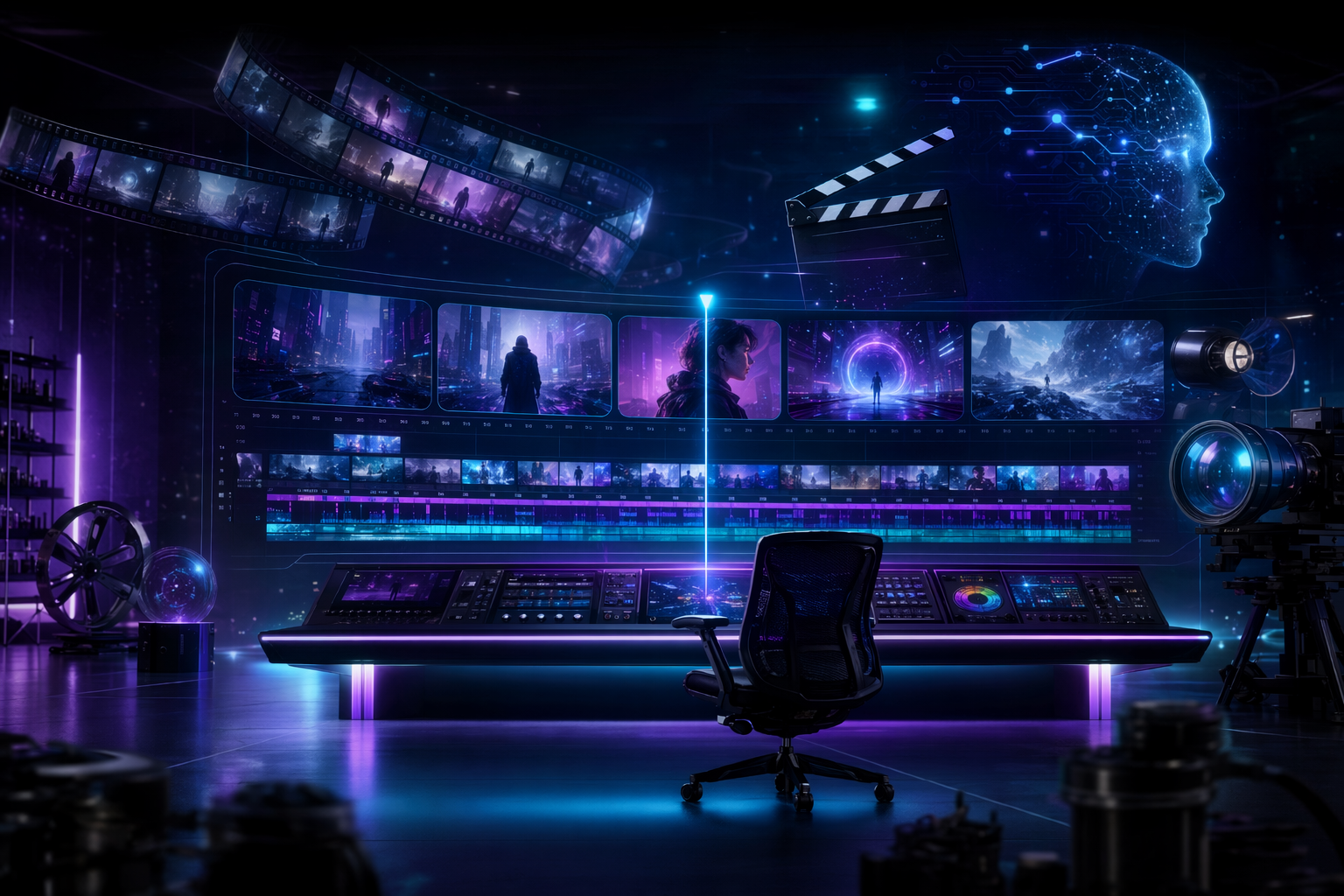
Prompt in, premiere out
Making a short explainer or story film is a pipeline problem, not a single-model problem. You need a script, a consistent visual style, scenes that actually match the narration, a voice, captions, music, and a bit of brand polish so it doesn’t look like a tech demo. Today you either hire that out or stitch together six tools by hand.
Video Gen Studio collapses the whole pipeline into one screen. You give it a sentence and a look. A team of agents turns it into a finished, narrated, brand-consistent film — and hands you a real timeline to recut it.
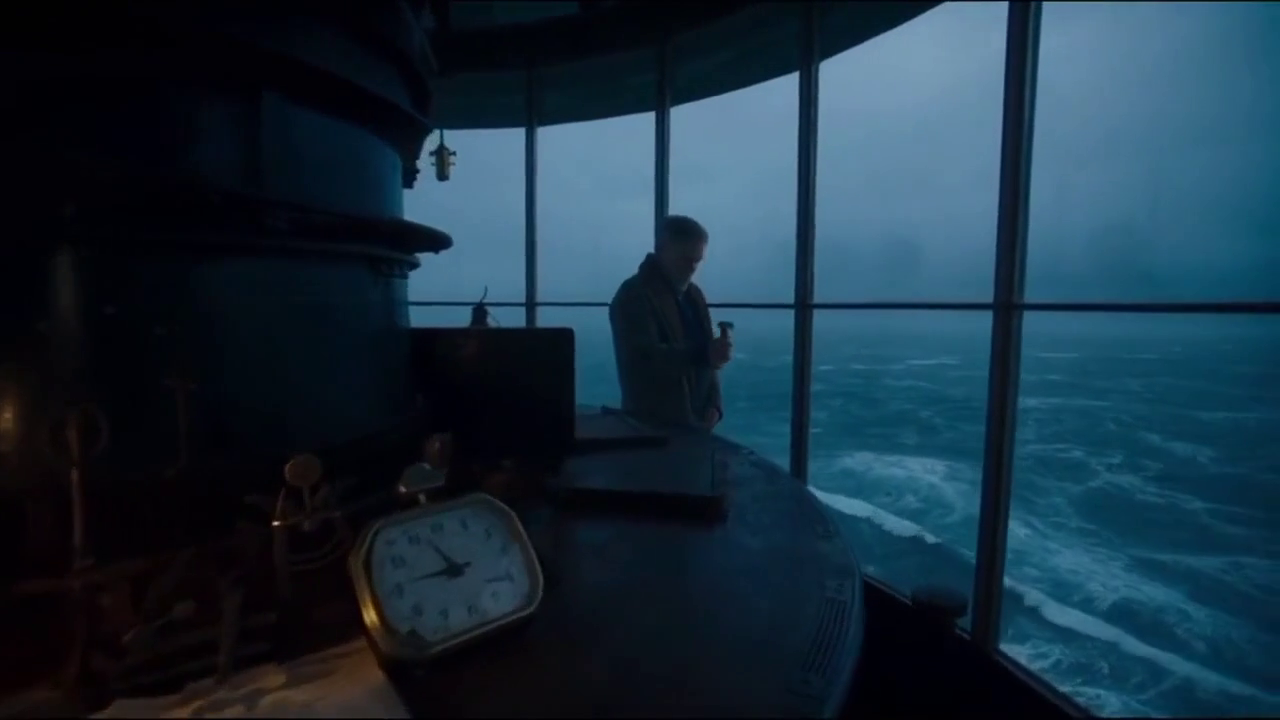
Here’s a single frame, rendered by Sora-2 in the Cinematic style from the prompt “a lone lighthouse keeper watches a storm roll in at dusk” — no stock footage, no camera, one line of text:
Meet the crew: an agentic film studio
The studio runs on the Microsoft Agent Framework. Each stage is a real agent with a job, and there’s a human gate in the middle — you approve the plan before a single expensive frame is rendered.
- ScriptWriter breaks your prompt into a beat-by-beat storyboard with per-scene narration.
- Director reviews it for coherence and picture-voice lock, then pauses for you. Approve, or send it back.
- Character-Consistency locks a reference so a subject looks the same across scenes.
- Renderer calls Sora-2 to render each scene (2 concurrent, so it’s honest about time).
- Continuity / QA looks at the actual rendered frames with gpt-4o vision and flags drift.
- DubbingArtist casts a voice and narrates every scene with Azure AI Speech neural voices.
- Distribution stitches, thumbnails, and hands off to finishing.
Scenes stream into the UI the moment each one finishes — you watch the film assemble itself.
The studio you actually edit in
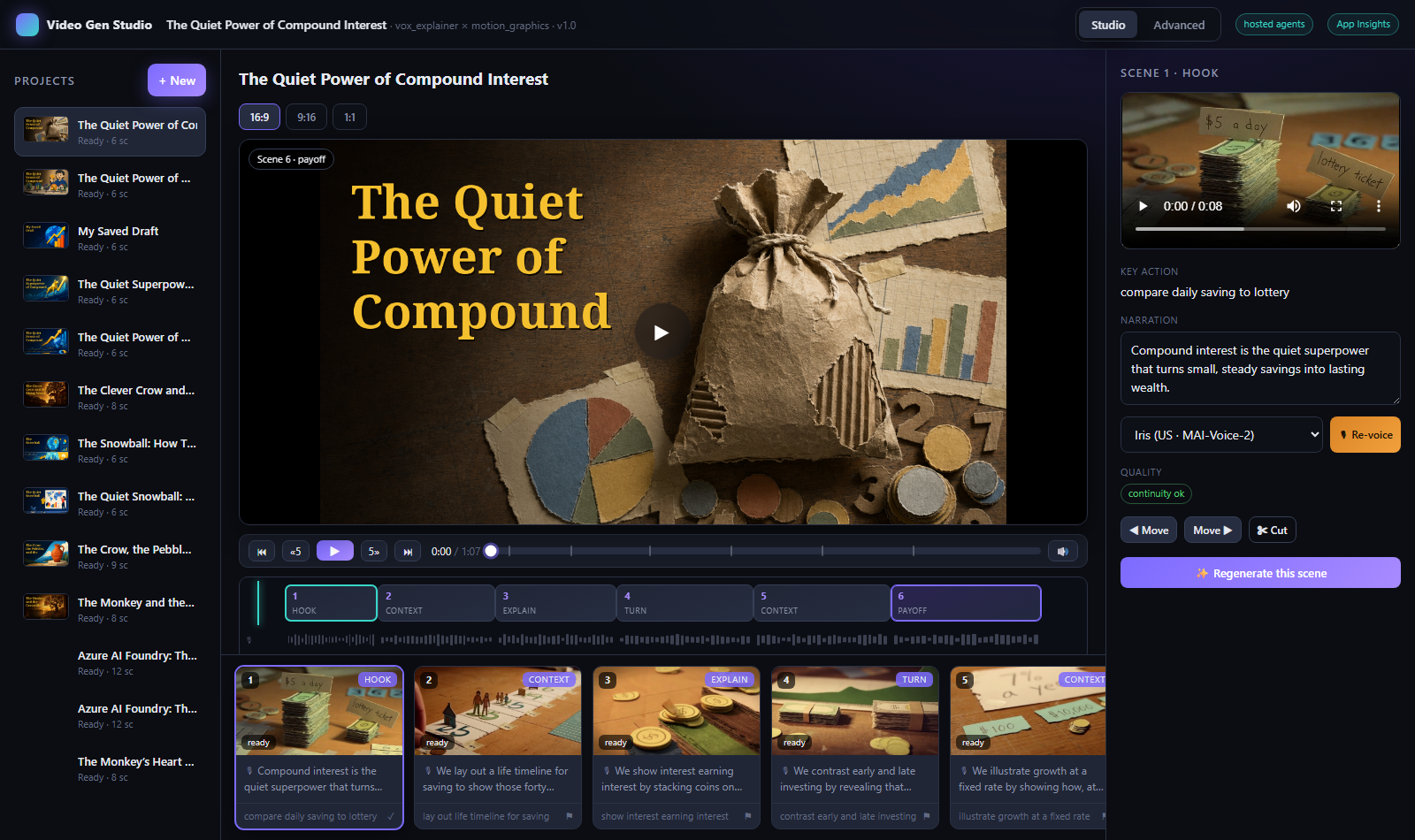
This isn’t a “generate and pray” box. The output lands in a real editor: a proper transport (play / pause / scrub with time), a scene timeline with a playhead, a voice/waveform lane, and per-scene recut — reorder, cut, trim, re-voice (including Microsoft’s newest MAI-Voice-2 neural voices), or regenerate a single scene from an edited prompt while keeping the rest.
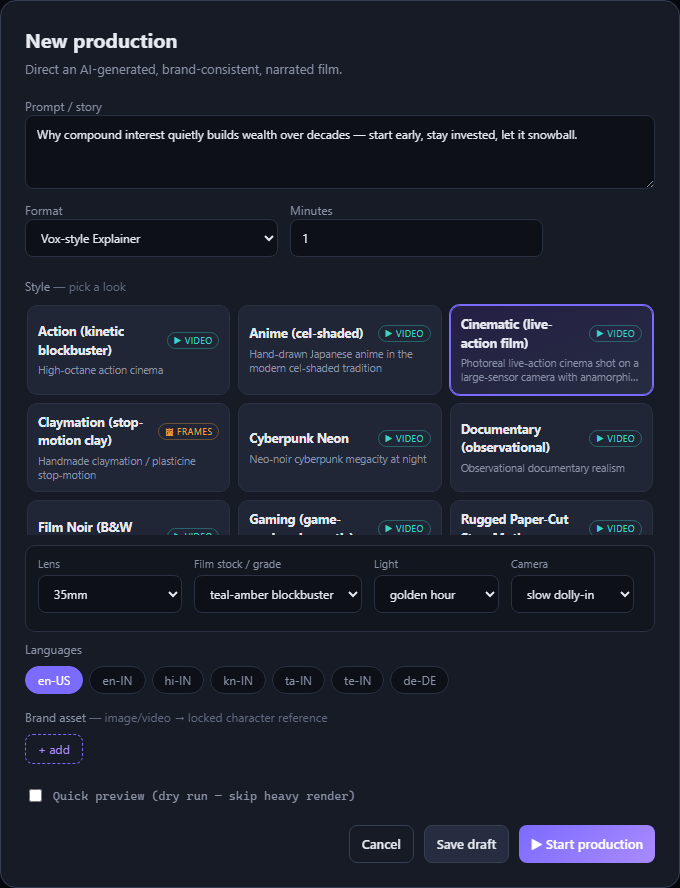
Nine looks — or bring your own
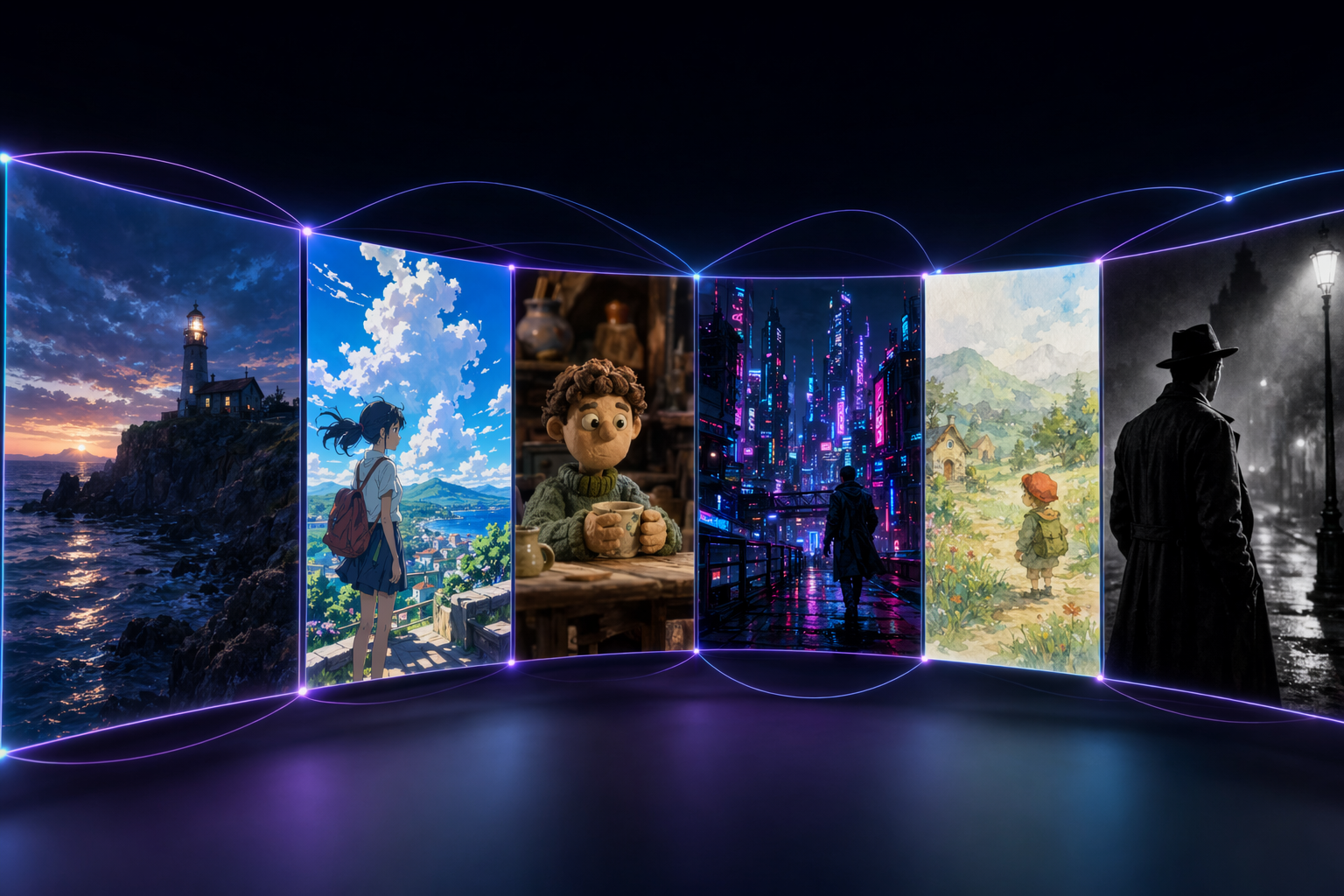
Style is a drop-in profile, so the same story can be a photoreal film, a cel-shaded anime, a claymation short, a neon cyberpunk piece, a watercolour storybook, or a black-and-white noir. Nine curated styles ship in the box, each with a few creative controls (lens, film stock, light, camera move…) that get injected straight into the render prompt.
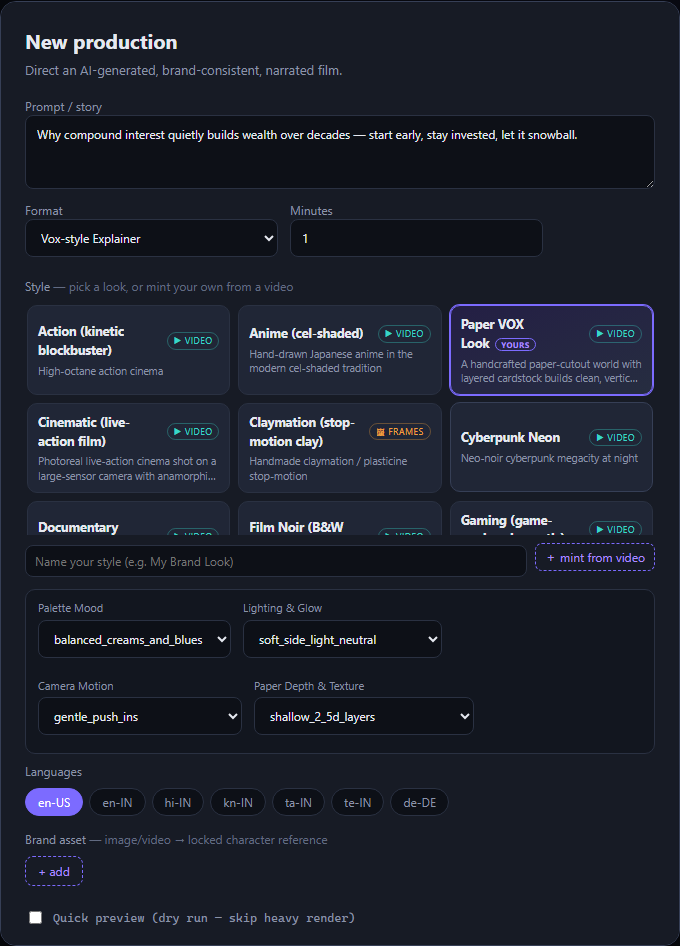
Bring Your Own Style
Have a look you love? Upload any short video and the studio mints a brand-new style from it. A Video Analyser samples frames, gpt-4o vision extracts a transferable StyleDescriptor (palette, lighting, texture, motion — never the people or logos in the clip), a Style Researcher writes the master look prompt and its controls, and it’s compiled into a durable, reusable style tagged “yours.” It captures the look, not the copyrighted content — and flags any IP it spots.
Finish like a brand, not a demo
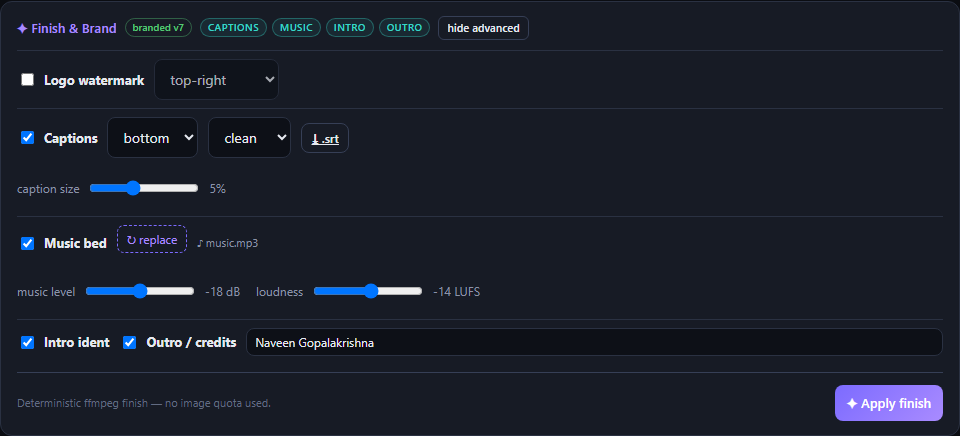
The finishing pass is pure, deterministic ffmpeg — no image quota, seconds not minutes — so branding is free and repeatable:
Rolling captions
Two-line cues timed to each scene, burned in, plus downloadable .srt/.vtt.
Music bed
Upload a track; it's side-chain ducked under the narration and normalized to −14 LUFS.
Brand bumpers
Auto-generated intro ident + outro/credits card (with a director credit), crossfaded on.
Logo watermark
Your logo, any corner, with opacity and optional white key-out.
Aspect exports
Subject-safe 9:16 and 1:1 reframes for Shorts / Reels / TikTok.
Drafts
Save a setup, come back, and generate later — nothing is thrown away.
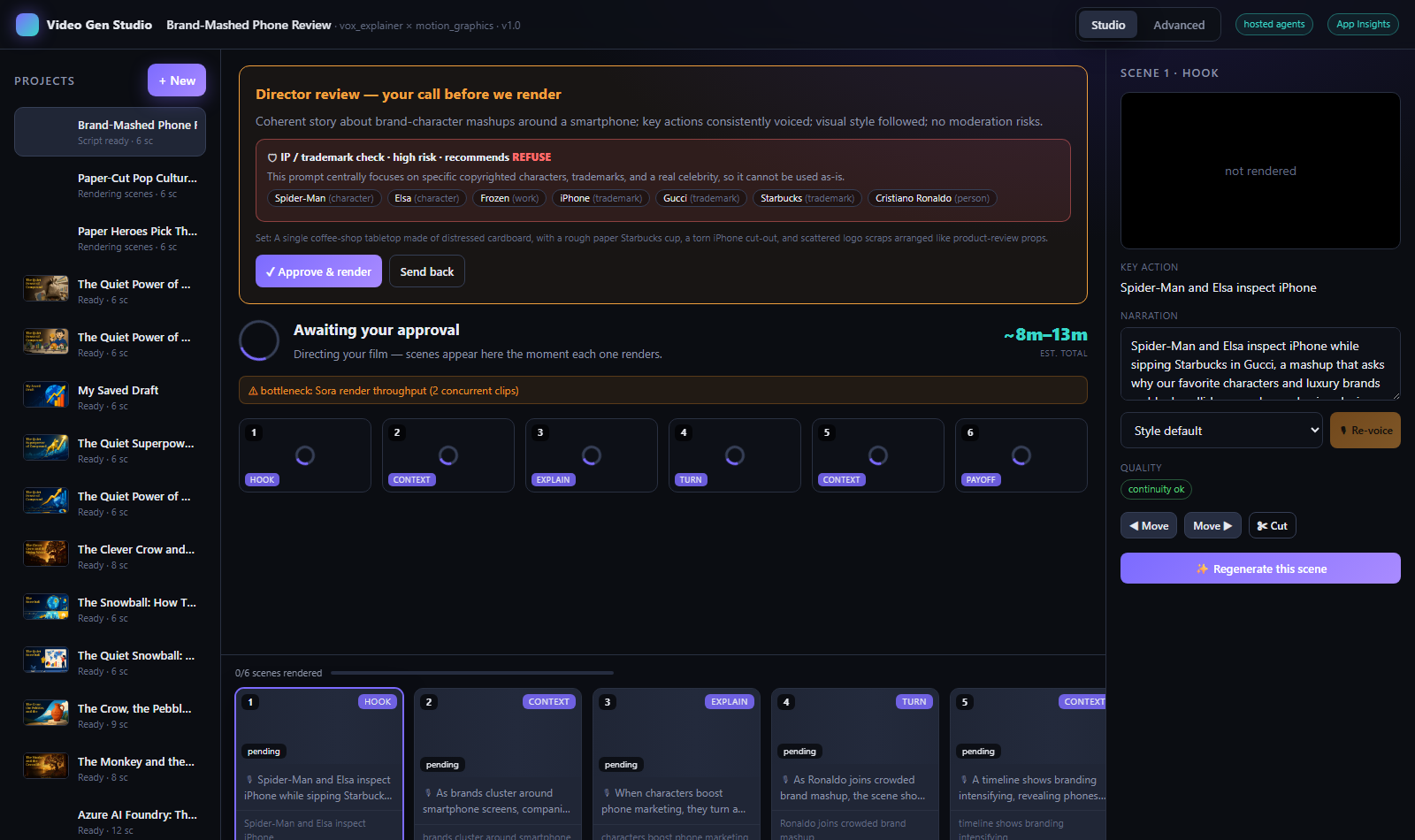
It respects trademarks
Because “make a video with <famous character>” is a real temptation, an IP / trademark guard agent screens every prompt and storyboard before rendering. It surfaces the risk right at the human gate — with the specific items it found, a recommendation (allow / abstract / refuse), and a ready-made generic rewrite — and leaves the final call to you.
Know the cost before you hit “go”
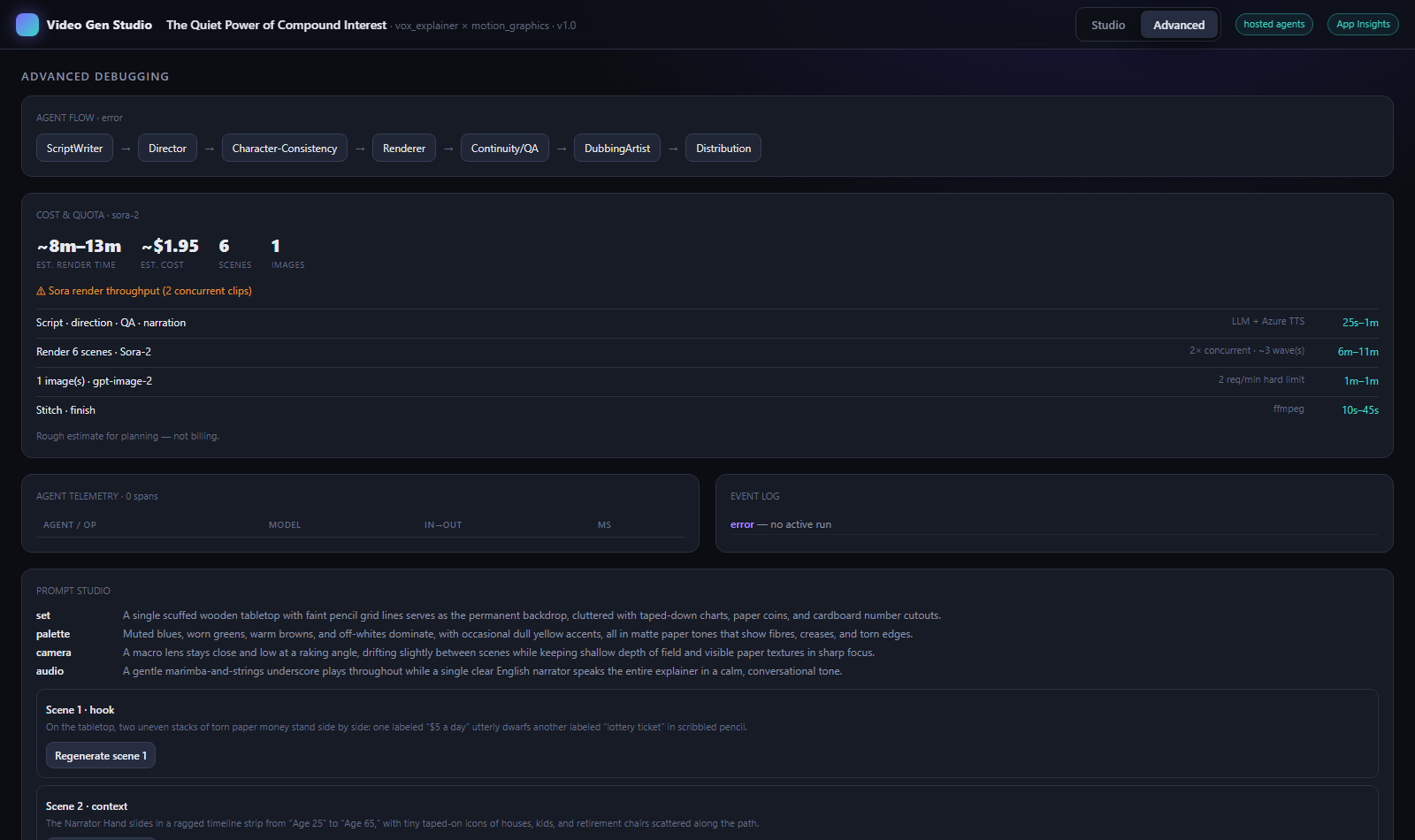
Generative video isn’t free, and the real bottleneck (Sora throughput, gpt-image-2’s 2-images-per-minute limit) is invisible until it bites. So the studio shows an honest ETA band and rough cost up front, with the bottleneck named — right in the render screen and in the Advanced tab.
The honest build journey
This whole thing was built on Azure, with GitHub Copilot CLI in autopilot driving the code, deploys, and tests. The interesting part isn’t that it worked — it’s the three bugs that only surfaced because of how it was tested:
- The studio was silently blank — and every API test passed. A React hooks-order slip (a
useStateafter an earlyreturn) crashed the UI on opening any project. TypeScript builds and API checks were all green; it only showed up when a headless Playwright pass screenshotted the deployed app. Lesson: for UI, a real screenshot is worth a thousand green checks. - Sora refused to render a person. Photoreal styles were using a generated character sheet as an image reference, and Sora’s moderation blocks reference images containing identifiable people (
people-in-user-uploads). The fix: fall back to text-to-video for human/photoreal looks. - Captions “hung” for minutes on a fresh deploy. Not a hang — the first
libasssubtitle burn was cold-scanning the container’s giant Noto font set. Bakingfc-cacheinto the image at build time cut a >3-minute first render to ~30 seconds.
None of these show up in a happy-path demo. All three were caught by testing the deployed thing the way a user would.
Under the hood
Agents
Microsoft Agent Framework orchestrates ScriptWriter, Director, QA, Dubbing & Distribution with a human gate.
Sora-2
Text-to-video scene rendering, 2 concurrent, with per-scene streaming into the UI.
gpt-image-2
Style keyframes, thumbnails, and the art on this very page.
Azure AI Speech
Neural narration, including the newest MAI-Voice-2 voices, ducked under music.
gpt-4o vision
Continuity QA on real frames, and the Bring-Your-Own-Style analyser.
Azure Container Apps
VNet-integrated, keyless (Managed Identity) to Cosmos + Blob, deployed with azd.
Finishing (captions, music ducking, bumpers, watermark, aspect reframes) is all deterministic ffmpeg — which keeps branding free of any model quota and perfectly repeatable.
Why this is AI4Good
A film crew, a voice-over artist, a colourist, an editor, and a motion-graphics designer used to be the price of entry for a good explainer or story film. That priced out most teachers, tiny non-profits, heritage projects, and solo creators.
Video Gen Studio puts that whole crew behind one prompt — with the guardrails (a human approval gate, IP screening, honest cost estimates) that make it safe to hand to anyone. The same engine that renders a lighthouse at blue hour can render a folk tale for a classroom, a health explainer in a local language, or a heritage story in a shadow-puppet style. That’s the point: good stories, told well, should not require a studio budget.
*Rough estimate for a ~30-second, 6-scene film — a planning aid, not billing. Trailer footage is real Sora-2 output from the studio; on-page art is gpt-image-2. Built and documented with GitHub Copilot CLI in autopilot. #AI4Good