
cordless: Remote Terminals & Coding Agents in Your Pocket — The Complete Build Story (v0.1 → v0.8)
The full story of cordless — a CLI-first tool that owns your remote terminal / Claude Code / Codex / Copilot sessions and puts them on your phone like browser tabs, with sessions that survive disconnects and replay on reconnect. From the first daemon and the 12-bug review, through a desktop app, a self-contained CLI binary, per-session attention state and phone notifications, to tab groups and persisted scrollback — designed in tandem with GPT-5.6 Sol and built with GitHub Copilot CLI.
TL;DR —
cordlessis a tiny CLI-first daemon on your dev box that owns real terminal sessions (a shell, orclaude/codex/copilot), plus a phone app that attaches to them like browser tabs. Close the app, switch networks, come back later — your sessions are still running and replay exactly where you left off. It grew from a first daemon into a desktop app, a self-contained CLI binary you run with zero prerequisites, per-session attention state with phone notifications, and Chrome-style tab groups. I designed it in a running conversation with GPT-5.6 Sol on Azure, built it with GitHub Copilot CLI, and verified it in a real browser and a real Android emulator. Live: naveenneog.github.io/cordless.
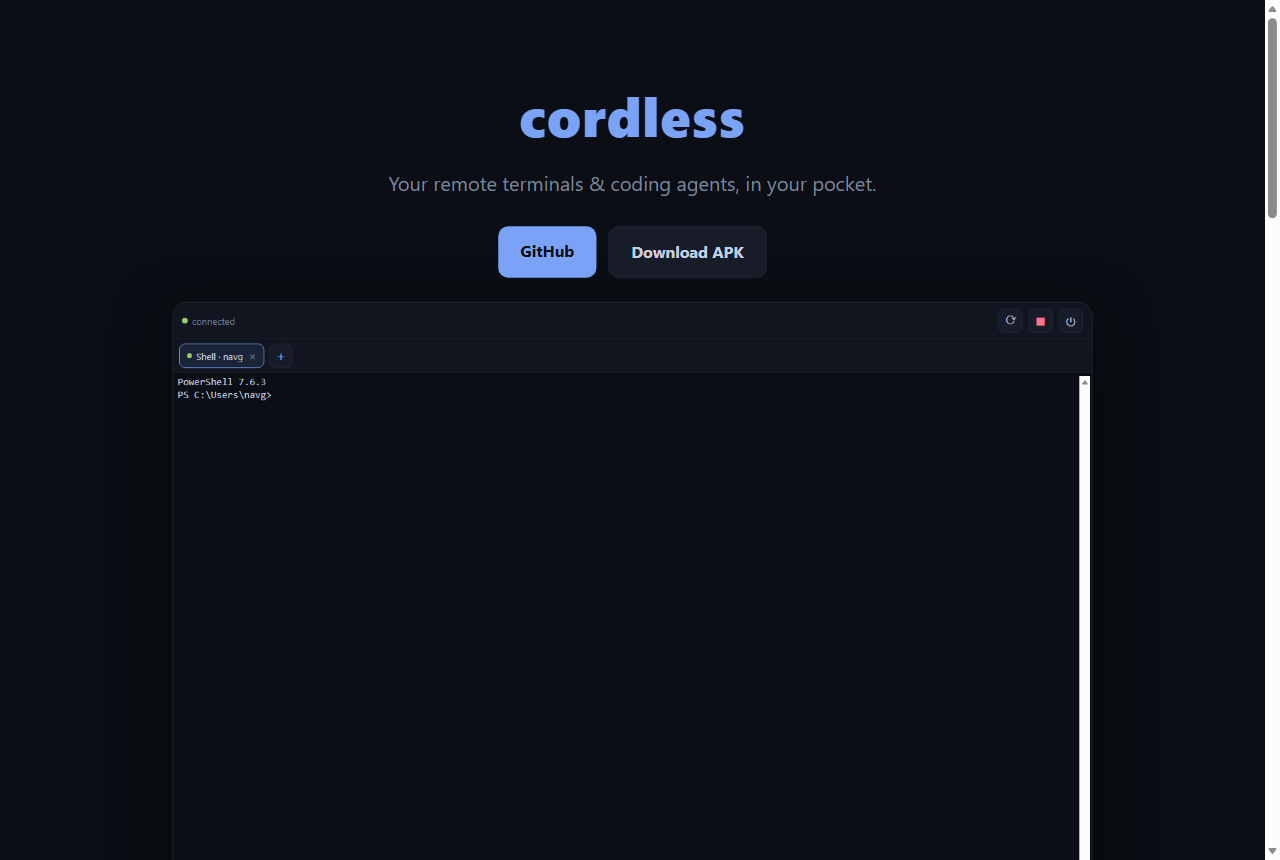
I keep leaving long-running coding-agent sessions on my dev box — a claude chewing through a refactor, a build, a shell mid-task — and then walking away from the keyboard. I wanted to check on them and steer them from my phone, the way I flip between browser tabs. Not SSH-in-a-box; something that treats each agent session as a first-class tab that keeps living when my phone sleeps. So I built cordless — and then lived with it, and kept fixing what annoyed me, one release at a time. This post is the whole journey.
What it is
- Persistent sessions. The PTYs live in the daemon. Your phone disconnecting, backgrounding, or hopping from Wi‑Fi to cellular doesn’t kill anything. Reconnecting replays from your last-seen byte — or a full-screen snapshot if you were away a while.
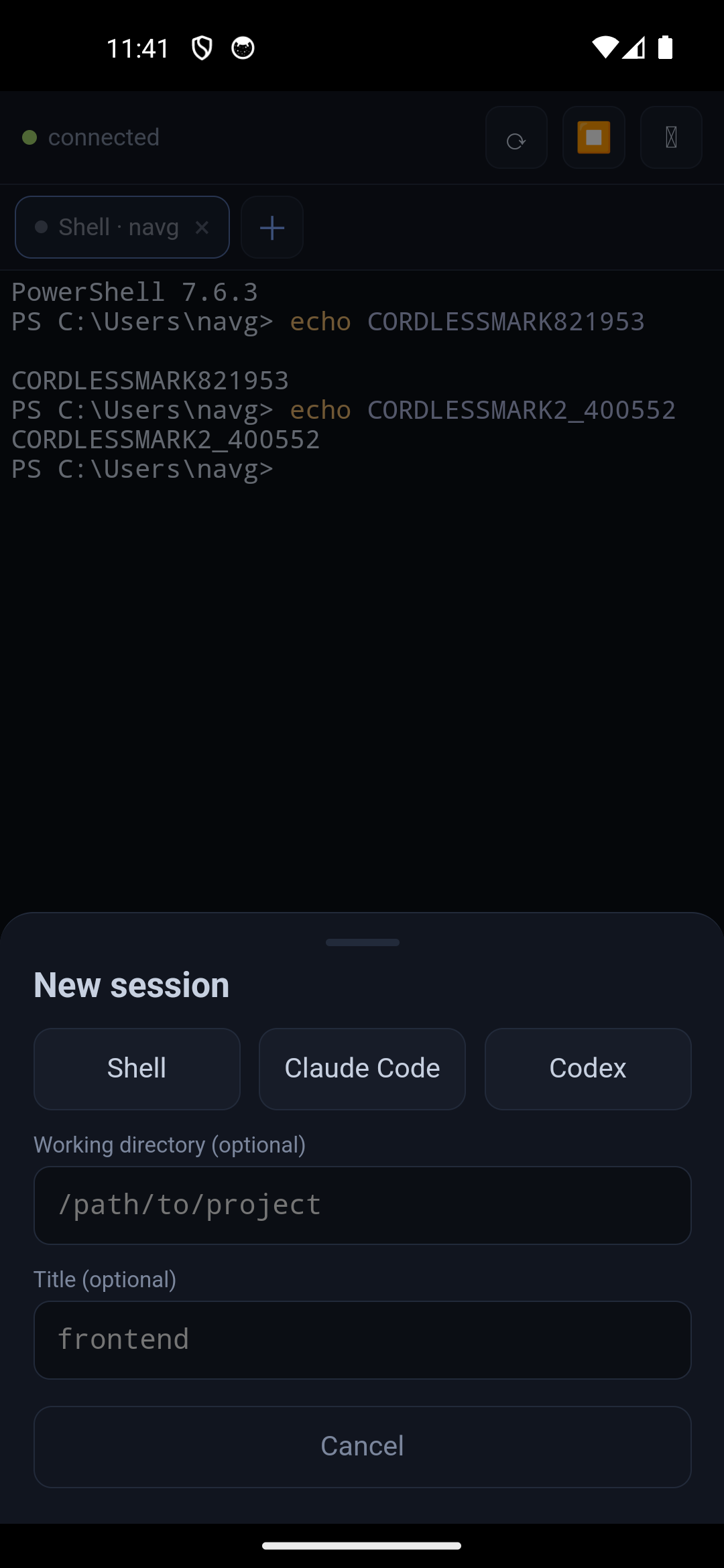
- Tabs for terminals. Run several Claude Code / Codex / Copilot / shell sessions at once and switch instantly, with an unread dot when a background session produces output.
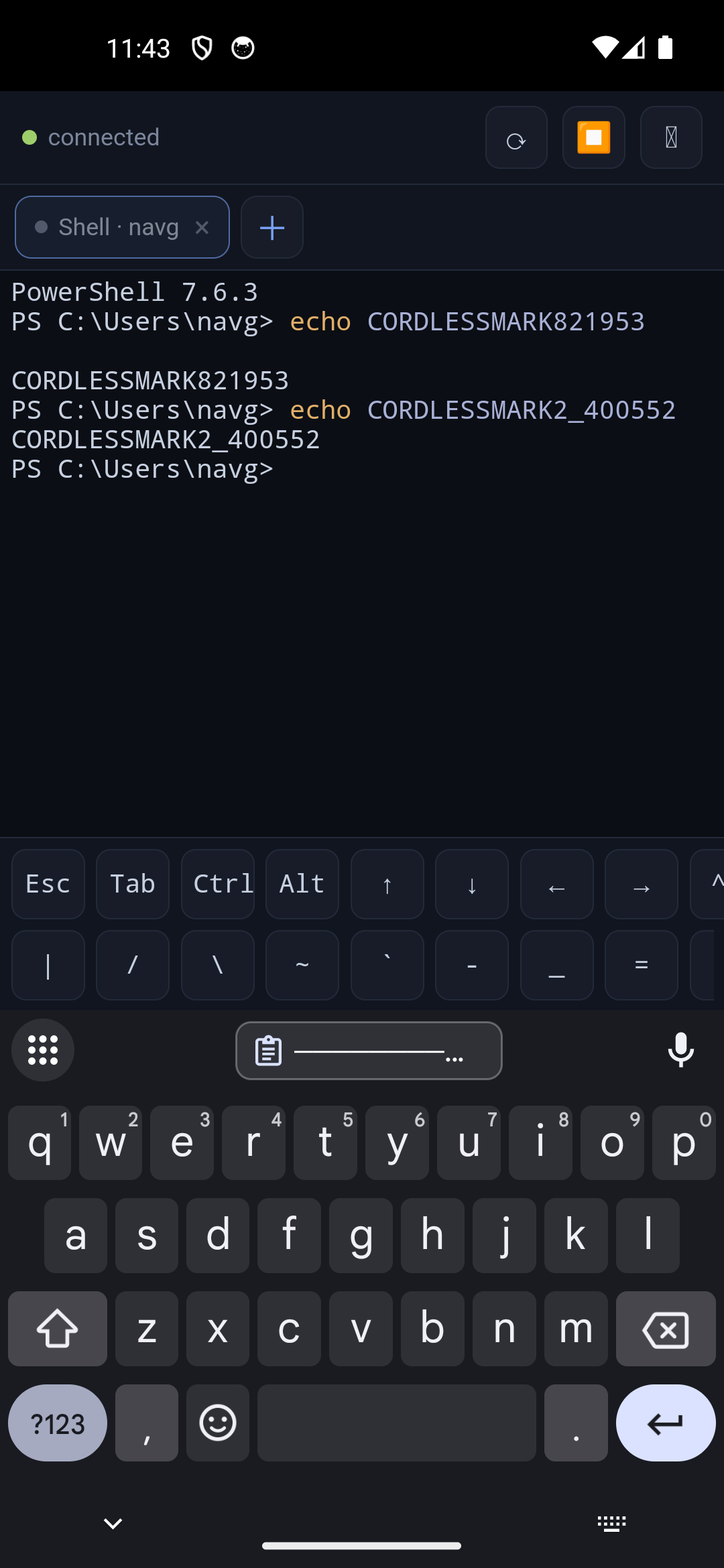
- Touch-first. A real terminal is unusable with thumbs without help, so there’s an on-screen key bar: Esc, Tab, Ctrl/Alt (one-shot latches), arrows, Ctrl‑C/D, pipes, and paste.
- Reach it from anywhere. Tailscale is the recommended path; same‑Wi‑Fi LAN also works. No ports exposed to the internet.
- CLI, web, desktop or native. Run the
cordlesscommand, install the PWA straight from your phone browser, grab the desktop app, or the Android APK.
How it was built
The through-line of every release: I didn’t architect this alone. I kept a stateful conversation with GPT‑5.6 Sol (deployed on my Azure AI Foundry) open the entire time — not one-off prompts, but a running transcript so it stayed consistent with every prior decision. Sol produced the architecture and, crucially, reviewed my actual code. I drove the building with GitHub Copilot CLI. That builder-plus-reviewer loop earned its keep over and over.
The agent: node-pty, not tmux
Each session is a real pseudo-terminal spawned with node-pty (ConPTY on Windows — which, pleasingly, built on Node 26 first try; a Unix PTY on macOS/Linux). I deliberately did not use tmux: the daemon is already the multiplexer, and tmux adds nested-terminal state, sizing quirks, and a Windows install problem. Every session is a PTY plus a headless @xterm/headless mirror (for snapshots) plus an 8 MiB replay ring.
The subtle bug Sol caught here: @xterm/headless’s write() is asynchronous, and reset() is not ordered behind queued writes. So I route every terminal write and every snapshot through one per-session op queue, and assign a batch’s sequence number inside the write callback — which keeps the replay ring, the sequence counter, and serialize() perfectly consistent. Output is coalesced into ~16 ms / 32 KiB batches, one sequence number per batch.
// one op queue per session; seq assigned only after the bytes are parsed
this._queueOp(() => new Promise((resolve) => {
  this.term.write(batch, () => {
    const seq = this._nextSeq++;
    this._pushRing(seq, batch);   // ring, counter and headless mirror advance together
    this._broadcast(seq, batch);
    resolve();
  });
}));
That consistency is what makes reconnect-with-replay honest: attach with your last seq, and the server either replays the ring from there or, if it’s rolled past, serializes the headless terminal into a single reset snapshot. tmux-style survival, without tmux.
The client, and the 12 bugs the review caught
The app is Vite + React + xterm.js, served by the daemon itself so the PWA is same-origin. I wrote the connection layer, thought it was solid… and handed the whole file to Sol for review. It came back with twelve real issues — not style nits, actual races: stale-epoch writes duplicating output after a reconnect, the duplicate-frame check gating on the wrong counter, duplicate-attach and detach-during-attach races, an ack timer that leaked across reconnects, Ctrl/Alt latches that could get stuck, and “close tab” silently undone by the next session-list poll.
The fix pattern throughout: give every socket a connection epoch that every handler, timer, and promise verifies; serialize each tab’s writes through an apply-chain; and use generation counters for attach/detach and resize. Boring, correct, and exactly the kind of thing a fresh reviewer spots that the author’s brain has already glossed over.
Security, baked in from the start
Because a paired device gets shell access to my machine, security couldn’t be an afterthought:
- Per-device tokens, only their SHA‑256 hashes stored on the box; revoke any device by id.
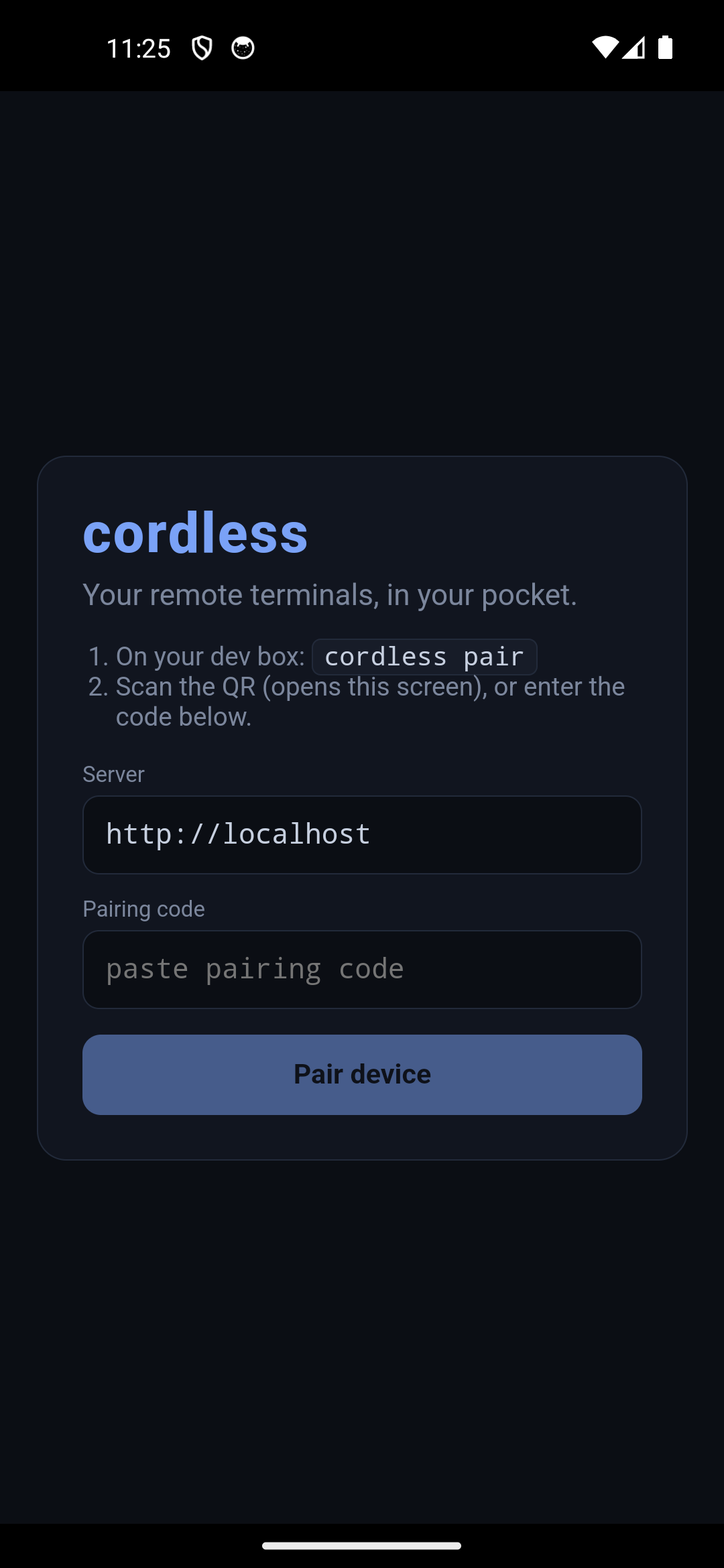
- Single-use, rate-limited QR pairing — and the pairing secret rides in the URL fragment, so it’s never sent to (or logged by) the server.
- An Origin allowlist on the WebSocket and pairing endpoints (blocks malicious web pages / DNS-rebinding), a strict CSP (
script-src 'self', no inline JS), andno-storeon every credential-bearing response. - The daemon warns if you run it as root/Administrator and binds with a clear least-privilege note.
There’s a small automated suite that asserts all of this (cross-origin pairing → 403, cross-origin WebSocket → rejected, headers present) so it can’t quietly regress.
The bug only a real emulator could find
My favorite part of the first build. Everything worked perfectly as a PWA — because the browser served the app and the agent from the same origin. Then I packaged the Android APK with Capacitor and installed it on an emulator. Pairing failed instantly: “Failed to fetch.”
Inside a Capacitor WebView the app’s origin is http://localhost, so talking to the agent is cross-origin — which triggers a CORS preflight my server had never needed to handle. The fix was to add CORS scoped to the existing Origin allowlist (echo Access-Control-Allow-Origin for allowed origins, answer the OPTIONS preflight, and — Sol’s catch — answer the Private Network Access preflight that Chromium sends when reaching a LAN/Tailscale address). A bug that would have broken every native-app user, invisible until I drove the real APK.
The journey, release by release
The first cut worked, but only two days of actually using it revealed what “done” really needed. Here’s how cordless evolved.
v0.4 — making it livable
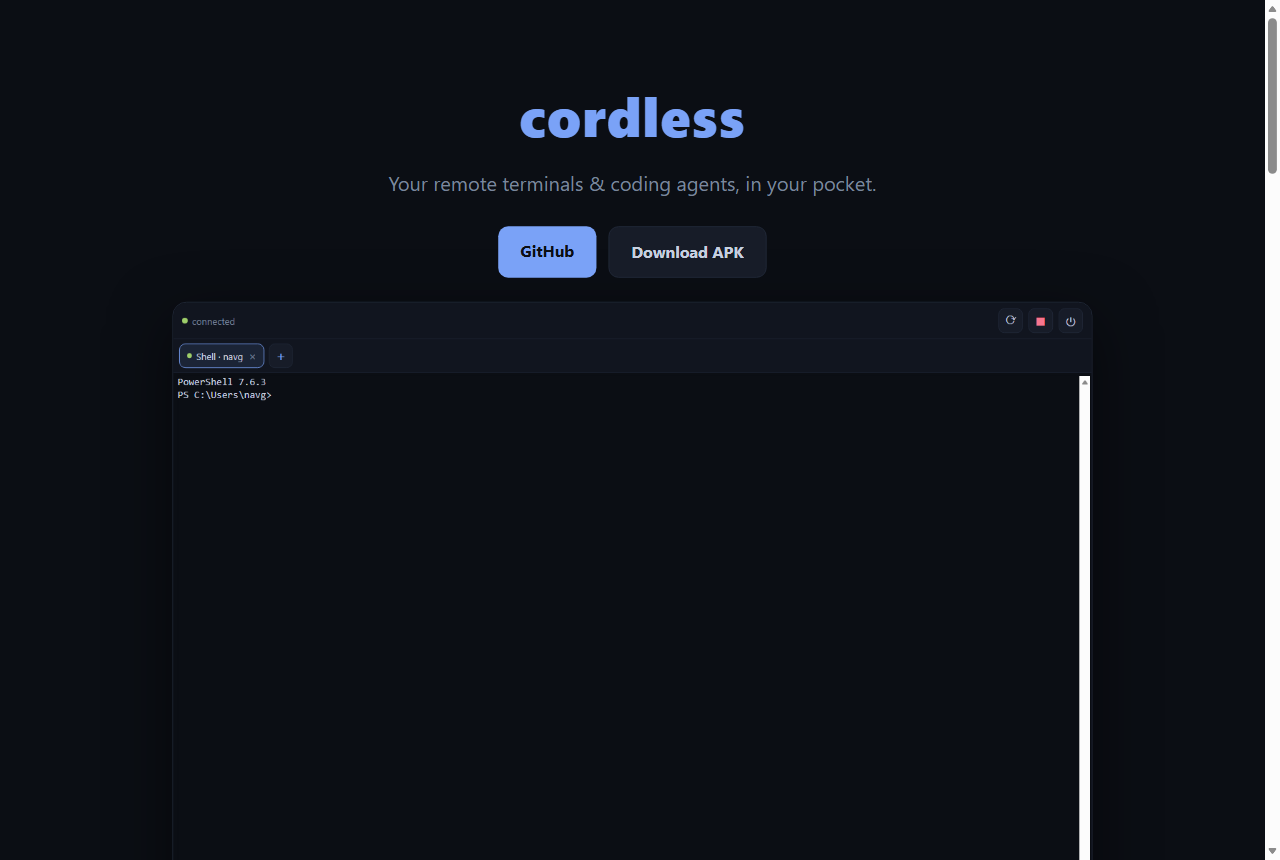
Three rough edges turned a neat demo into a daily driver:
- Seamless resume. The daemon’s PTYs die on reboot (they’re real OS processes), so “open my laptop and my agents are still there” needs the daemon to auto-start (Windows Task Scheduler /
systemd --user/ macOS LaunchAgent) and reopen what was running from a small restore manifest — fresh shells in the same directories, same session ids so your phone’s tabs re-match. Each restored session gets a new generation id so an old client sequence number can’t break replay (a Sol catch). - In-app QR scanner (Android). The packaged app is a different origin than a system-camera scan, so pairing moved inside the app —
@capacitor/barcode-scanner(bundled MLKit), a strict parser that rejects non-cordless links, and acordless://pair?...deep link. - No more truncation. The classic flexbox trap — a flex child defaults to
min-width: autoand refuses to shrink — clipped long lines. Fixing it withmin-width: 0on the terminal’s ancestors plus a per-paneResizeObservermade the terminal soft-wrap to the visible width. Plus font zoom and a tap-to-copy session-details sheet.
v0.5 — a desktop app, a face, and a security course-correction
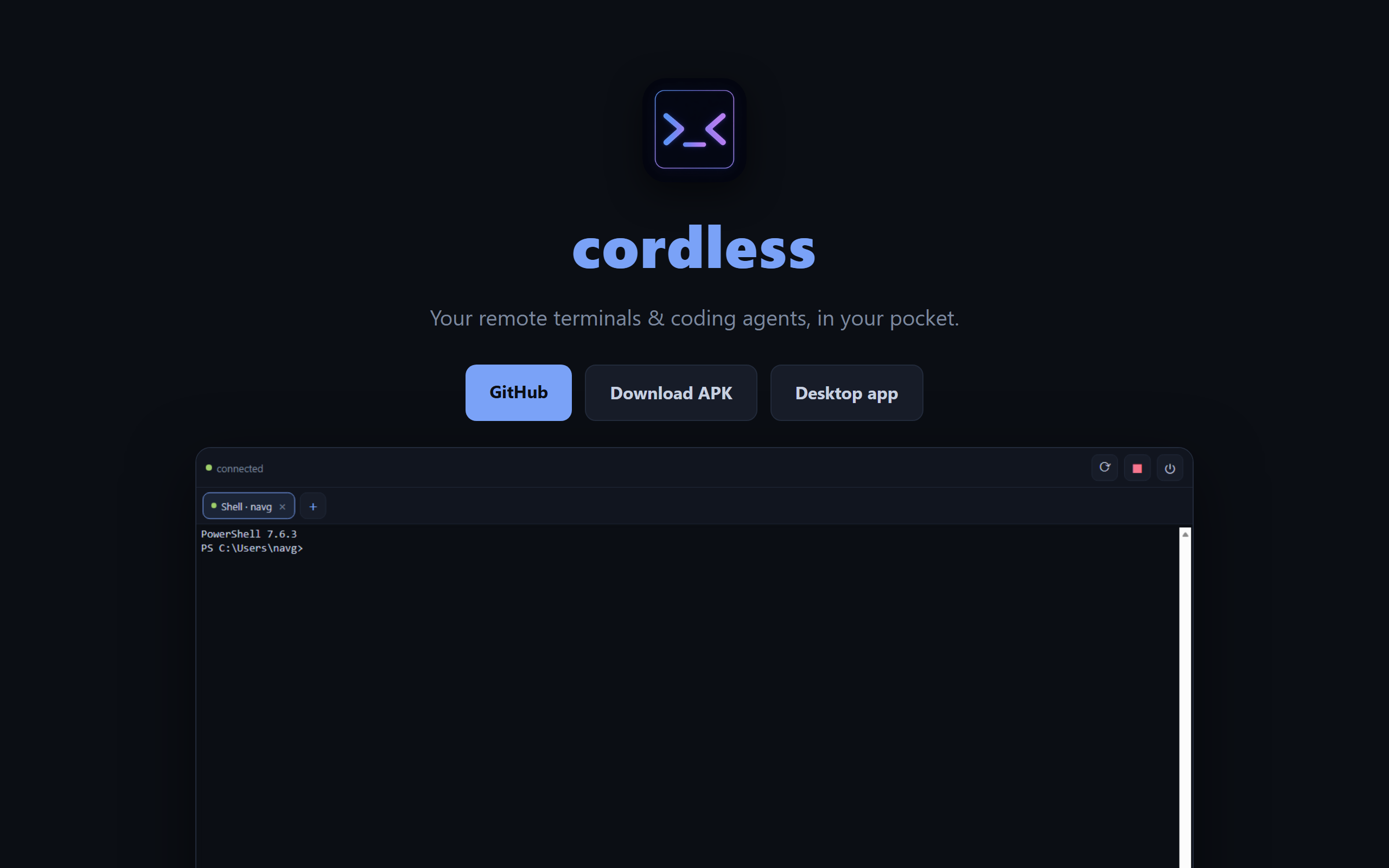
- A
>_<logo. Generated with gpt‑image‑2 on Azure — a shell prompt>_that doubles as a happy face, in a blue→violet gradient. (gpt‑image‑2 won’t render transparency — HTTP 400 — so I generated on dark and luminance-keyed it transparent with Pillow, then resized into every PWA/Android/desktop icon.) A blanket*.png.gitignorerule was silently swallowing the new icons — a good reminder to checkgit statusafter adding binaries. - A hardened Electron desktop app (Windows
.exe, macOS.dmg, Linux.AppImage/.deb). It loads the daemon’s own page athttp://127.0.0.1:<port>, so it’s same-origin — zero CORS/CSP changes. Hardening from Sol’s review:contextIsolation/sandboxon,nodeIntegrationoff, navigation pinned to the loopback origin, a tiny preload bridge, every IPC call validating the sender, and a strict loopback-http-only port parser (pulled into a pure module with 24 unit tests). - QR-first security. I’d built a convenient “auto-connect on localhost” path — it worked, and it quietly bypassed pairing, which is wrong. I rebuilt it as an explicit 🖥️ Connect to this computer button backed by a
desktop-credential.json(0600, hash only) scopedloopback: accepted only when the socket peer is127.0.0.1/::1, checked against the real socket address. A Tailscale100.xor LAN address is rejected outright — a local convenience structurally incapable of being a remote bypass.
ok    ip=127.0.0.1        authed=true    (expected true)
ok    ip=203.0.113.5      authed=false   (expected false)
ok    ip=100.64.1.2       authed=false   (expected false)   ← Tailscale, still rejected
=== LOOPBACK-SCOPE ENFORCEMENT PASS ===
v0.6 — going CLI-first
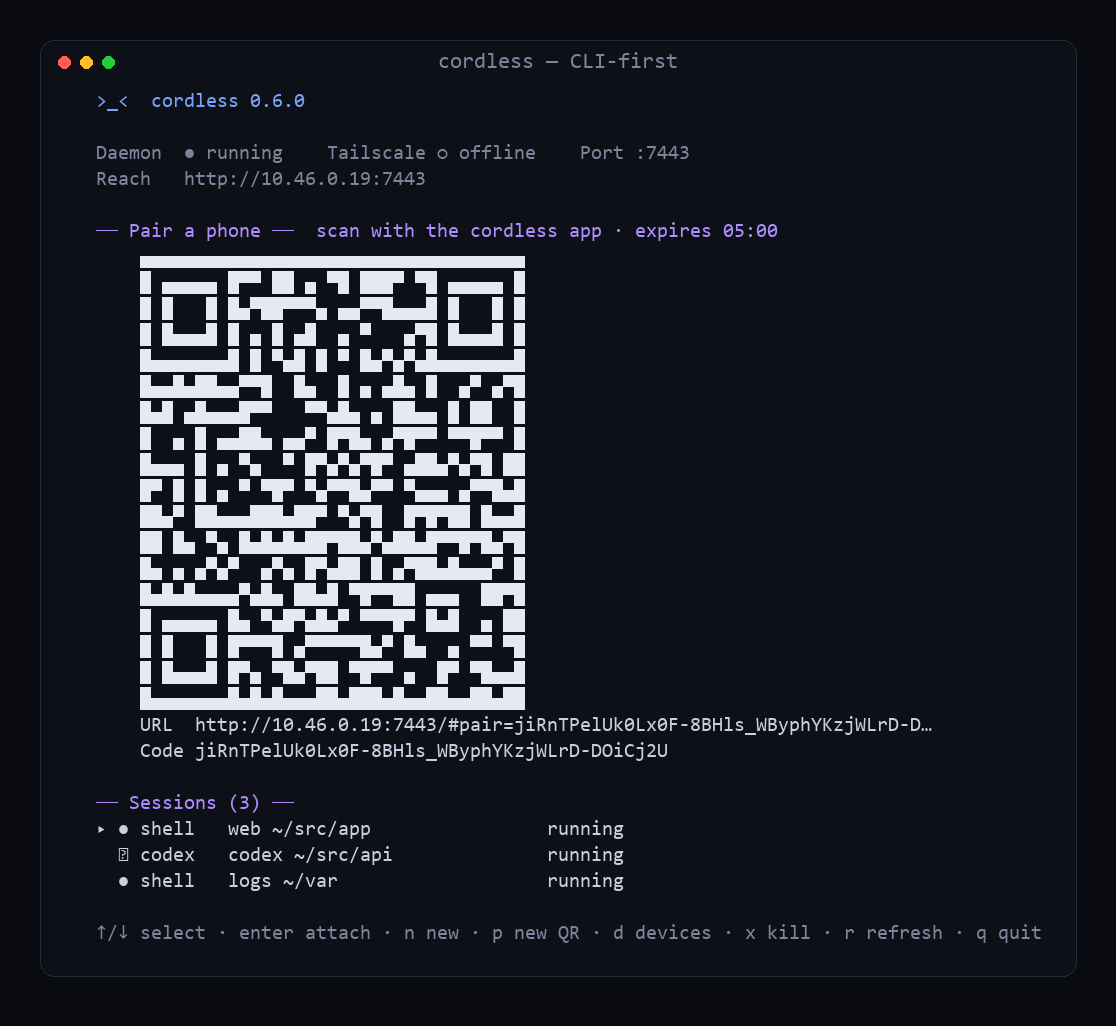
A course-correction reframed the whole thing. Instead of “a daemon plus a phone app,” cordless became the terminal. Run cordless with no arguments and you get a full-screen dashboard: brand banner, daemon + Tailscale status, your session list, and — front and center — a single-use pairing QR with a countdown. Scan it, done. No separate cordless pair step.
- The dashboard is a focused TUI (
↑/↓select,Enterattach,nnew shell/Claude/Codex,xkill,ddevices,qleave) and a thin client of a persistent daemon — quitting never stops your sessions. Enter/cordless attach <id>streams a session straight into your host terminal (no xterm.js), detach chordCtrl-] d, reusing the same replay protocol the phone uses.- Pairing is daemon-owned: one authenticated
pairing.createover the WebSocket, callable only by a loopback-scoped credential from a real loopback socket. A stolen phone token can’t enroll new devices. - One self-contained binary. Built with Node’s Single Executable Application support (
esbuildbundle → SEA blob → injected into the Node runtime), withnode-pty’s ABI-stable node-api prebuilds shipped beside it. A ~45 MB download that runs the dashboard, spawns real PTYs, and serves the phone client with zero prerequisites — no Node install first.
v0.7 — attention state: which of eight agents needs you?
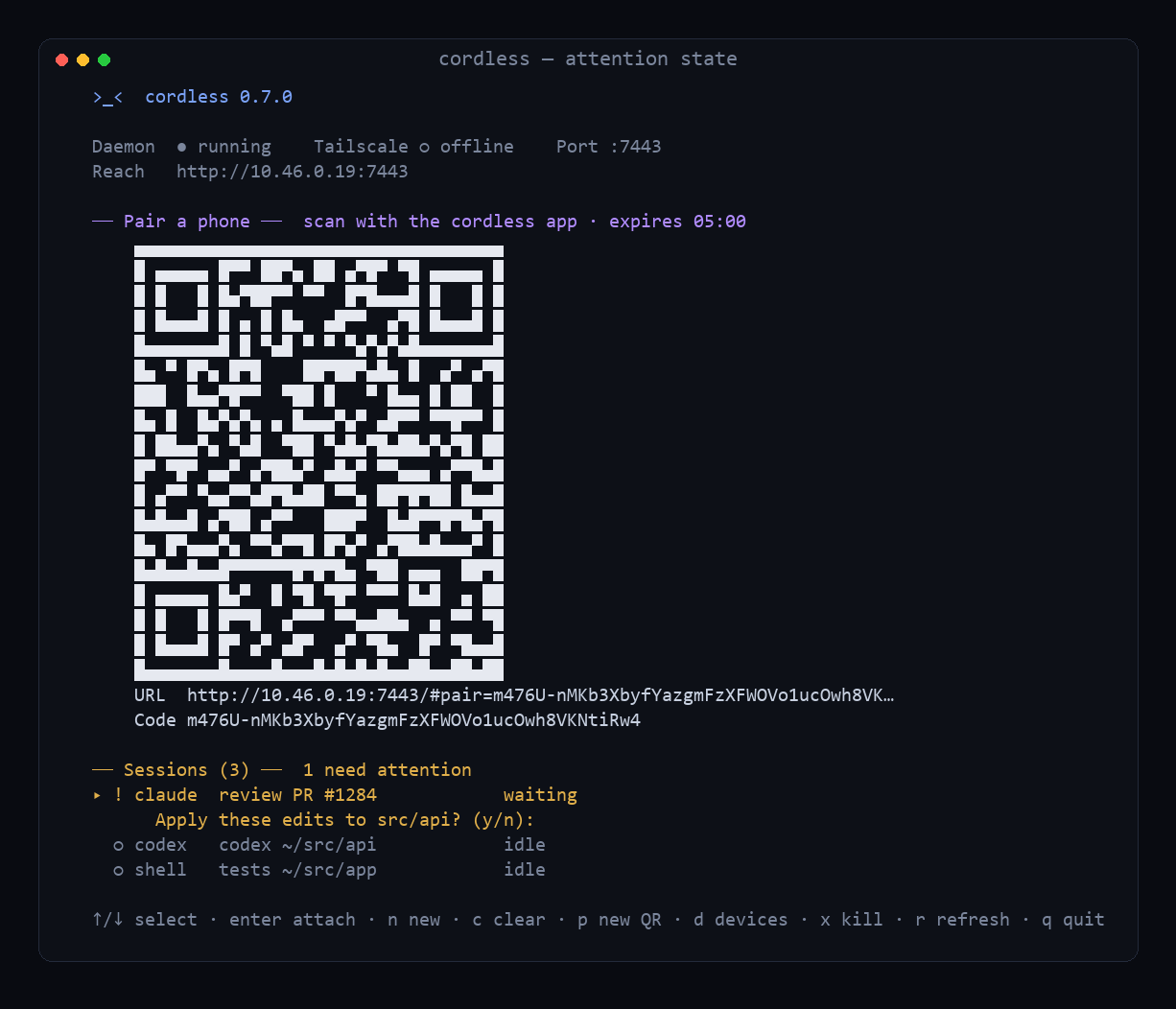
The real problem with running eight coding agents at once: they keep stopping to ask you things. You can’t watch eight terminals. So the daemon now infers, per session, an activity (working / idle / exited) and an attention state (waiting / bell / finished) purely from PTY output — no shell hooks — and the dashboard badges and sorts attention-first:
── Sessions (3) ──  1 need attention
▸ ! claude  review PR #1284            waiting
      Apply these edits to src/api? (y/n):
  ○ codex   codex ~/src/api            idle
  ○ shell   tests ~/src/app            idle
The hard part is not crying wolf. The rules Sol and I landed on are deliberately conservative: a trailing shell prompt is readiness, not attention; a silent session is idle, not waiting; only high-confidence confirmation prompts ((y/n), “Continue?”, “Enter your password:”) raise waiting; alternate-screen apps (vim/htop) suppress the heuristics; BEL is trusted but ignored at startup. The classifier is a pure, unit-tested module (41 fixture checks). And when you’re not looking, cordless can notify you via an ntfy topic or a generic webhook — cloudless, strict anti-spam (one ping per state change, 60s cooldown, 5/min cap, optional quiet hours), and no terminal output in the payload by default. Plus scrollback search, copy-last-output, and named workspaces that snapshot and relaunch a whole session layout.
v0.8 — organising the swarm
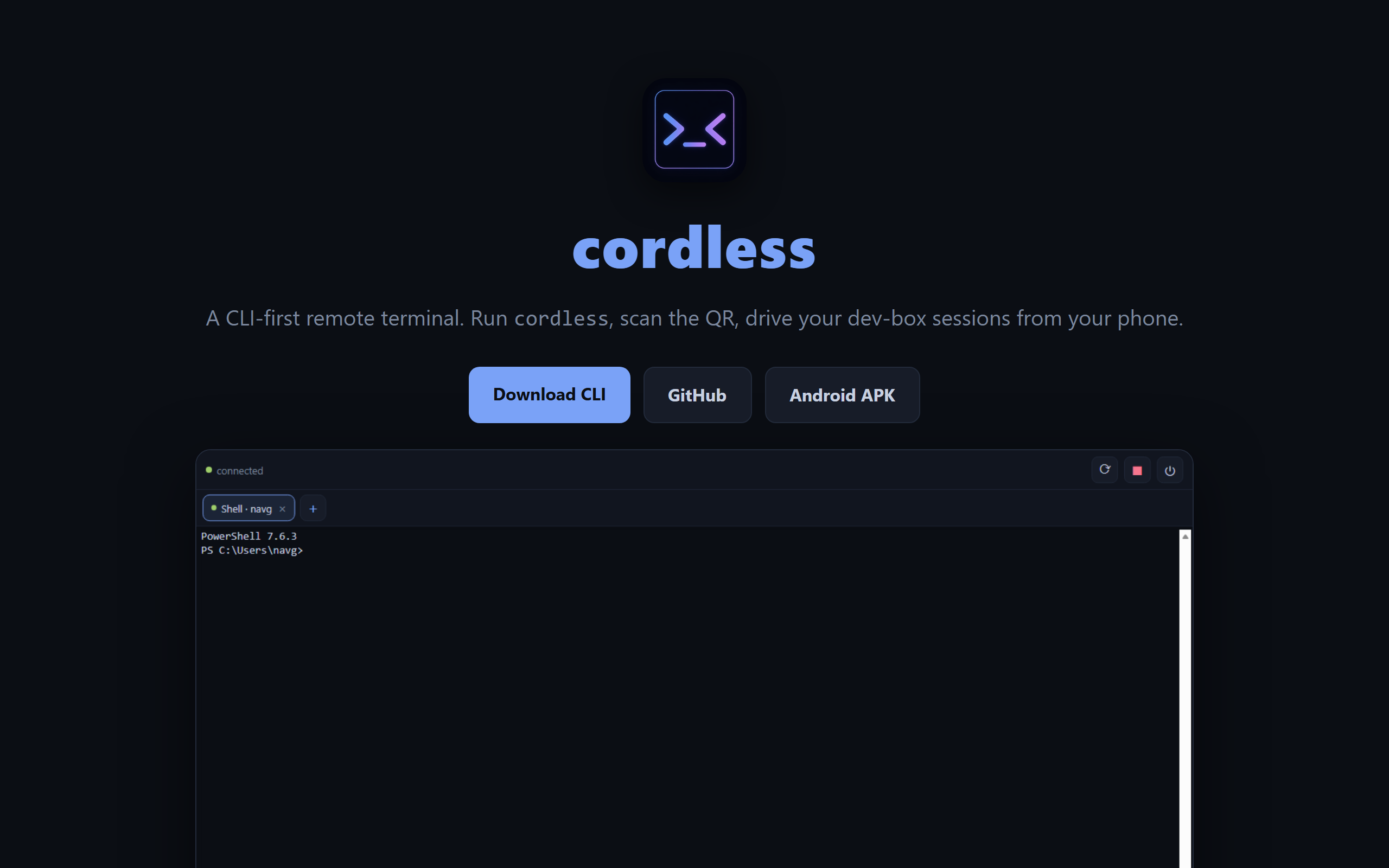
Once you run a dozen agents, they stop fitting on screen. v0.8 makes a big swarm manageable — the browser-tabs promise, finally delivered:
- Tab groups. Named, colored, collapsible groups (“API migration”, “Website”) with live per-group waiting/session counts, exactly like Chrome mobile. Manual groups, not continuous auto-grouping (Sol was firm: a session changing cwd shouldn’t silently jump groups); deleting a group never kills its sessions. On the phone, a chip strip above the tabs.
- Custom launchers + built-in Copilot. Define your own profiles in
~/.cordless/config.json(resolved againstPATH, not a shell string — nosh -cinjection). Ships a built-in GitHub Copilot CLI profile alongsideclaude/codex, and attention detection is now preset-driven so any profile taggedattentionPreset: "agent"gets the waiting/finished heuristics for free. - Rename tabs (
cordless rename, dashboarde, or long-press on phone), Unicode-normalized and broadcast live with a monotonic revision. - Persisted scrollback. A reopened session after a reboot used to come back blank; now the daemon persists a capped, gzipped, plain-text copy of each session’s scrollback and shows it as frozen context above the reopened session.
The bug that only failed on Linux: my persisted-history tests were green on Windows, so I shipped v0.8.0 — and the Linux/macOS builds went red. On a graceful SIGTERM stop the daemon’s shutdown() saved history then killed the PTYs; killing a PTY fired its exit handler, which deleted the just-saved history and rewrote the restart manifest without the exited session. Windows “passed” only because its SIGTERM is an uncatchable hard-kill, so shutdown() never ran and the periodically-flushed file just survived — it worked by accident. The fix is a _shuttingDown flag; I reproduced the Linux-only failure on Windows by driving shutdown() directly in a unit test, so it’s locked shut on every platform.
Install & run
On your dev box (the machine your sessions run on) — the easy path needs no Node:
- Download the cordless CLI for your OS from Releases (self-contained binary; Windows/Linux, macOS via source).
- Run
cordless setuponce (registers auto-start for seamless resume), then just runcordless. - The dashboard opens with a live pairing QR on its start screen.
Pair your phone
- PWA: scan the QR in your phone’s browser — it pairs automatically; then Add to Home Screen.
- Android APK: download it from Releases, open the app, tap Scan QR.
- Desktop app: install the Win/macOS/Linux build and click 🖥️ Connect to this computer.
From anywhere: install Tailscale on both devices and lock port 7443 to your own devices with a tailnet ACL — cordless then prints a stable *.ts.net URL. Never expose 7443 to the public internet.
Build from source instead? git clone the repo, then npm run setup && npm run build && npm start. Building the Android APK yourself needs Node ≥ 22, JDK 21, and the Android SDK (platform/build-tools 34+); most people just grab the prebuilt one.
The good
Sessions that outlive the client turn a phone from a read-only status screen into a real remote control for long-running agents. Check a claude refactor from the sofa, unstick a build on the train, tap Ctrl‑C on a runaway process — then walk back to your desk and the exact same sessions are there. Running a dozen agents no longer feels like drowning: the waiting ones surface with a ! (and buzz your phone), the rest are filed into groups you named, launched from profiles you defined, and if the box reboots overnight each one comes back with its history intact. And because the whole thing is token-gated, Tailscale-scoped, and never exposed publicly, it stays yours.
The meta-lesson across every release: pairing a builder (me, via Copilot CLI) with a dedicated reviewer (GPT‑5.6 Sol) in a persistent, stateful conversation produced noticeably better engineering than either alone — the 12-bug review, the CORS catch, the loopback-scope rule, and the Linux-only shutdown bug are all things I’d have shipped wrong without it. And living with the thing, release after release, is what turned “looks done” into “actually good.”
Try it
- ▶️ Live / docs: naveenneog.github.io/cordless
- 💻 cordless CLI (Windows / Linux, no Node needed): github.com/naveenneog/cordless/releases/latest — then
cordless setup - 🖥️ Desktop app (Win/macOS/Linux): github.com/naveenneog/cordless/releases/latest
- 📦 Android APK: github.com/naveenneog/cordless/releases/latest
- 🧑💻 Source: github.com/naveenneog/cordless
Part of the #AI4Good series. Built one day at a time. — @naveenneog