An Amazon-Prime-Music-style player for the songs already on your phone — with on-device
Smart Radio, a real equalizer, and lock-screen control. No account, no ads.
A dark, modern interface built around your library and your taste.
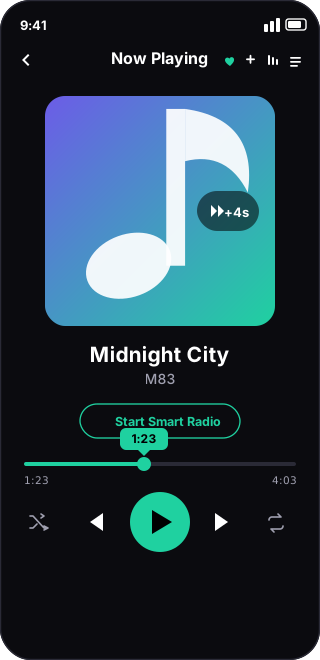
Now Playing
Swipe & double-tap gestures
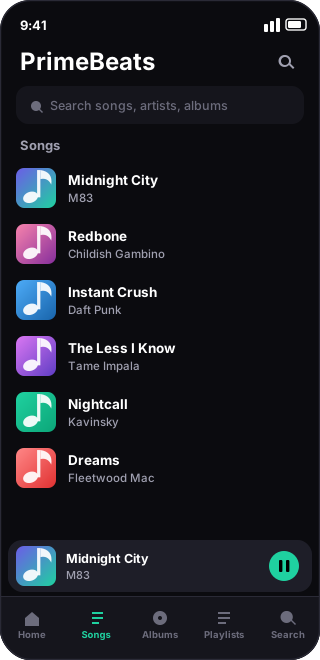
Your Library
Songs, albums, search, mini-player
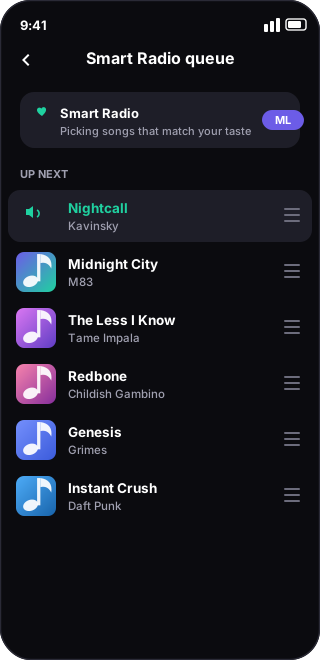
Smart Radio
On-device ML auto-queue
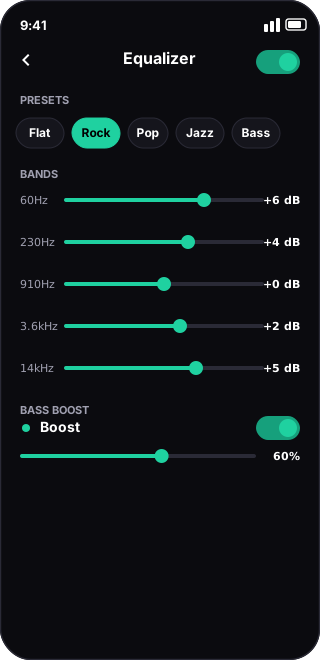
Equalizer
Presets, bands & bass boost
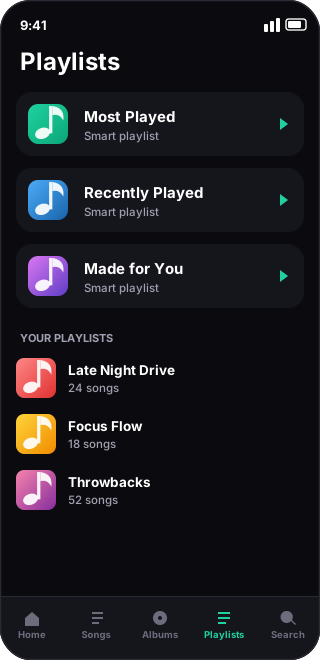
Playlists
Smart + your own, reorderable
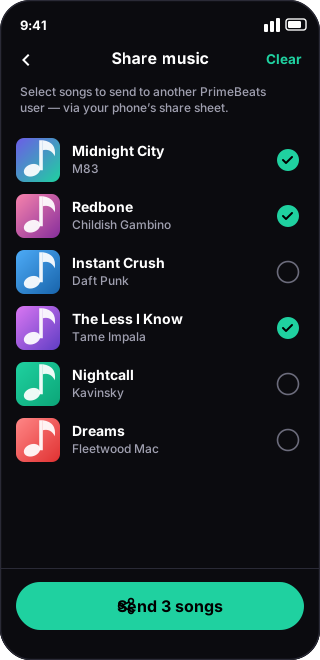
Share music
Send songs to another user
On the road
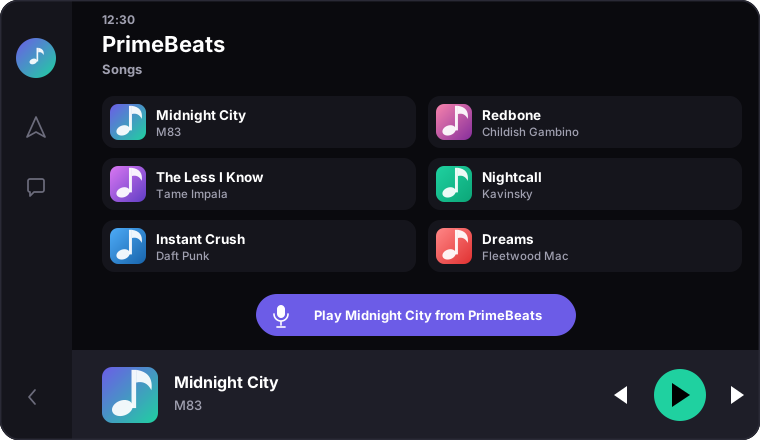
🚗 PrimeBeats in your car
Browse your Songs, Playlists and Smart-Radio mixes (now with icons), tap
Like, Loop or Smart Radio right from the car, or just say “play <song>
from PrimeBeats.” Phone and car stay in sync — same track, both ways.
Make it show up in your car
PrimeBeats is sideloaded (not on the Play Store), so Android Auto hides it until you
allow unknown apps — a quick one-time toggle on your phone. It's an Android Auto
security setting, not an app permission.
1Open the Android Auto settings on your phone (Settings → Apps → Android Auto, or search “Android Auto”).
2Tap Version at the bottom about 10 times to unlock Developer mode.
3Open the ⋮ menu → Developer settings.
4Turn “Unknown sources” on.
5Force-stop Android Auto, then reconnect your phone to the car — PrimeBeats now appears in the media apps.
💡 Open PrimeBeats once after installing so it can share your library, then say
“Play <song> from PrimeBeats.”
Everything it does
Features that hit the right note
All on-device. Your library, playlists and taste never leave your phone.
Local library scan
Finds every track on your device and organizes it by album and folder, with instant search and a persistent mini-player.
Background & lock-screen
Keeps playing when you switch apps or lock the phone, with full notification and lock-screen controls — next, previous, play/pause.
Android Auto
Shows up in your car with icon-rich browsing (Made for You, Most Played, Recently Played, Playlists, Songs), Like / Loop / Smart-Radio buttons, and two-way sync so phone & car follow the same track. Or say “play <song> from PrimeBeats.”
P2P music sharing
Select songs and send them to another PrimeBeats user via your phone's share sheet (Nearby Share, Bluetooth…). Received tracks import straight into their library and stick around across updates.
Smart Radio (on-device ML)
An endless auto-queue that picks similar songs from the current track and your learned taste — with exploration and per-artist variety. Fully offline.
Equalizer & bass boost
A graphic EQ with device presets (Flat, Rock, Pop, Jazz…), per-band sliders in dB, and a dedicated bass-boost control. Settings persist across updates.
Gestures & progressive seek
Swipe the artwork to change track; double-tap and keep tapping a side to jump progressively further (+2, +2, +3, +4, +5s) with an on-screen flash.
Make it yours
Rename a song's title & artist, fetch or upload custom album art, drag to reorder playlists and the up-next queue, and hide recordings — all saved across updates.
1. Download PrimeBeats.apk from the latest release on your Android phone.
2. Open it and allow “install unknown apps” for your browser or files app.
3. Launch PrimeBeats and grant the audio/media permission so it can scan your music.
Built with Expo · React Native · TypeScript · react-native-track-player · native Kotlin
modules for the equalizer, Android Auto and P2P sharing. Updates keep your playlists,
taste, custom art, EQ and received songs.